A visitor lands on your pricing page, opens the chat bubble, and asks whether your product integrates with their existing stack. The widget sends the question to an overloaded shared inbox. Nobody answers promptly, the visitor leaves, and the same question becomes another ticket for the support team.
That experience doesn't come from a lack of chat features. It comes from poor routing. Modern chat widgets for websites need to recognize intent, collect context, choose the right responder, and preserve the conversation when a handoff moves from AI to a human, email, Slack, or voice. The bubble is only the visible part of a support control layer.
Table of Contents
- Why Modern Chat Widgets Are Routing Layers
- Deploying Your First Widget With a Single Tag
- Configuring AI, Human, and Omnichannel Routing
- Customizing the Widget for Brand and Behavior
- Measuring Success and Iterating Over Time
- Turning Chat Into a Scalable Support Asset
Why Modern Chat Widgets Are Routing Layers
A basic widget gives visitors a place to type. A useful widget decides what should happen next.
Consider three conversations arriving within the same minute. One visitor wants to reset a password. Another reports that a payment failed. A third is a high-value prospect asking about security documentation. Sending all three messages to the same queue creates predictable problems. The password question consumes human time, the payment issue waits behind routine requests, and the prospect receives a generic response instead of a sales-informed answer.
The routing layer should treat those conversations differently. AI can answer the password question from approved documentation. The payment issue can collect account and transaction context before escalating to a trained agent. The security question can move to a specialist queue with the relevant page, visitor details, and conversation history attached.
Online chat itself isn't new. The history of live chat traces the format from Talkomatic on the PLATO system in 1973, through CompuServe's CB Simulator in 1980, to a transatlantic Internet chat in February 1989. Website widgets are the web-native continuation of that real-time communication pattern, adapted for commerce, software support, and service workflows.
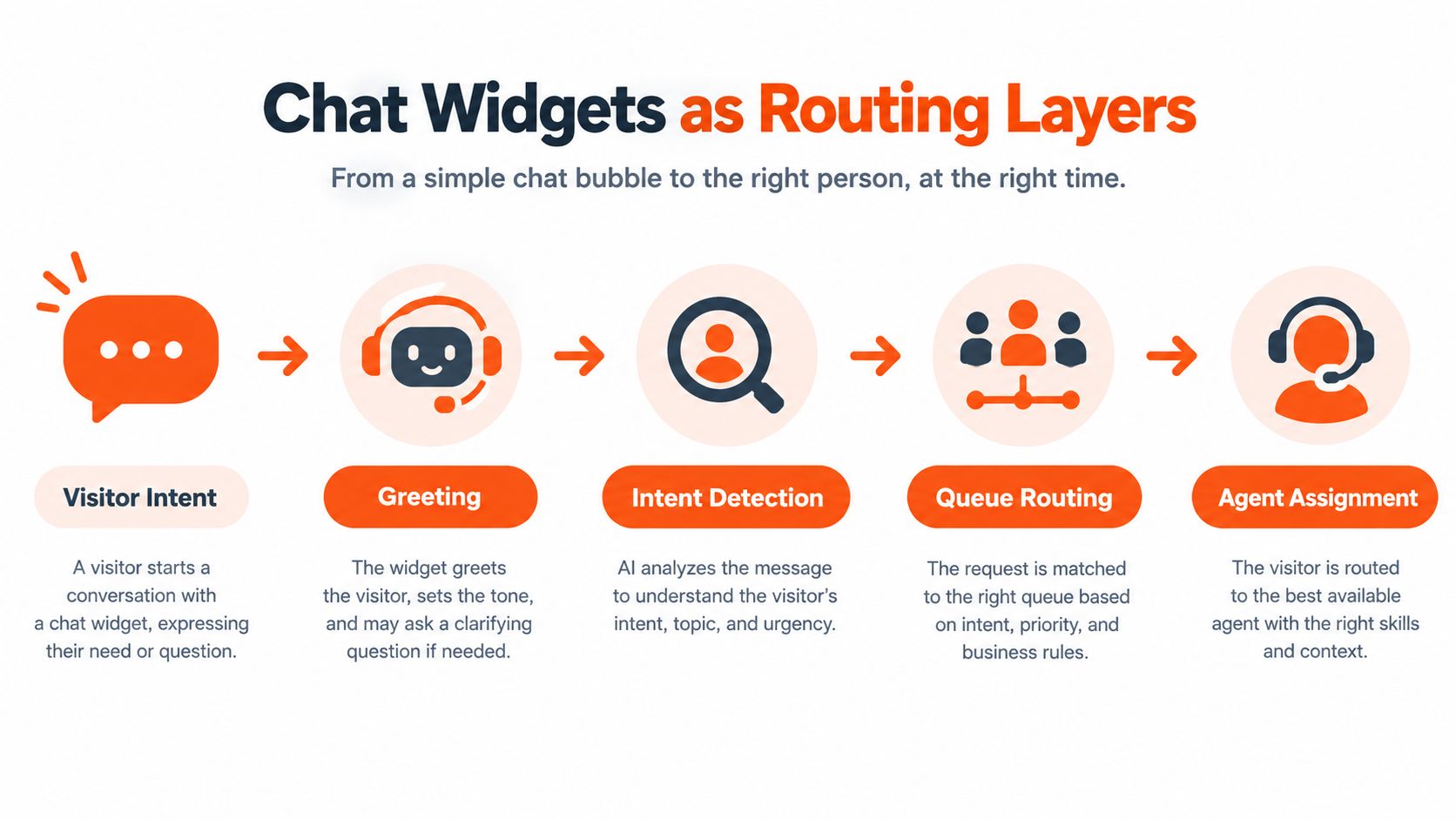
The operational model
A dependable widget usually performs four decisions:
- Greeting: It sets expectations and asks for the information needed to begin.
- Intent detection: It classifies the request as informational, transactional, technical, commercial, or urgent.
- Queue routing: It sends the conversation to AI, a shared inbox, a Slack workflow, email, or voice based on defined rules.
- Agent assignment: It identifies the right human or specialist queue when automation can't safely complete the request.
Adoption is no longer limited to experimental websites. A 2025-2026 industry roundup reported that about 5.3 million websites globally use online chat, while roughly 18% of the top 1 million websites have live chat installed. The same roundup cited 53% of U.S. online adults using live chat for help in 2023, and reported that 85% of customers expect a live chat widget when visiting a website. These figures come from industry coverage of chat widgets for websites, and they point to a channel users increasingly treat as standard.
The implementation details matter too. Teams working through the interface itself can use guidance on component implementation for chat apps, while teams designing more complex agent behavior can review multi-agent orchestration patterns. The common principle is simple: don't buy a bubble and then invent the workflow afterward. Define the workflow first, then configure the widget to enforce it.
Deploying Your First Widget With a Single Tag
Deployment should begin with a controlled test, not a long infrastructure project. A modern embeddable widget can load through a single script tag, which lets a support or operations team validate the experience before asking engineering to build deeper integrations.
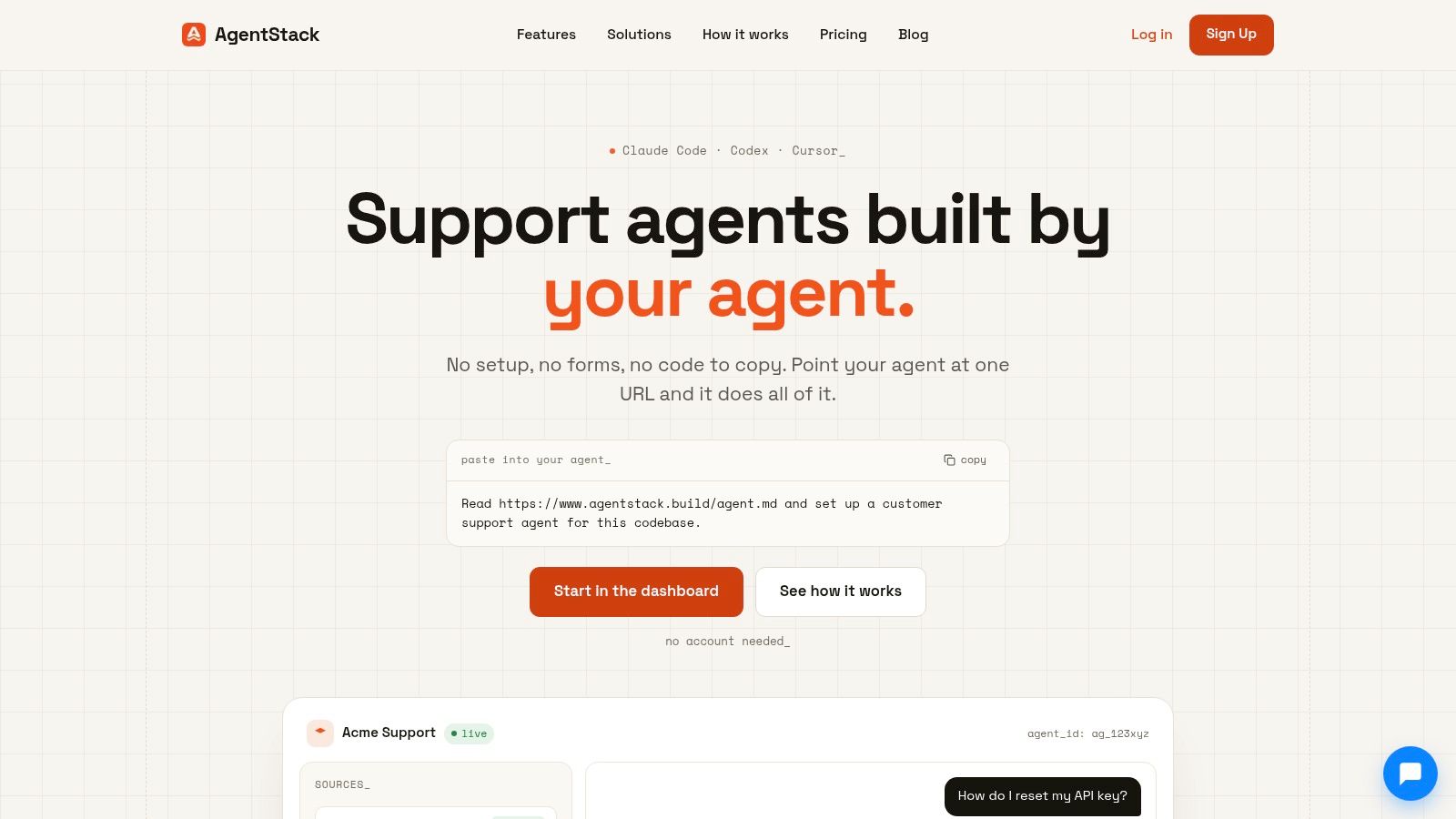
Start by choosing the environment. Use staging or a restricted preview domain first if the platform supports it. This gives you a safe place to test the greeting, knowledge responses, escalation behavior, mobile layout, and visibility rules without exposing an unfinished assistant to customers.
A practical installation sequence
-
Create the agent and knowledge source. Add the website pages, help articles, and internal documents the assistant is allowed to use. Keep unsupported topics explicit. An agent that knows its boundaries is safer than one that tries to answer every question.
-
Set the deployment token or workspace identifier. The tag needs to point to the correct agent and environment. Keep credentials and configuration values in the platform's deployment settings rather than hard-coding operational logic into page templates.
-
Place the script in the site-wide layout. The global header or shared layout is usually the right location because it makes the widget available across the intended pages. If the site uses a tag manager, publish the tag in the staging container first and confirm that it fires on the exact pages under test.
-
Configure visibility before publishing. Decide whether the widget appears everywhere, only on support pages, or only on commercial pages. A pricing-page assistant may need different opening copy and routing from a documentation assistant.
-
Test as an anonymous visitor. Use a private browser window and test the widget without an existing session. Then test as a returning user, on a phone, and on pages with different layouts. Cached scripts, consent tools, content security policies, and conflicting page styles can all make a correct installation appear broken.
The guide to adding a widget to a website is useful when you need the implementation sequence without turning the first release into a custom engineering project. Keep the first launch narrow. A focused widget with reliable answers is more valuable than a broad widget that guesses, loses context, or routes every request to the same person.
After the basic installation works, verify the operational path. Ask a question the AI can answer, then ask one that requires a human. Confirm that the human receives the transcript, page URL, visitor-provided details, and any collected account information. Test the offline state as well. Visitors should know whether they'll receive an email reply, a scheduled call, or a response when the team returns.
A short visual walkthrough can help nontechnical owners understand the deployment flow:
Don't move directly from “the bubble appears” to “the widget is live.” A successful deployment means the widget loads, the correct agent responds, the routing rules fire, and every handoff reaches a real destination.
Configuring AI, Human, and Omnichannel Routing
Routing should follow risk and intent, not convenience. The first question isn't “Can AI answer this?” It's “What happens if the answer is incomplete, wrong, or delayed?”
AI-first handling works well for requests with a stable answer in an approved knowledge source. Product definitions, setup instructions, documentation links, policy explanations, and basic troubleshooting often fit this path. The assistant should answer directly, cite or link to the relevant material where appropriate, and offer escalation when the visitor signals that the answer didn't solve the problem.
Human escalation needs clear triggers. Useful triggers include account access problems, payment disputes, security concerns, legal or compliance questions, repeated failed answers, strong negative sentiment, and explicit requests for a person. Add a confidence rule too. If the system can't find a grounded answer, it should say so and route the conversation rather than fill the gap with speculation.
Build the handoff around context
A handoff fails when the customer has to start again. The receiving agent should see the original question, the AI's responses, the pages visited, collected contact details, relevant account identifiers, and the reason for escalation. If that information isn't transferred, the organization hasn't created omnichannel support. It has created several disconnected channels with a chat launcher on top.
Use channel choice to match urgency and ownership:
| Situation | First response | Escalation path | Context to preserve |
|---|---|---|---|
| Routine product question | AI | Human queue if unresolved | Question, source used, page |
| Technical issue | AI for triage | Support inbox or specialist | Error details, product area, transcript |
| Internal operational request | AI classification | Slack thread or team queue | Requester, priority, related record |
| Complex commercial question | AI qualification | Sales or account owner | Use case, company details, buying intent |
| Urgent or high-friction case | Human-led triage | Voice or priority queue | Full transcript, identity, issue summary |
Email is useful when the visitor isn't available for a live handoff or when the response requires investigation. Slack can work for internal collaboration, but it shouldn't become a black hole where customer conversations disappear into busy channels. Voice is appropriate when a written exchange is too slow or the issue involves sensitive, complicated, or emotionally charged troubleshooting.
Routing rule: Escalate on risk, uncertainty, repetition, and customer intent. Don't wait for a visitor to become angry before the workflow acknowledges that automation has reached its limit.
Availability rules also need honesty. If no trained agent is online, don't imply that someone is actively watching the conversation. Offer a structured email capture, state when the team expects to respond, and preserve the transcript. A visible offline path is better than a silent queue.
The performance benchmark is demanding. A practical guide recommends configuring for a first response under 20 seconds for at least 80% of chats, sustainable agent occupancy of 60% to 75%, a concurrent workload of 2 to 3 chats per experienced agent, and abandonment below 5%. These benchmarks are discussed in Kayako's live chat performance metrics guide. Treat them as operating targets, not promises. If the team can't meet them, narrow the widget's availability, improve AI coverage, or change the queue design before increasing traffic.
Customizing the Widget for Brand and Behavior
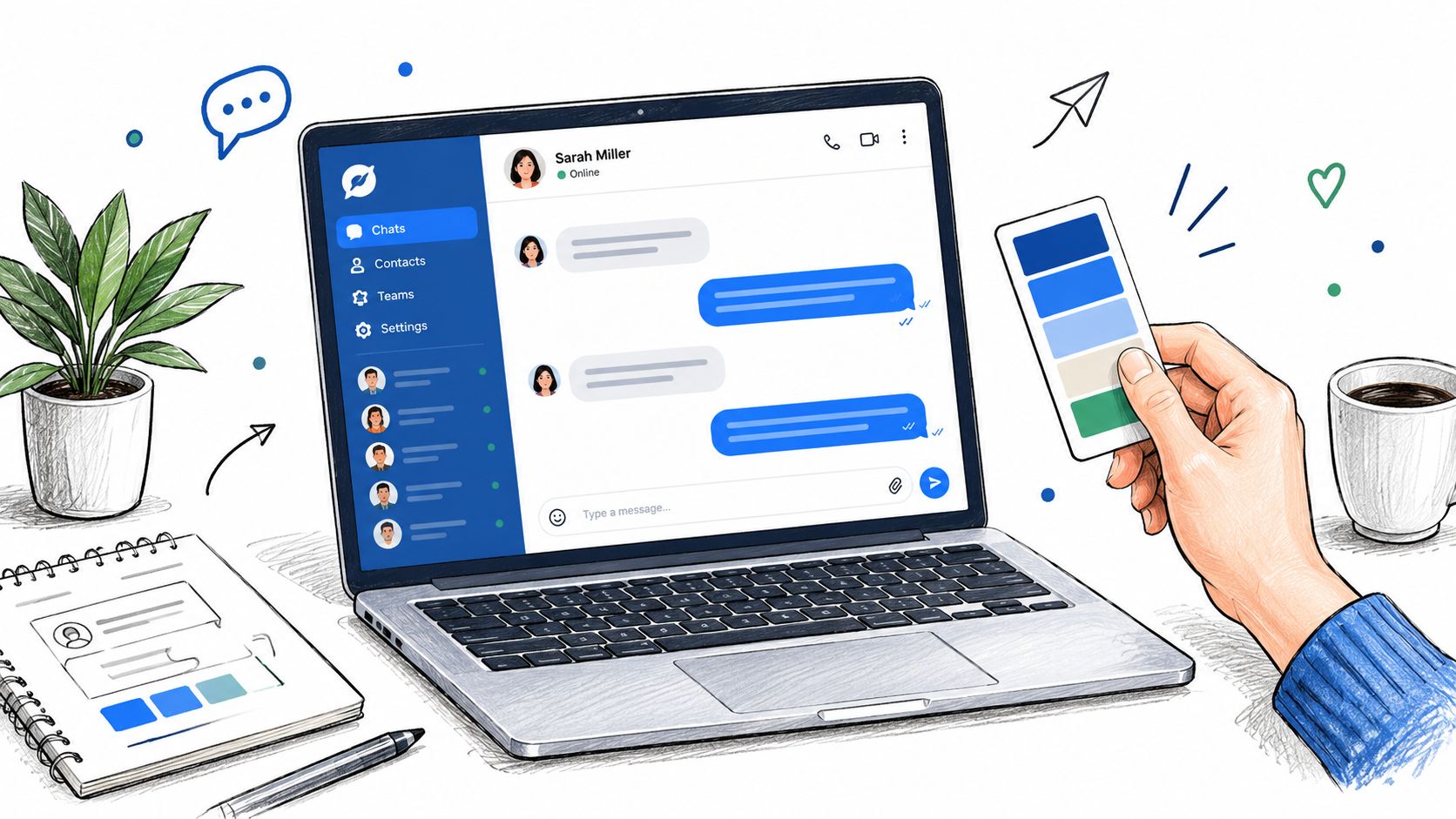
Customization should improve comprehension and reduce hesitation. Start with the parts visitors notice first: launcher label, icon, color, position, welcome message, and response expectations. Match the interface to the site's visual system, but keep contrast, text size, and focus states strong enough for keyboard and assistive technology users.
The opening message should explain what the assistant can do. “How can we help?” is friendly but vague. A better prompt might name the available paths, such as product questions, setup help, billing support, or contact with the team. That wording gives visitors a reason to use the widget and helps the routing model classify the first message.
Use proactive prompts carefully
Proactive chat can help when the visitor's context makes the prompt relevant. A pricing page visitor who has spent time comparing plans may benefit from an invitation to clarify features. A documentation visitor who repeatedly searches for the same setup topic may need a targeted offer of assistance.
It can also hurt. A prompt that opens immediately on every page interrupts reading, competes with cookie notices, and makes the site feel aggressive. Start with one trigger and one audience. Review the conversations it creates before adding more.
Useful trigger logic includes:
- Page context: Show a product-specific prompt on product pages, not a generic sales message across the site.
- Behavior: Offer help after meaningful engagement, such as repeated searches or extended interaction with a support article.
- Exit intent: Ask whether the visitor found what they needed, but don't block the page or force a response.
- Known state: Change the message for signed-in customers, trial users, and prospects when the system has reliable context.
- Availability: Don't invite a live conversation when no appropriate human or fallback channel is available.
The widget also needs to behave well on small screens. Keep the launcher clear of navigation controls, ensure the conversation can be dismissed, and test the input field when the mobile keyboard is open. Check that links, buttons, and escalation forms remain usable without horizontal scrolling.
For teams using a configurable interface, the AgentStack appearance documentation provides a reference point for styling and presentation choices. The broader principle applies to any platform: change the visual layer without hiding the operational truth. If the answer comes from AI, say so. If a human will reply later, state that clearly. If the visitor needs to submit an email, explain why.
Don't measure customization by how polished the launcher looks. Measure whether visitors understand what it offers, whether they choose the correct path, and whether the visual treatment supports rather than interrupts the task they came to complete.
Measuring Success and Iterating Over Time
A widget isn't finished when it appears on the site. It becomes useful when the support team can identify where conversations succeed, where they stall, and why visitors ask questions the knowledge base doesn't answer.
Start with a small operating dashboard. Track conversation volume, AI resolution, human handoffs, unanswered questions, sentiment trends, first-response time, abandonment, and the destination channel after escalation. Each metric answers a different question. Volume tells you demand. Resolution indicates whether the workflow completed the job. Unanswered questions reveal knowledge gaps. Handoff patterns show where automation needs a boundary or better content.
Review the data with the people who handle the conversations. A weekly review can classify failed interactions into a few practical categories:
- Missing knowledge: The answer doesn't exist in the approved source.
- Poor retrieval: The answer exists, but the assistant didn't find it.
- Unsafe automation: The request needed a person from the beginning.
- Routing error: The right team or channel wasn't selected.
- Experience friction: The visitor couldn't understand what to do next.
Fix the category, not just the individual transcript. If many visitors ask about the same integration, improve the article and add representative questions. If the assistant gives correct answers but escalates too often, adjust confidence or intent rules. If humans receive incomplete context, repair the handoff payload rather than telling agents to ask more questions.
Review the failure path first. Successful conversations show that the system worked once. Repeated failures show where the system design needs to change.
Response speed deserves its own review because a fast first reply doesn't guarantee resolution. A quick but irrelevant answer can create extra turns, while a slightly slower response with the right context may move the customer directly to a solution. Compare speed with resolution, sentiment, and escalation quality instead of optimizing a single number.
Use small controlled changes. Change one greeting, routing condition, knowledge source, or proactive trigger at a time, then compare the resulting conversation patterns. Keep an audit trail of what changed and why. That discipline prevents teams from confusing seasonal demand, staffing changes, and configuration updates.
The strongest teams treat chat analytics as product feedback. Unanswered questions improve documentation. Escalations reveal workflow boundaries. Sentiment identifies friction. Routing data shows where ownership is unclear. The widget then becomes part of a continuous support improvement loop rather than another dashboard nobody checks.
Turning Chat Into a Scalable Support Asset
The operational advantage of a widget comes from coordination. AI handles suitable routine questions, human agents take over when judgment matters, and email, Slack, and voice serve specific follow-up needs without forcing the customer to repeat the story.
Before launch, confirm five things:
- Scope: The widget knows which pages, audiences, and topics it serves.
- Knowledge: Approved sources cover the questions you expect, with clear limits.
- Routing: Every escalation has an owner, destination, and fallback.
- Context: The transcript and collected details travel with the handoff.
- Measurement: The team can see response quality, resolution, unanswered questions, and channel outcomes.
Avoid the two common extremes. A passive bubble that sends everything to a queue creates delay. An aggressive AI assistant that claims to solve everything creates distrust. The practical middle is a controlled entry point with explicit rules, honest availability, and a human path that works when automation stops being appropriate.
Start with one high-volume use case, one escalation queue, and a short review cycle. Test the complete journey on staging, launch it to the pages where context is strongest, inspect the failures, and expand only after the routing behaves predictably.
AgentStack lets teams build and deploy AI-powered support agents through an embeddable website widget, with responses that can extend to email, Slack, and voice while human handoffs remain visible in a shared workflow. Visit AgentStack to configure a support entry point that connects deployment, routing, and ongoing conversation review.