
Your support inbox is full, but the problem isn't always a surge in demand. The same password reset request appears repeatedly, customers ask where to change their plan, and shoppers want an order update that's already available in the tracking system. Agents answer each question, close the ticket, and then handle the same question again.
Learning how to reduce support ticket volume starts with separating two outcomes that teams often confuse. Deflection prevents a ticket from being created. Root-cause removal changes the product, onboarding flow, policy, or communication that caused the customer to need help. You need both. A chatbot can absorb repetitive questions for a while, but it can't permanently fix a confusing billing screen or a broken activation step.
Table of Contents
- Why Tickets Keep Multiplying and What a Real Reduction Plan Looks Like
- Improving Self-Service So Customers Solve Problems Before They Open a Ticket
- Turning Your Knowledge Base Into a Deflection Engine
- Using AI Automation Across Chat, Email, and Voice
- Workflow Changes That Compound the Effect of Self-Service and AI
- Fixing the Product and Onboarding Friction Behind Repeat Tickets
- Measuring Ticket Volume Reduction Without Fooling Yourself
Why Tickets Keep Multiplying and What a Real Reduction Plan Looks Like
A support leader usually notices the pattern before the dashboard explains it. An inbox fills with nearly identical conversations, agents create more macros, and leadership asks whether another hiring round will solve the backlog. Faster replies may reduce waiting time, but they don't stop the same friction from generating another contact.
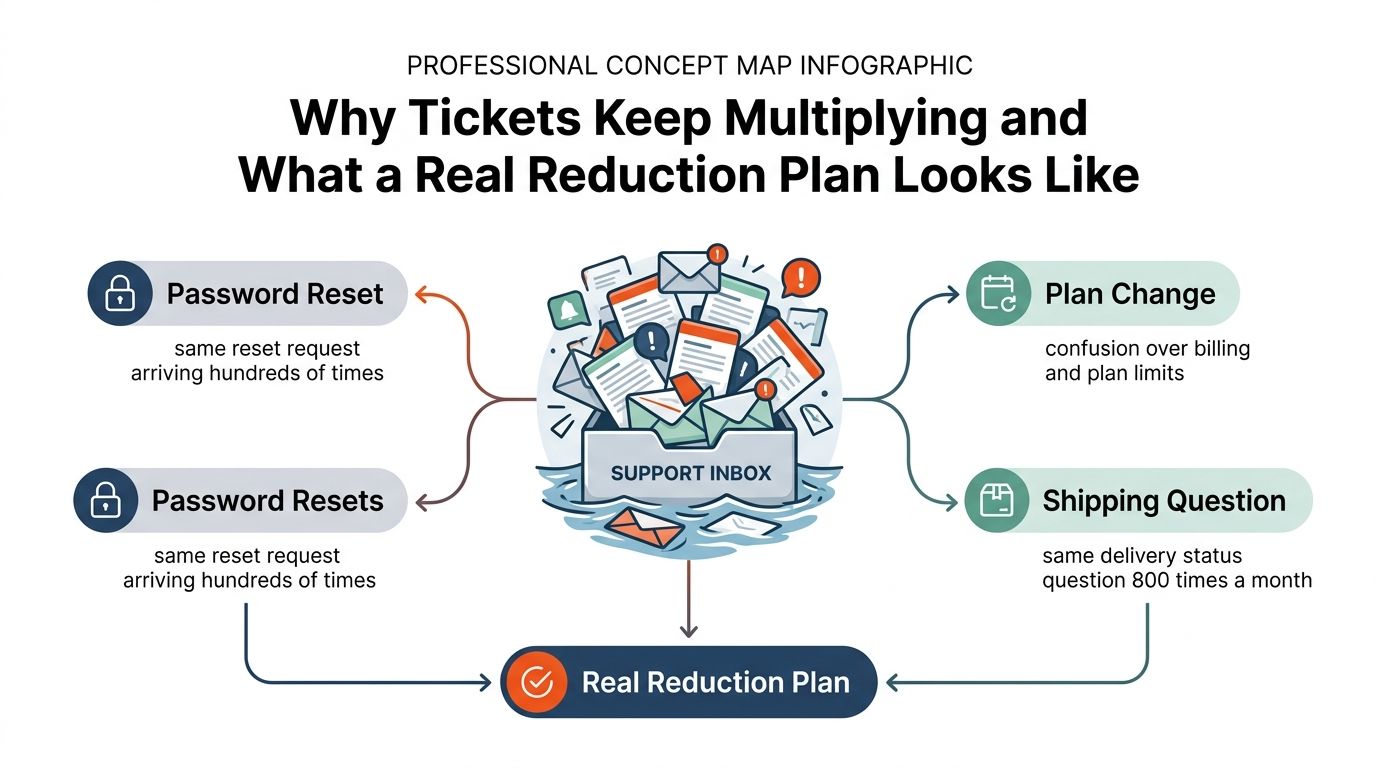
A real reduction plan runs on two tracks:
- Deflection: Put an accurate answer, guided workflow, or safe automation in front of the customer before they submit a ticket.
- Root-cause removal: Use recurring contact patterns to fix the product, documentation, onboarding, or policy that creates the question.
Self-service has a strong economic rationale because a self-service interaction is commonly estimated at $0.10 to $0.25, compared with roughly $6 to $12 for a human-handled interaction, according to self-service cost benchmarks. The saving matters, but cost reduction shouldn't become the only objective. If customers get trapped in an unhelpful bot, the ticket may reappear through email, phone, or social channels.
Practical rule: A contact isn't deflected unless the customer gets the outcome they needed without re-contacting support.
The levers are connected but distinct:
- Self-service answers routine questions where confusion happens.
- Knowledge management keeps those answers findable and trustworthy.
- AI automation handles suitable intents and hands off uncertain cases.
- Workflow design prevents routing loops and repetitive agent work.
- Product friction fixes remove the reason customers contact you.
Measure each lever by confirmed resolution, not by chatbot sessions, article views, or closed conversations alone. That distinction keeps a visually impressive dashboard from hiding unresolved demand.
Improving Self-Service So Customers Solve Problems Before They Open a Ticket
Self-service works best as a layered system, not as a large help center published in one launch. Start with coverage. Export and tag ticket topics from the last 90 days, group similar requests, and check whether each meaningful cluster has an article, FAQ entry, product prompt, or guided workflow.
An article titled “Billing information” won't reliably answer a customer searching for “Why did my invoice change?” Use the language customers use in tickets, search logs, and conversations. Missing coverage is a content problem, but poor discovery is a separate failure.
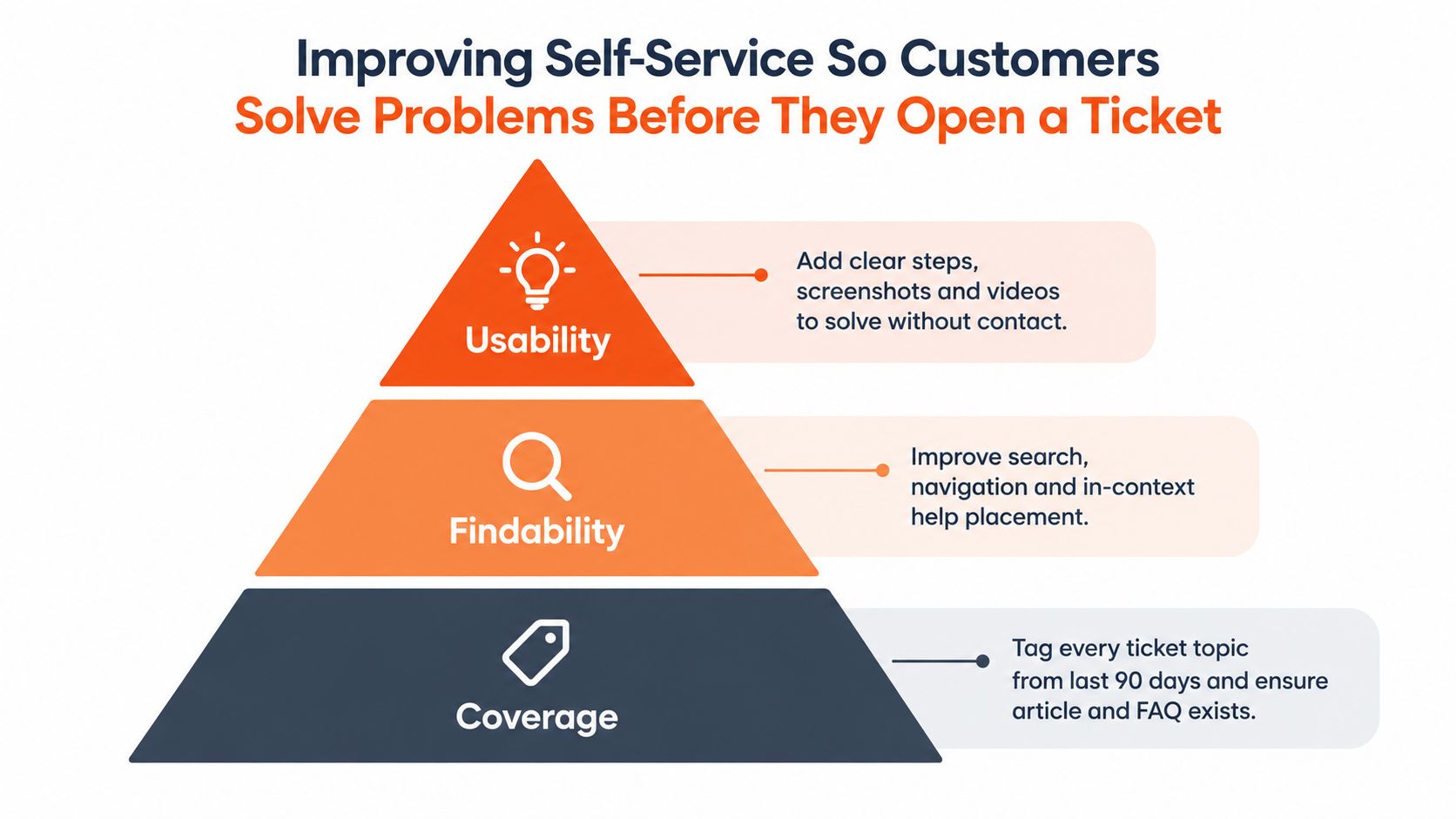
Build from coverage to findability
Search quality turns existing content into usable support. Add synonyms for the terms customers type, handle common spelling variations, provide “did you mean” suggestions, and rewrite titles around the customer's task rather than the internal feature name.
Treat zero-result searches as a prioritized backlog. A search for “change company card” might need a new article, a renamed billing guide, or a direct link to the correct settings screen. Review unsuccessful searches alongside tickets, because each one reveals an intent your current information architecture misses.
Put answers inside the product
Customers shouldn't have to leave the screen where they became confused. Add contextual help near billing fields, empty-state guidance inside new accounts, onboarding checklists for activation tasks, and suggested articles on the contact form. The contact handoff should remain visible. Customers who can't self-serve need a clear escalation path, not an endless loop of suggested content.
A SaaS team with recurring plan-limit questions might place a short explanation beside the upgrade control, link to a policy article from the billing page, and show the same terminology in onboarding. That combination addresses coverage, findability, and usability at once. It also gives the team several signals to measure, including article engagement, completed flows, unresolved searches, and subsequent contact.
For a deeper implementation guide, see building a knowledge base.
If you're designing an in-product self-service experience, this walkthrough provides a visual reference:
Turning Your Knowledge Base Into a Deflection Engine
A knowledge base becomes useful when someone owns its accuracy after publication. Assign owners by topic, such as billing, account access, integrations, shipping, or returns. Those owners should review content when product behavior or policies change, rather than waiting for customers to discover the mismatch.
Tie refresh work to product releases and operational alerts. A ticket spike around a feature should trigger a content review within 30 days, while routine topic reviews can follow a quarterly cadence. The right cadence depends on release frequency, but the responsibility can't remain shared by everyone and owned by no one.
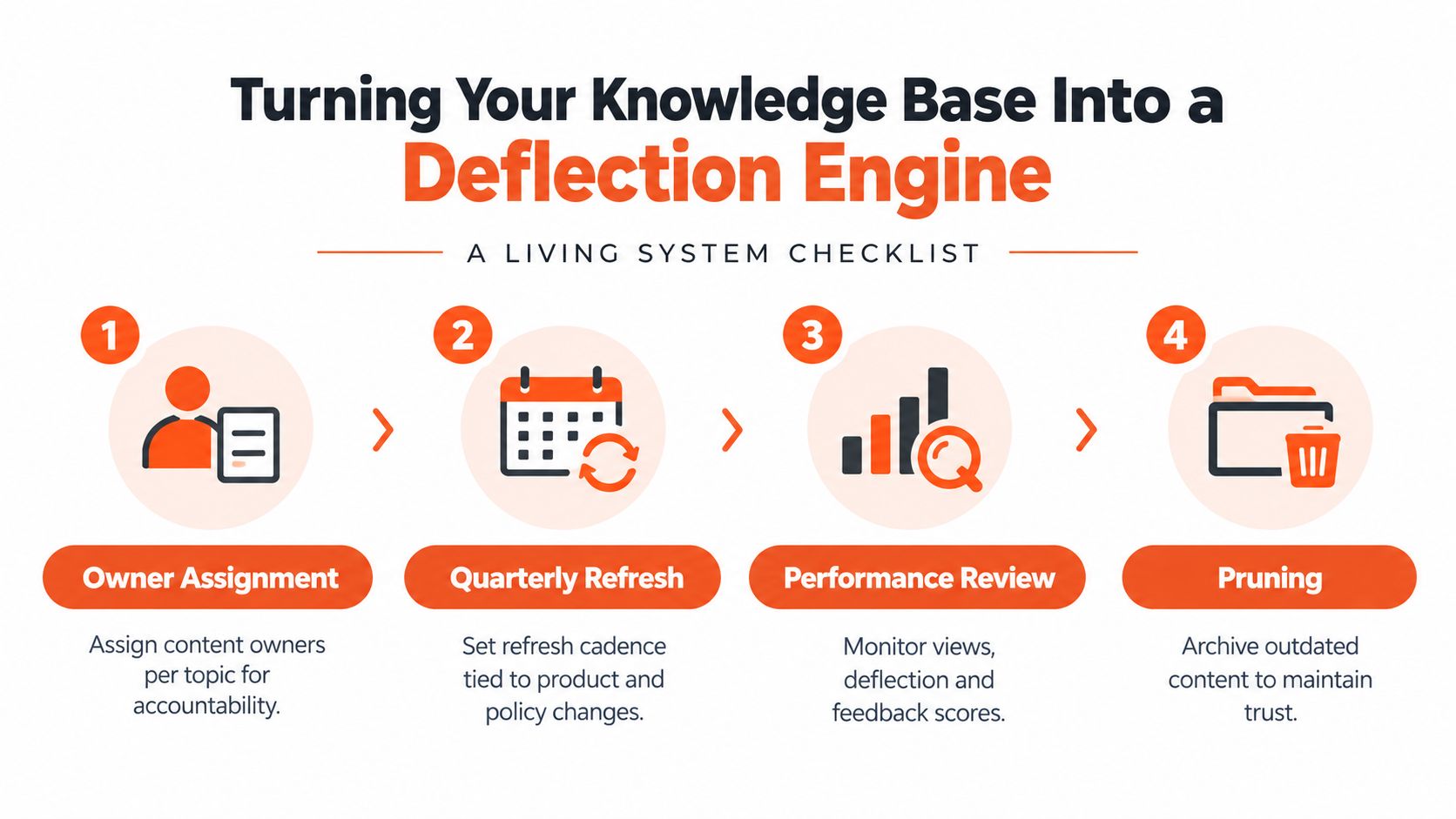
Read signals that expose content failure
Page views tell you that a customer opened an article. They don't prove resolution. Review these signals together:
- Top searches: Compare customer wording with article titles and headings.
- Zero-result searches: Add missing content or improve synonyms and navigation.
- Negative feedback: Inspect thumbs-down comments for incomplete steps, outdated screenshots, or unclear prerequisites.
- Repeat contact: Check whether a customer who viewed an article later opened a ticket about the same intent.
- Unlinked content: Find articles that exist in the repository but aren't surfaced from the product, contact form, or related guides.
SEO traffic can be useful, but traffic isn't the same as deflection. An article written for broad search visibility may attract readers who aren't customers or who have a different intent. Prioritize content that helps an eligible customer complete a task.
Run a focused audit
Start with the topics that create the most avoidable work. For each one, record the current article, search terms, owner, last review, negative feedback, and evidence of re-contact. Archive duplicate or outdated pages, then connect the surviving article to the relevant product screen and contact flow.
This creates a knowledge base that changes with the product instead of becoming a documentation graveyard.
Using AI Automation Across Chat, Email, and Voice
AI automation should be matched to intent risk and channel behavior, not selected because a vendor promises broad containment. Chat is usually the clearest starting point for narrow, high-volume questions. Password resets, order status, pricing basics, and simple policy explanations have defined inputs and predictable outcomes.
Set a confidence threshold and a handoff path before launch. The assistant should transfer a customer when account context is missing, the request falls outside approved content, the customer repeats themselves, or the conversation shows frustration. A bot that continues answering after it has lost the thread creates more contacts, not fewer.
| Channel | Best-Fit Ticket Types | Handoff Trigger | Watch Out For |
|---|---|---|---|
| Chat | Order status, password resets, basic pricing, narrow product questions | Low confidence, repeated question, account action requiring permission | Hallucinated answers, loops, hidden escalation |
| Intent classification, routing, summaries, suggested replies | Ambiguous billing issue, sensitive account change, missing context | Incorrect autonomous replies and tone mismatch | |
| Voice | Simple transactional requests and after-hours coverage | Rising sentiment, complex troubleshooting, identity or policy uncertainty | Long menus, silent transfers, poor call context |
Email automation is strongest when it reduces preparation work. Classification, prioritization, summarization, and draft replies let agents review the response before it reaches the customer. Nuanced billing disputes and account-specific issues need that review because a confident but incorrect answer can create another conversation. Teams planning this workflow can reference automating email responses.
Voice agents can extend coverage beyond staffed hours, particularly for simple transactions. They aren't automatically a volume-reduction tool. If callers can't understand the system or can't reach a person when the request becomes complex, they may call again through another route.
Specialized operations also need domain-specific guardrails. Teams evaluating automation for healthcare workflows, for example, can review Medical Virtual Assistants as a resource for understanding how virtual support roles differ from general customer service automation.
Sequence matters. Deploy chat for well-defined intents, add email triage and assisted drafting, then evaluate voice as a coverage play. In every channel, log the original intent, automation outcome, handoff reason, and later re-contact so containment doesn't become a reporting illusion.
Workflow Changes That Compound the Effect of Self-Service and AI
Automation doesn't fix a messy support operation by itself. Routing, macros, and escalation rules determine whether the work disappears or returns in another queue.
Start with intent-based triage. Route a customer asking about a failed payment according to the underlying issue, not whether they arrived through chat or email. This prevents the same case from being reopened across channels and gives the owner enough context to resolve it.
Build macros around specific intents. A useful macro should include the correct answer, required checks, relevant links, and the next action. Retire generic replies that say “please provide more information” without telling the customer which information is needed. Boilerplate that forces a follow-up isn't efficient, even if it makes a first response fast.
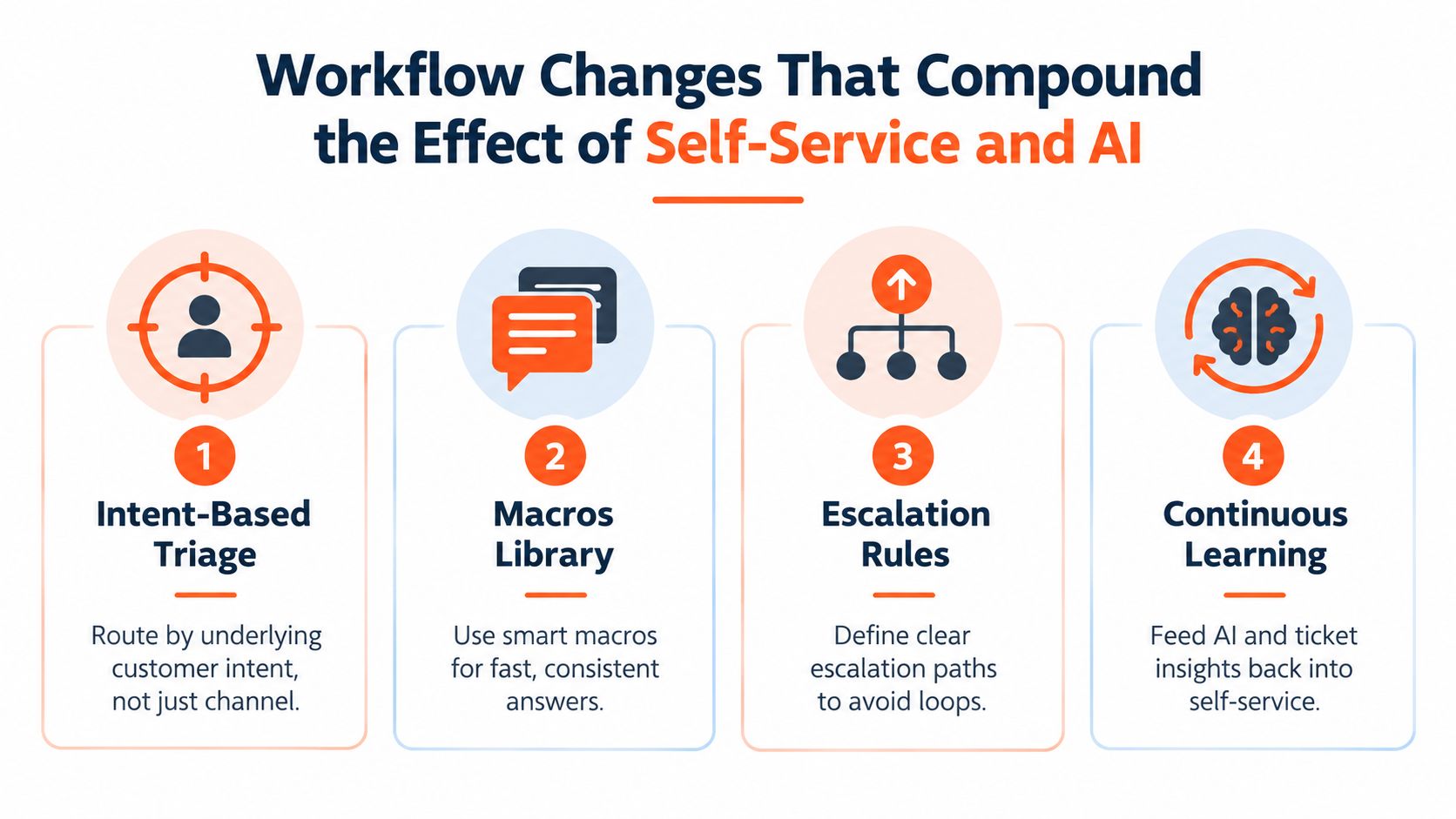
Design escalation around repetition
A repeat contact should not enter the same standard path. Flag customers who return about the same intent within a defined window, preserve the previous conversation, and send the case to someone with authority to solve the underlying issue. This is especially important when an automated answer has failed, because the next interaction needs more context, not another generic suggestion.
Define service levels by customer segment and intent. A billing failure, account lockout, and general product question shouldn't all compete in one undifferentiated queue. Track breaches in an operational dashboard so managers can intervene before customers escalate through renewal or executive channels.
Run a quarterly workflow audit:
- Inspect stale macros: Remove links, policy language, and instructions that no longer match the product.
- Test routing rules: Submit representative intents and verify that each one reaches the correct team.
- Review escalation behavior: Check whether agents use the intended path or create workarounds.
- Feed failures back: Convert repeated misroutes and macro edits into changes to content, automation, or product design.
The best workflow is the one agents can follow under pressure. If a rule adds friction without improving resolution, it won't survive daily use.
Fixing the Product and Onboarding Friction Behind Repeat Tickets
Deflection-only programs can make a support dashboard look healthier while leaving the customer problem untouched. If a chatbot answers the same confusing question every day, the company has automated a symptom. It hasn't reduced the product friction that keeps creating demand.
Create a root-cause taxonomy that separates product defects, onboarding gaps, documentation holes, policy confusion, and genuine misunderstandings. Apply it consistently to tickets and sampled automated conversations. Without this distinction, a team may blame documentation for a missing product default or label a design failure as customer error.
Create a product-friction loop
Review recurring intents every week with support, product, documentation, and onboarding owners. Each leading intent needs a named owner and one explicit outcome:
- Ship a product fix when the interface or behavior causes the confusion.
- Improve onboarding when customers miss a required activation or configuration step.
- Publish or revise documentation when the product is clear but the explanation is absent.
- Accept the volume deliberately when the request is unavoidable or the change isn't worth its cost.
Onboarding deserves close attention. Missing defaults, unclear activation steps, and confusing paywalls often generate questions before customers understand the product's value. A bot can explain the process, but a better default or a clearer first-run flow prevents the question from arising.
Instrument the moments before contact. Look for repeated help searches, abandoned forms, rage clicks, failed validation, and customers moving between the same screens. Connect those signals to the ticket intent, then create a prevention backlog that product teams can prioritize alongside feature work.
Measure the outcome where the fix lives. Tickets per active account per intent is more useful than a global count when a product change targets one recurring issue. Pair that measure with first-contact resolution guidance so the team can distinguish fewer contacts from faster handling of unresolved problems.
Measuring Ticket Volume Reduction Without Fooling Yourself
A support program can report fewer tickets while customers still struggle. Start with a 90-day baseline for tickets per active customer per month, then compare the same measure after each major content, workflow, automation, or product change. The longer baseline helps separate ordinary variation from a real shift.
Track contact rate separately from gross volume. A growing customer base may generate more tickets even as demand per customer improves. Add re-contact rate, first-contact resolution, confirmed deflection, and AI containment. A falling count means little if customers are reopening issues, switching channels, or abandoning self-service without resolution.
| Metric | What It Measures | Watch-out |
|---|---|---|
| Tickets per active customer | Contact demand relative to the active population | Gross volume can rise while contact rate improves |
| Confirmed deflection | Eligible sessions or users resolved without a ticket or re-contact | Clicks and article views can overstate resolution |
| Re-contact rate | Customers returning about the same issue | A low ticket count with high re-contact is a false win |
| First-contact resolution | Issues resolved in the first human interaction | Complex remaining work can make the metric harder to interpret |
| AI containment | Automated conversations resolved without human follow-up | Containment needs a clear definition and channel attribution |
Define deflection before publishing it. Session-based deflection equals true deflected sessions divided by eligible sessions, while user-based deflection equals users with at least one true deflected session divided by users with eligible sessions, as described in this deflection measurement framework. Exclude conversations that require human follow-up or return to the same issue within your chosen short window. An article view, bot click, or closed widget is not proof of resolution.
Benchmarks vary with product complexity, channel coverage, and self-service maturity. Traditional knowledge bases are commonly reported at a median deflection near 18%, with a 5% to 35% range, while AI self-service has a median near 22% and an 8% to 45% range, according to deflection-rate benchmarks. Mixed environments often produce overall true deflection of 10% to 30% of potential contacts, while simple, well-surfaced intents can reach 30% to 50%. Treat these as reference ranges, not targets to force into a dashboard.
Review results weekly with the support lead, monthly with leadership, and quarterly by customer cohort and product release. Connect changes to the intervention that caused them, whether content, workflow, automation, onboarding, or a product fix. That connection closes the loop between deflection and root-cause removal.
Before declaring success, ask:
- Did tickets per active customer fall, or did customers switch channels?
- Did re-contacts and escalations improve alongside deflection?
- Can we connect the change to a specific intervention?
Measurement standard: If you can't explain why the customer stopped contacting support, you haven't proved deflection.
AgentStack helps teams ingest website and document content, deploy AI support agents across web, email, Slack, and voice, and review resolution outcomes through shared inbox and analytics workflows. Visit AgentStack to assess its automation, handoff controls, and unanswered-question insights for a ticket-reduction program.