A single survey score can't explain support quality. A customer may give a positive rating after receiving a technically correct answer while still struggling with a confusing interface, missing documentation, or a slow handoff. Another customer may leave no rating at all, yet reveal serious friction through repeated questions, abandoned chats, support tickets, reviews, or changes in product usage.
The most useful feedback collection methods capture several kinds of signal: immediate reaction, observed behavior, conversation evidence, structured requests, and deep qualitative context. This roundup treats the ten methods as complementary choices, because the right method depends on the decision your team needs to make. Use a quick rating to assess an interaction, conversation analysis to diagnose quality, interviews to understand motivation, and voting boards to test roadmap demand.
Channel selection also changes participation. A University of Connecticut overview reports response rates of about 5% to 20% for mail surveys, 9% to 20% for telephone surveys, 2% to 30% for online surveys, 30% to 60% for face-to-face surveys, and 20% to 40% for mixed-mode approaches, depending on the method used. The overview and its supporting discussion make the practical point clear: the same questionnaire can produce very different evidence in different channels.
AgentStack can serve as the integration layer, bringing together website and document ingestion, chat widgets, email, Slack, voice capture, analytics, shared inbox workflows, and human handoff. If you're also improving review outreach, these 7 proven review request templates can complement direct support feedback.
Table of Contents
- 1. In-Chat Satisfaction Surveys
- 2. Knowledge Gap Analysis and Unanswered Question Reports
- 3. Post-Resolution Email Surveys
- 4. Net Promoter Score Surveys
- 5. Session Recordings and Heatmaps
- 6. Customer Interviews and Focus Groups
- 7. Chatbot and Agent Conversation Analytics
- 8. Sentiment Analysis and Emotional Feedback Tracking
- 9. Feature Request and Voting Boards
- 10. Support Ticket Tagging and Categorization Analysis
- 10-Method Feedback Collection Comparison
- Turn Feedback Into a Repeatable Improvement Loop
1. In-Chat Satisfaction Surveys
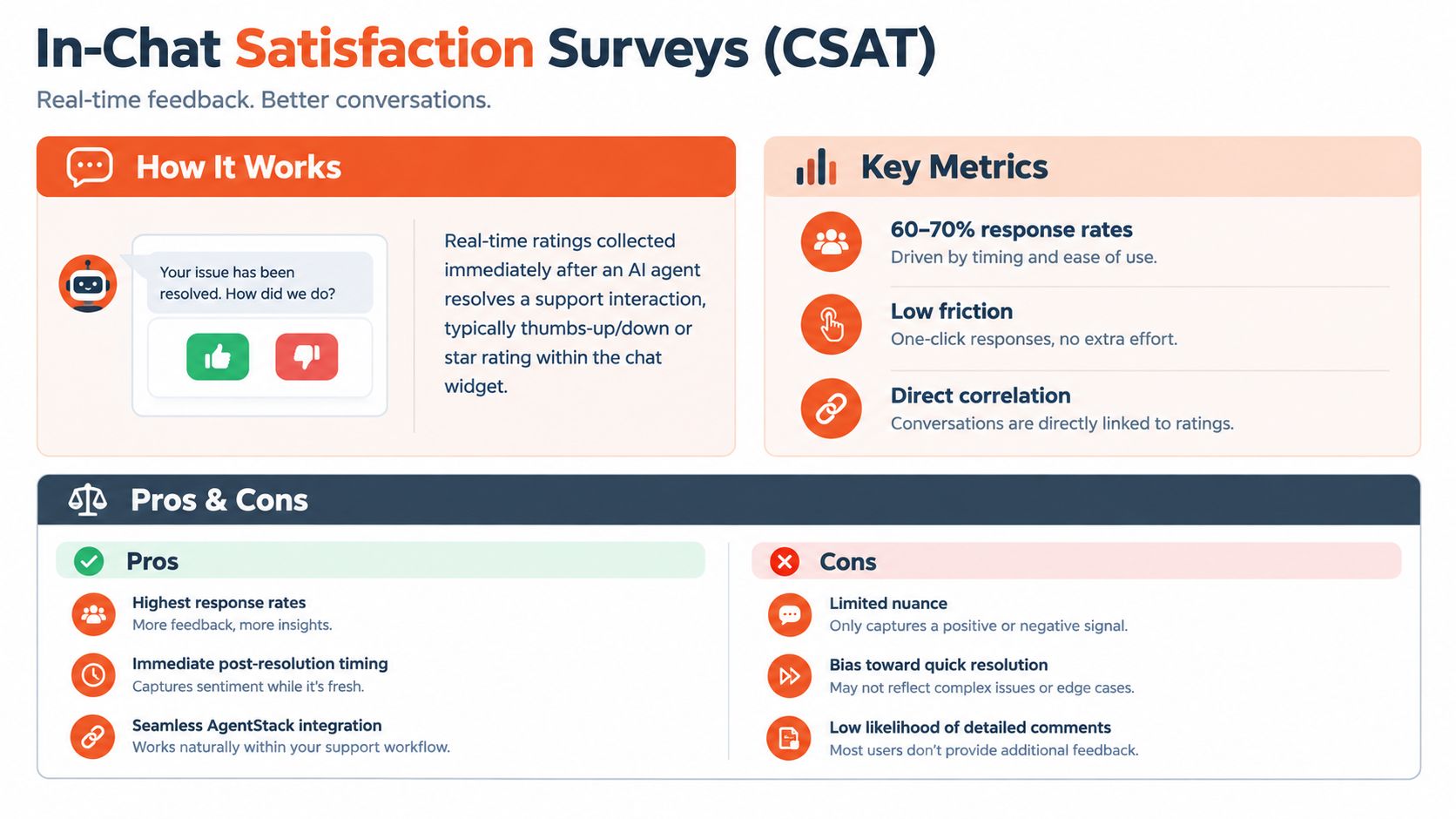
In-chat CSAT surveys capture an immediate reaction while the support interaction is still fresh. After an AI agent confirms that it has resolved the issue, the chat widget can show a thumbs-up or thumbs-down control, a star rating, or a short satisfaction question. The rating tells you how the customer experienced that specific exchange, not whether they generally like the company.
That distinction makes this one of the most useful feedback collection methods for interaction-level quality. A positive score may confirm that the answer was clear and timely. A negative score creates a reason to inspect the transcript, the retrieved source, the escalation decision, or the wording of the response.
AgentStack's embeddable website chat widget gives teams a practical place to trigger the prompt without sending customers to another form. Keep the first version deliberately small:
- Ask one question first: Add an optional comment field for customers who select a negative rating.
- Trigger at the right moment: Show the survey immediately after the agent confirms resolution, not when the conversation is still active.
- Connect rating to context: Review low scores alongside the customer's question, response time, cited knowledge, and handoff path.
- Escalate thoughtfully: Route repeated low ratings or unresolved comments to a human owner instead of treating them as isolated scores.
Practical rule: A CSAT rating is a diagnostic doorway, not a complete verdict on support.
Try different interface treatments, such as thumbs versus stars, but judge the result by the usefulness of the comments and the quality of the follow-up, not participation alone. This method works well for fast reactions, but it won't explain a customer's underlying expectations or broader loyalty. For that, you need richer evidence and a way to stop losing best customers.
2. Knowledge Gap Analysis and Unanswered Question Reports
Some of the strongest feedback never appears as a rating. It appears when an AI agent can't answer a question, gives an incomplete answer, or repeatedly sends a customer to a human. Those events expose gaps in your website, documentation, policy library, retrieval configuration, or agent instructions.
AgentStack's analytics can surface unanswered questions and conversation topics that require escalation. That turns support activity into a content research stream. A cluster of questions about returns may indicate that the policy page is difficult to find. Repeated requests about a third-party integration may justify a dedicated guide. A pattern of billing questions may point to unclear plan documentation rather than a product defect.
Teams get better results when they treat the report as an operating queue rather than a passive dashboard. A weekly review can turn repeated customer confusion into specific documentation work.
Turn missing answers into assigned work
Use a simple triage process:
- Group by topic: Tag gaps as product, billing, technical, policy, onboarding, or integration issues.
- Prioritize by impact: A missing answer affecting a strategic account may deserve attention before a high-volume question with a simple workaround.
- Assign an owner: Send technical gaps to product or engineering, documentation gaps to the knowledge manager, and workflow gaps to support operations.
- Measure the remedy: After publishing or revising content, check whether the agent resolves the question more consistently.
A strong guide to building a knowledge base can help teams organize source material before they attempt to automate more answers. AgentStack's shared inbox also gives subject-matter experts a route for complex cases that shouldn't be forced through self-service.
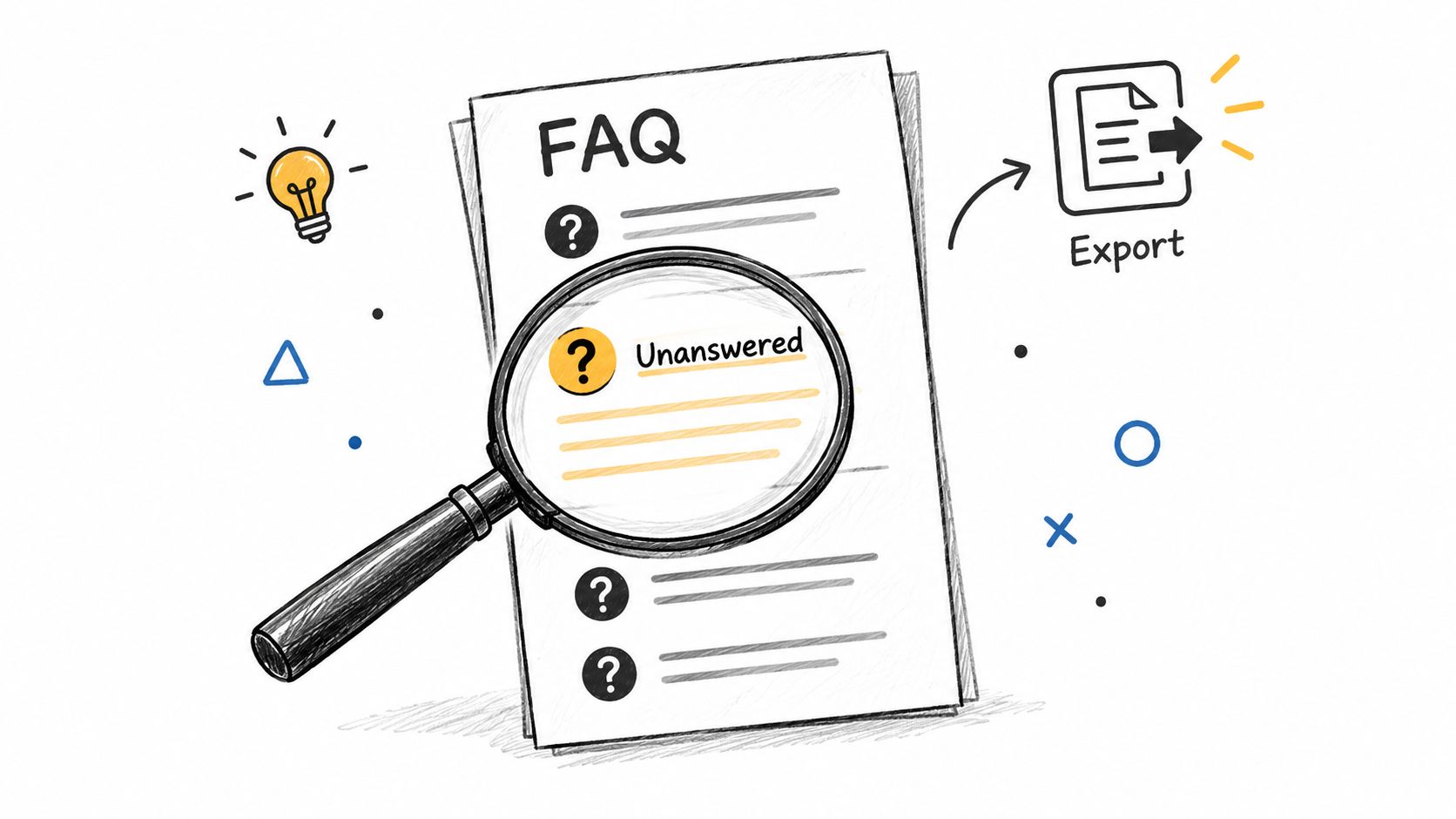
This method is especially valuable for silent customers. A non-responder may never complete a survey, but their repeated search, escalation, or reformulated question still shows where the experience breaks.
3. Post-Resolution Email Surveys
Email surveys are useful when customers need a little distance before judging the outcome. Send a short message after a ticket closes or an escalated chat reaches a conclusion. The customer can assess the full resolution, including whether the answer worked after they tried it, rather than reacting only to the final chat message.
The trade-off is participation. An independent 2026 benchmark covering 4,332 surveys from 460 companies reported a median external survey response rate of 9.98%, with the middle half ranging from 3.75% to 21.69%. The benchmark report shows why generic email requests often produce limited evidence, especially when the message isn't tied to a meaningful customer event.
A post-resolution survey should therefore earn its place in the inbox. Use a clear trigger, a specific subject, and a short form.
- Ask the gating question first: “Did this resolve your issue?” determines whether follow-up questions are relevant.
- Keep the core survey short: Use a rating, an effort question, and an optional comment only when each answer supports a decision.
- Target important moments: Survey complex returns, escalations, onboarding problems, or low-confidence resolutions rather than every routine exchange.
- Close the loop: Give customers a visible route to further help when they report that the issue remains open.
AgentStack's omnichannel email capability can connect the survey to the originating conversation and preserve the difference between AI-handled and human-escalated cases. That context matters. A customer may praise the human agent while criticizing the initial automation, or report that the agent was courteous even though the underlying product issue remains unresolved.
Email is a considered channel, but it shouldn't carry the entire feedback program. Pair it with in-product prompts and passive conversation evidence so low response doesn't become mistaken for customer approval.
4. Net Promoter Score Surveys
NPS captures a broad loyalty signal, not the quality of one support interaction. The standard question asks how likely a customer is to recommend the company to a colleague on a 0 to 10 scale. Responses become Promoters at 9 to 10, Passives at 7 to 8, and Detractors at 0 to 6.
Fred Reichheld introduced NPS in 2003 through work published by Harvard Business Review. Its appeal is operational simplicity: teams can ask one consistent question and track the result over time. That simplicity also creates a measurement risk. A headline score can hide whether customers are reacting to support, product value, onboarding, or a recent service failure.
Use NPS for loyalty trends, customer segments, and perceptions of the overall relationship. A ticket-level resolution question serves a different purpose and should remain separate.
The score becomes useful only when its context is visible. Review results alongside:
- Customer profile: Compare plan, use case, tenure, and account type.
- Support path: Separate AI chat users from customers who required email or human escalation.
- Customer explanation: Examine detractor comments for repeated themes, while treating isolated complaints cautiously.
- Business decision: Route findings toward service design, onboarding, documentation, or product priorities.
AgentStack analytics can connect NPS responses with resolution outcomes, sentiment trends, unanswered questions, and escalation paths. That combined view helps distinguish loyalty from support satisfaction. A customer may recommend a strategically important product despite a poor support interaction. Another may praise the support experience while questioning the product's long-term value.
Run the survey on a deliberate cadence instead of interrupting customers constantly. Keep the follow-up prompt focused enough to produce an explanation, then compare responses with conversation and handoff data before assigning ownership to support. For teams that need help calculating and explaining the score, try the ELECTE NPS tool. Use its result as one signal in the improvement loop, not as a complete account of customer experience.
5. Session Recordings and Heatmaps
Clicks and pauses often expose support friction before customers describe it. A customer may click the same control repeatedly, hover over an unclear label, abandon a chat, reopen an answer, or miss the escalation option. Session recordings and heatmaps capture this observed behavior directly, adding a different signal from ratings and written comments.
Stated preference and actual behavior can diverge. Someone may call a support widget easy to use, then open and close it without submitting a question. Another customer may rate an answer positively but return to the page repeatedly because the underlying task remains unresolved.
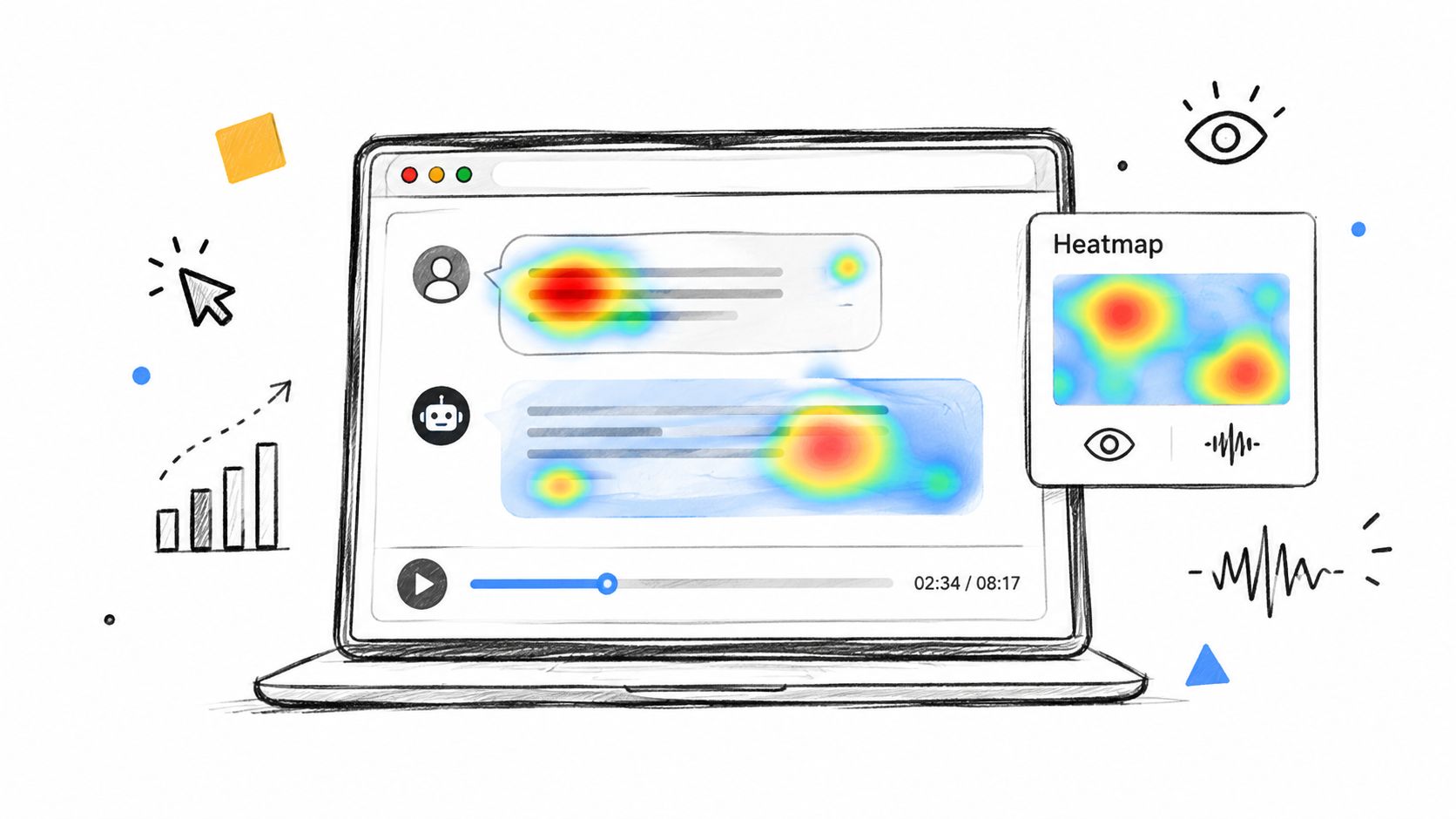
Use these recordings to investigate friction, not assign blame. The visual evidence can show where a customer struggled, while the cause may be confusing copy, a slow response, missing content, or an unusual edge case. Pair recordings with ingestion data, widget events, email follow-ups, voice interactions, and handoff outcomes in AgentStack so the team can connect behavior with the full support path.
Set a focused sample before reviewing sessions. For example, select only chats with low CSAT or abandonment, and include sessions affected by a new widget release. Before sharing clips in a weekly review, auto-redact email addresses and order numbers. Limit playback access to support operations and use a 30-day retention window, subject to your legal and operational requirements.
Review four questions:
- Interface discovery: Can customers find search, escalation, contact, and feedback controls?
- Interaction friction: Do they repeat clicks, reformulate questions, or leave before a response arrives?
- Response experience: Does the interface show progress and make the agent's status clear?
- Outcome: Did the customer resolve the issue, switch channels, or create another ticket?
The accompanying video walkthrough can help teams assess the role of visual interaction evidence.
Recordings reveal behavior that surveys miss, but unstructured review creates noise. Define the experience problem first, then use AgentStack analytics and handoff data to test whether the observed obstacle appears elsewhere. Treat heatmaps as evidence for an improvement loop, not a complete explanation of customer experience.
6. Customer Interviews and Focus Groups
Interviews reveal why customers behave as they do. A transcript may show workflow abandonment, while a conversation can uncover distrust in the answer, fear of an expensive mistake, or an expectation that a human should respond at a specific point. Ratings rarely capture that emotional and situational context.
Choose the format according to the signal you need. Individual interviews suit sensitive problems, complex workflows, and account-specific concerns. Focus groups help customers react to one another's terminology, processes, and roadmap ideas. Treat neither format as a vote. One confident participant can steer a group, while a polished account of an unusual experience may not reflect the wider customer base.
Recruit for contrast rather than convenience. Include satisfied customers, detractors, heavy users, newer customers, and people who recently required escalation. Start with prompts such as “Tell me about your last support interaction” and “What were you trying to accomplish?” Ask whether the AI agent helped only after the customer has described the situation in their own words.
Let customers explain the problem
A practical interview guide follows the customer's experience:
- Context: What task were you trying to complete?
- Sequence: What happened after you contacted support?
- Friction: Where did you hesitate, repeat yourself, or change channels?
- Expectation: What did you expect the agent or support team to do?
- Improvement: What would have made the experience feel complete?
Record and transcribe sessions with consent. Notes often preserve the interviewer's interpretation instead of the customer's language. Compare interview themes with AgentStack's chat, email, voice, widget, analytics, and handoff data. This connects deep qualitative context with immediate reactions, observed behavior, conversation evidence, and structured requests, while keeping hypotheses separate from direct observations.
Share anonymized themes with support, product, and documentation teams, then assign each finding to a decision or experiment. Interviews require time, so use them for root-cause questions. A short in-chat or email prompt is more efficient for checking whether a routine answer solved a problem. Interviews provide better evidence when high-value customers avoid automation and the team needs to understand why.
7. Chatbot and Agent Conversation Analytics
Conversation logs contain the operational detail that aggregate scores erase. They show the exact question, the answer delivered, the source used, the point where sentiment changed, and the reason for escalation. A support team can use that evidence to distinguish a knowledge problem from a model problem, a policy constraint from a routing failure, or a genuine product defect from customer confusion.
AgentStack's conversation analytics software supports systematic review of conversations and audit trails. The key is to create a repeatable quality process instead of waiting for an unusually bad transcript to reach a manager.
A weekly sample can use a compact scorecard:
- Resolution: Did the customer achieve the intended outcome?
- Accuracy: Did the response match the approved source material?
- Clarity: Could the customer act without asking for a translation?
- Escalation: Was handoff necessary, timely, and complete?
- Continuity: Did the human agent receive enough context to avoid repetition?
Tag conversations by issue type, channel, customer segment, and outcome. Review both successful and unsuccessful exchanges. If you study only failures, you may miss response patterns worth preserving, such as concise explanations, effective clarifying questions, or well-timed handoffs.
Turn transcripts into training material
Redact personal information before sharing examples. Put one strong and one weak conversation in team reviews, then identify the precise behavior to change. That might mean adding a source document, tightening an instruction, changing the escalation trigger, or routing a complex request to a different model or specialist.
Logs also expose silent customers. A person who never clicks a survey can still reveal dissatisfaction by reopening a ticket, changing wording repeatedly, or switching from chat to email. Treat those actions as evidence to combine with direct responses, not as a replacement for asking customers what happened.
8. Sentiment Analysis and Emotional Feedback Tracking
Sentiment adds context that resolution metrics miss. A customer may receive a refund and still resent the process. Another may leave with an unresolved technical issue but feel supported because an agent acknowledged the problem, explained the limitation, and set a clear next step.
AgentStack can analyze emotional signals across supported channels, including shifts in language during a conversation. Human reviewers should check whether classifications fit the context, since sarcasm, urgency, and culturally specific wording can mislead automated analysis. Use sentiment to prioritize review, not to replace customer comments, outcomes, or handoff records.
Track the direction of sentiment, not only its final label. A conversation that moves from frustration to calm may show effective support despite an unchanged product limitation. A neutral opening that turns negative can expose a delay, refusal, unclear explanation, or poorly timed escalation.
Compare emotion with operational evidence
Review mismatches between sentiment and other feedback signals:
- High CSAT with negative sentiment: The customer may value the resolution while disliking the experience.
- Low CSAT with improving sentiment: Empathy and communication may have helped, but the outcome remains incomplete.
- Negative sentiment after handoff: The customer may have wanted specialist help, or they may have had to repeat information.
- A mid-conversation decline: Examine refusals, unsupported requests, delays, and policy explanations at that point.
Create alerts for conversations where tone worsens, particularly when the customer continues responding. Review the exact exchange that changed the direction. Then adjust the agent's wording, knowledge source, or escalation condition, and check later conversations for improvement.
Cross-channel analysis exposes differences in how support feels and what evidence it leaves behind. Email may seem formal and distant, while Slack support feels more conversational. Voice may reduce tension faster but produce less reusable documentation. Combine sentiment with survey responses, transcript review, analytics, and handoff data before changing channel policy. The aim is a repeatable improvement loop, not a single emotional score.
9. Feature Request and Voting Boards
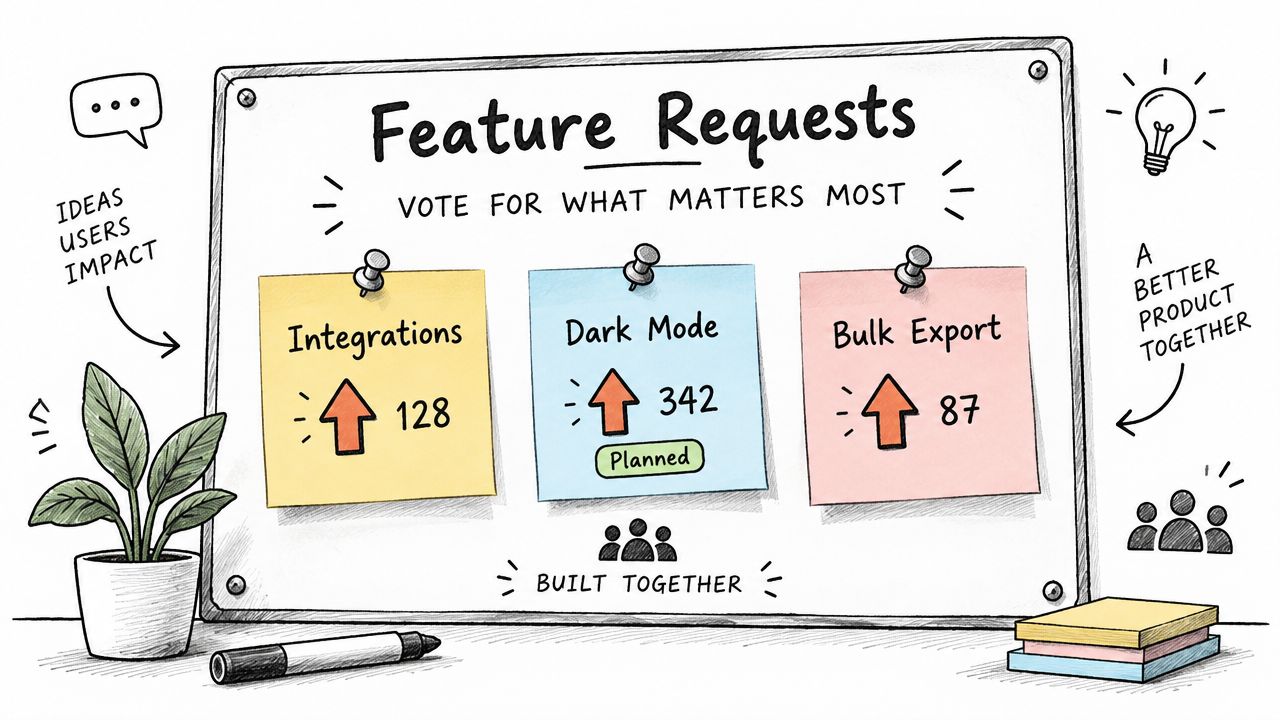
Feature boards capture structured roadmap demand. Customers submit ideas, discuss related requests, and vote on problems they share. This gives product teams a visible way to collect requests without allowing every support conversation to become an untracked promise.
A board works best when it describes the customer problem rather than merely listing a preferred solution. “Export audit history for compliance reviews” is more useful than “Add an export button,” because the first statement leaves room for product and engineering to evaluate several approaches.
Keep submission and voting friction low, but make status communication high. Categories such as AI agent improvements, integrations, user experience, pricing, and reporting help customers find related requests. Merge duplicates carefully, preserve the original context, and explain whether an item is under consideration, planned, in progress, shipped, or not aligned with current priorities.
A vote measures visible demand. It doesn't prove that a feature will be widely used or strategically valuable.
Combine board activity with usage analytics, support volume, account importance, and implementation constraints. A request with many votes may come from a vocal segment, while a lower-volume request may remove a serious barrier for an important workflow. Conversely, repeated support requests can validate that a board item reflects a real operational problem rather than a passing preference.
Use the board in support conversations. When a customer requests an existing idea, point them to the related entry, invite them to add context, and avoid promising delivery unless the roadmap has been approved. After shipping, notify contributors and document what changed. That visible follow-through encourages more useful participation than collecting votes.
10. Support Ticket Tagging and Categorization Analysis
Support tickets capture a signal customers often provide without intending to: the problems that consume time. Consistent tags turn those conversations into patterns, including billing confusion, integration failures, onboarding friction, bugs, duplicate requests, and avoidable escalations.
Build the taxonomy around the decision each label supports. Keep the primary issue separate from the customer's emotional state and the result of the interaction. “Integration” identifies the topic, “frustrated” records sentiment, and “escalated” records the next step. Combining them in one label obscures the trend.
A small taxonomy usually produces cleaner analysis than an exhaustive one. Create categories for support workload, documentation gaps, product defects, feature demand, onboarding, and terminology only when a team can act on the resulting report. Review borderline examples with agents, then revise definitions when classification disagreements recur.
Use these operating controls:
- Limit the core taxonomy: Add a tag only when it supports a report, workflow, or decision.
- Review definitions: Provide examples for ambiguous cases and check application consistency.
- Automate carefully: Let AgentStack suggest tags, while agents or team leads audit recurring errors.
- Watch changes: Alert product or operations owners when a serious issue category starts rising.
- Compare paths: Examine AI-resolved conversations alongside escalations to find gaps in content, routing, or handoff.
AgentStack can attach tags to escalated conversations while retaining the history for human agents. That context distinguishes a repeated symptom from a single unusual case and helps teams trace whether an issue began with ingestion, an AI response, a widget interaction, email, voice support, or a later handoff.
Ticket volume alone does not measure customer impact. A frequent, low-severity question may need a clearer article, while a rare account-blocking problem may require immediate investigation. Combine frequency with severity, affected segment, recurrence, and the effort needed to remove the underlying cause. Then compare tagged tickets with resolution feedback, knowledge-gap reports, request activity, and conversation analytics to turn separate signals into one improvement loop.
10-Method Feedback Collection Comparison
| Method | 🔄 Implementation Complexity | ⚡ Resource Requirements | 📊 Expected Outcomes | 💡 Ideal Use Cases / ⭐ Key Advantages |
|---|---|---|---|---|
| In-Chat Satisfaction Surveys (CSAT) | Low, one-question widget, minimal workflow changes | Low, small dev effort, simple analytics | High response rates (≈60–70%); per-conversation quantitative scores; low qualitative depth | Quick validation of resolutions; cost-effective; real-time feedback. ⭐ High response rate & direct mapping to conversations |
| Knowledge Gap Analysis & Unanswered Question Reports | Medium, requires detection, categorization pipelines | Moderate, analytics tooling + content team capacity | Identifies recurring unanswered queries; prioritizes content fixes; measurable reduction in escalations | Proactive documentation/training improvements; prioritizes high-impact content updates. ⭐ Actionable, data-driven remediation |
| Post-Resolution Email Surveys | Low–Medium, email automation & linking to tickets | Moderate, email deliverability, CRM integration, survey design | Richer, reflective feedback (open-ended); lower response rates (5–18%) | Deep qualitative feedback across channels; use for complex or escalated cases. ⭐ Deeper context and suggestions |
| Net Promoter Score (NPS) Surveys | Low, single standardized question, periodic cadence | Low–Moderate, sampling, analysis for statistical validity | Benchmarkable loyalty metric; trendable over time; needs large samples | Executive reporting and churn prediction; cross-channel comparison. ⭐ Standardized, comparable loyalty measure |
| Session Recordings & Heatmaps (Behavioral Feedback) | Medium–High, recording infra, consent flows, analysis | High, specialized tools and analyst time | Reveals UX friction, abandonment points, implicit behavior; qualitative evidence | UI/UX optimization, widget redesign, latency/flow issues. ⭐ Reveals hidden user friction and behavior |
| Customer Interview & Focus Groups | High, recruitment, scripting, skilled facilitation | High, staff time, incentives, transcription/analysis | Deep, nuanced insights and root-cause understanding; low scalability | Strategic product decisions, hypothesis validation, empathy-building. ⭐ High-depth qualitative insight for roadmap decisions |
| Chatbot/Agent Conversation Analytics & Logging | Medium, logging, tagging, searchable transcripts | Moderate, storage, indexing, analyst effort | Granular conversation-level diagnostics; QA signals; training inputs | Quality assurance, model comparison, escalation analysis. ⭐ Granular performance and failure-mode insight |
| Sentiment Analysis & Emotional Feedback Tracking | Medium, NLP models, real-time scoring, alerting | Moderate, compute + manual review for accuracy | Emotional trend detection; early warnings; false positives from sarcasm/context | Track customer emotion changes, de-escalation effectiveness, churn risk. ⭐ Detects emotional friction beyond task metrics |
| Feature Request & Voting Boards (Structured Idea Collection) | Low–Medium, platform setup and moderation | Low–Moderate, community management, moderation | Prioritized idea backlog driven by votes; popularity bias possible | Product roadmap prioritization, community engagement, transparency. ⭐ Aggregates demand and guides prioritization |
| Support Ticket Tagging & Categorization Analysis | Medium, schema design and enforcement | Moderate, tagging discipline; ML tagging requires training data | Surfaces recurring issues, correlates tags with outcomes (CSAT, churn) | Operational trend detection, proactive outreach, KB prioritization. ⭐ Actionable patterns from existing workflows |
Turn Feedback Into a Repeatable Improvement Loop
Each method answers a different operational question. In-chat CSAT tells you how a customer felt about a specific interaction. Post-resolution email surveys capture considered feedback after the customer has had time to test the outcome. NPS tracks broad loyalty trends. Conversation logs and sentiment analysis diagnose response quality, emotional movement, and escalation failures. Session recordings and heatmaps reveal interface friction that customers may not articulate.
Use interviews and focus groups when the team needs root-cause context, especially when behavior and survey responses disagree. Use feature boards to organize roadmap demand, but combine votes with usage and account context before committing resources. Use ticket tagging to understand recurring issue volume, and use unanswered-question analysis to decide which source content, policy page, or agent instruction needs attention.
The strongest programs don't collect every signal indiscriminately. They start with a decision. If the question is “Did this interaction work?”, use a contextual rating. If the question is “Why do customers keep contacting us about this task?”, inspect transcripts, tags, and unanswered questions. If the question is “Why do customers avoid this workflow?”, review behavior and interview selected users. If the question is “Should we build this capability?”, combine requests, votes, usage evidence, and conversations.
A practical operating cycle looks like this:
- Collect across channels: Capture chat ratings, email responses, voice and Slack conversations, support tickets, behavioral events, and direct requests.
- Preserve context: Connect each signal to the customer's question, account segment, channel, resolution path, source content, and escalation outcome.
- Combine explicit and implicit evidence: Include survey answers alongside repeated questions, abandonments, reopens, reviews, and handoffs from silent customers.
- Prioritize by frequency and impact: Look for recurring patterns, but investigate rare issues that block critical workflows or affect important customer segments.
- Change the system: Update AgentStack's ingested website and document sources, revise agent configuration, improve widget prompts, change routing, or adjust handoff rules.
- Remeasure the outcome: Check resolution, sentiment movement, unanswered questions, repeat contacts, and customer responses after the change.
AgentStack can support this loop through website and document ingestion, omnichannel delivery, analytics, shared inbox handoff, and audit data. The platform isn't a substitute for judgment. It gives support, documentation, product, and operations teams a shared place to connect what customers say with what they do and what the support system delivers.
Feedback collection becomes valuable when it changes a decision, improves an answer, removes friction, or makes a handoff more useful. Start with one recurring support problem, choose the method that exposes its cause, and assign an owner for the fix. Then repeat the cycle until feedback is part of how the operation runs, not a report that appears after the damage is done.
AgentStack combines website and document ingestion, chat, email, Slack, voice, analytics, and human handoff so your team can connect customer feedback to the conversations that produced it. Visit AgentStack to build a support workflow that collects signals, identifies gaps, and turns improvements into a repeatable operating loop.