Many teams are told to start a customer support knowledge base by writing more articles. That advice is incomplete, and often expensive. A large collection of pages won't help if an AI agent can't identify the relevant product version, policy rule, account state, or next action.
A useful knowledge base is a retrieval-and-resolution system. It gives customers and support agents access to the same trusted information, but it also preserves the relationships between that information. Articles, policies, product entities, troubleshooting steps, and live account data need to work together. If they don't, your help center becomes a document graveyard with a search box.
Table of Contents
- What a Customer Support Knowledge Base Really Is
- The Four Building Blocks of a Modern Knowledge Base
- Why Self-Service Still Falls Short for Most Teams
- Authoring Content That Survives Retrieval
- Unifying Website, Documents, and Notion Into One Source
- Designing Retrieval for Complex, Multi-Document Answers
- Metrics That Actually Predict Support Quality
- Putting It All Together With an Operating Loop
What a Customer Support Knowledge Base Really Is
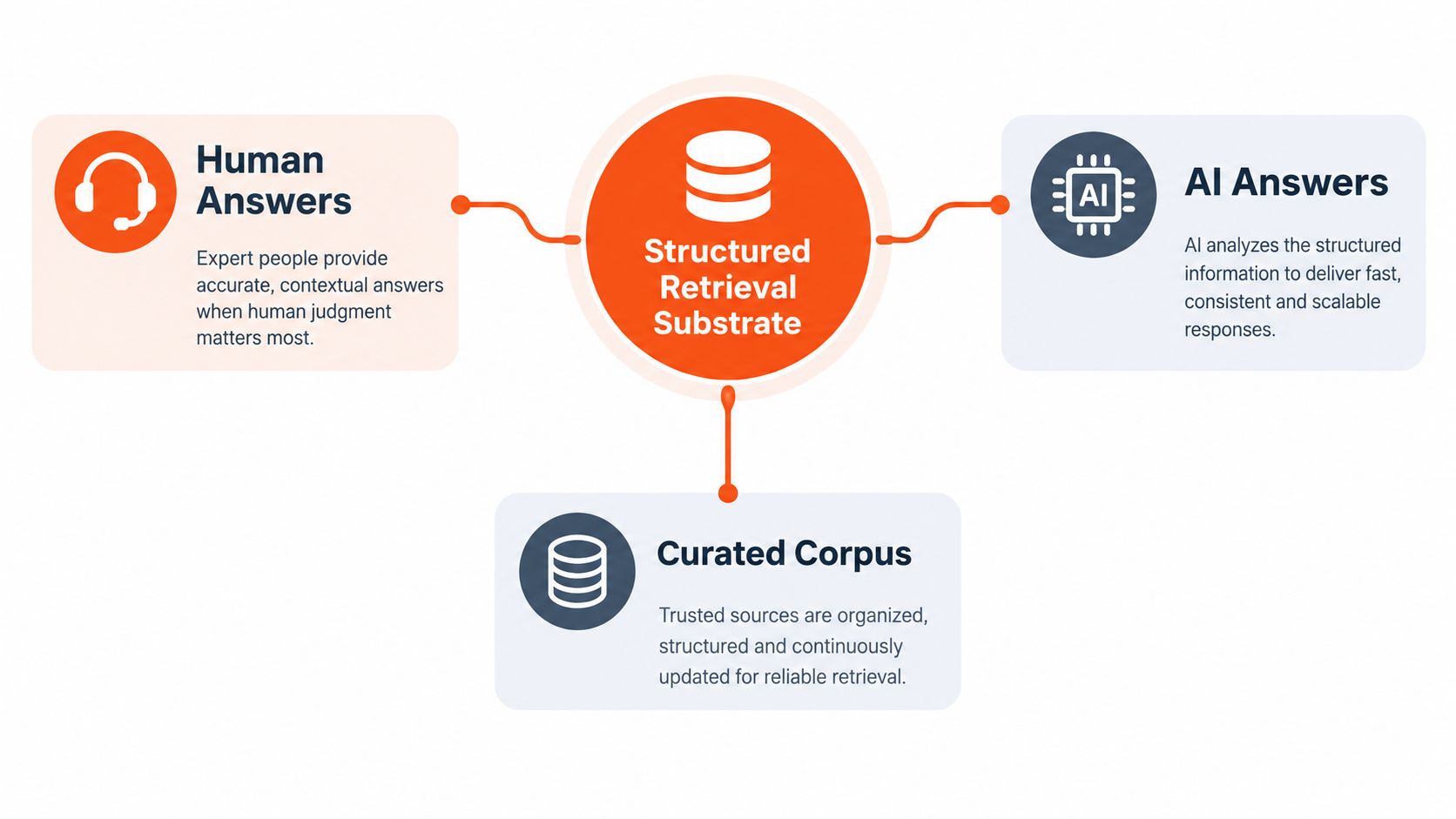
A customer support knowledge base isn't a public help center page. It's the structured retrieval layer behind customer-facing search, agent assistance, chat, email responses, and automated workflows.
That layer should contain more than articles. It should represent entities, such as products, features, plans, error codes, account states, and user roles. It should also contain FAQs, internal runbooks, policy clauses, approved actions, prerequisites, escalation rules, and relationships between those objects. Stable identifiers, metadata, version dates, and freshness signals make this information usable by both people and machines.
The distinction matters
A CMS stores and publishes content. A wiki lets people collaborate on information. A search index helps retrieve text. A customer support knowledge base can use all three, but it has a different job: help someone complete a support outcome accurately.
That outcome may be resetting access, understanding an eligibility decision, changing a billing setting, or escalating an issue with the right evidence attached. The answer often requires several sources, not one perfectly written article.
Practical rule: If your knowledge base can explain a feature but can't tell a customer what to do next, it's still a document library.
This distinction becomes critical when several interfaces depend on one corpus. A human agent needs concise procedures and internal context. A chat widget needs customer-safe explanations. An AI support agent needs retrievable evidence, confidence thresholds, and permission-aware actions. Maintaining separate answers for each channel creates drift and inconsistent policy interpretation.
The operating model is more important than the homepage design. Every resolved case should have a path back into the corpus. Repeated searches with poor results should identify missing entities, unclear terminology, or broken relationships. Content that no longer matches the product should carry a freshness warning or leave retrieval altogether.
The most common failure is treating article count as progress. A smaller, connected corpus with clear ownership will usually outperform a larger collection of unstructured pages because retrieval can identify what applies and resolution logic can determine what happens next.
The Four Building Blocks of a Modern Knowledge Base
A working knowledge base has four connected layers. Remove any one of them and support quality degrades in a predictable way.
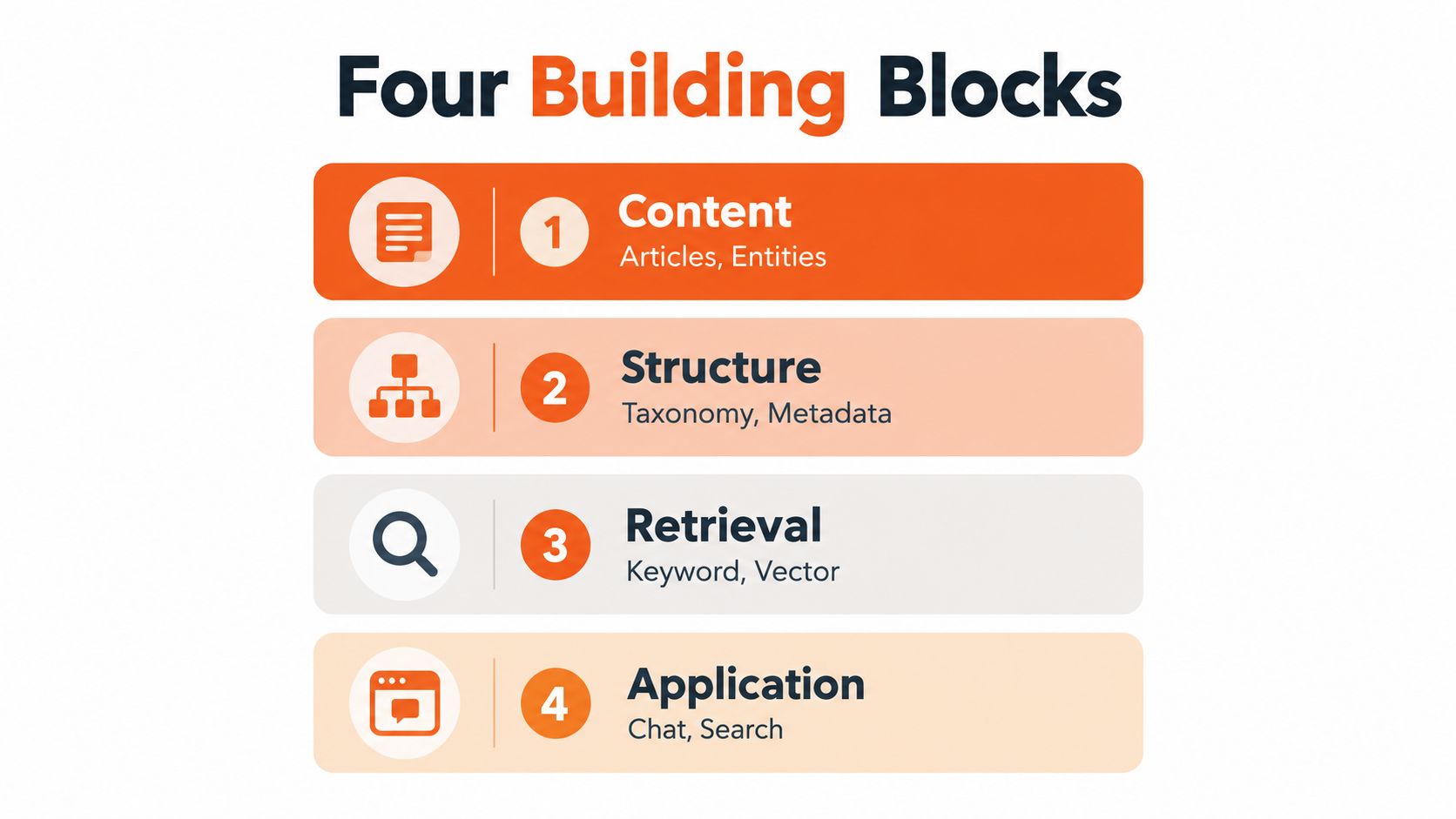
Content gives the system something trustworthy to retrieve
Content includes customer-facing articles, internal runbooks, policy text, troubleshooting paths, FAQs, product entities, and approved responses. The useful unit isn't always a full article. A prerequisite, exception, or escalation condition may need to stand alone so a retrieval system can combine it with other evidence.
Without sufficient content coverage, the system guesses or escalates unnecessarily. With unreviewed content, it produces confident answers that may be wrong.
Structure makes meaning explicit
Structure includes taxonomy, metadata, stable document IDs, product and plan labels, version dates, access rules, and links between related entities. It tells the system whether a paragraph applies to an administrator, a specific product surface, or a legacy release.
A flat folder structure may help browsing, but it doesn't reliably answer questions involving conditions. Structure turns “refund policy” into a set of retrievable rules connected to eligibility, timing, payment method, and required action.
Retrieval selects and combines evidence
Retrieval can use keyword search for exact error codes, semantic search for intent, graph traversal for related entities, and tool calls for live account information. It should also retain a trace showing which sources supported the final response.
A strong authoring workflow won't compensate for weak retrieval. If the system only returns the closest text fragment, it may miss the policy exception sitting in another document.
Feedback turns answers into an operating loop
Feedback includes search failures, unanswered questions, escalations, repeat contacts, resolution outcomes, article edits, and agent corrections. It shows whether content helped someone complete an outcome, not merely whether they opened a page.
The four layers form a cycle. Support failures reveal a content or structure gap. The team updates the source, retrieval indexes the change, the application uses the revised evidence, and outcome data confirms whether the fix worked. Without feedback, stale answers remain in production. Without retrieval, good content remains invisible.
Why Self-Service Still Falls Short for Most Teams
Customers often try to solve a problem before contacting an agent. A widely cited Harvard Business Review finding reports that 81% of customers attempt to resolve issues independently before reaching live support, although the figure is presented through a secondary industry summary rather than the original publication in the available source secondary summary of the HBR finding.
The demand for independence is clear, but demand isn't the same as resolution. An industry summary citing a Gartner survey reports that only 14% of customer-service issues were fully resolved through self-service customer self-service benchmark summary. That gap is where most knowledge base programs fail.
| Metric | Industry benchmark | What it means |
|---|---|---|
| Customers trying to self-serve first | 81% | Customers often begin with search, documentation, or another self-service path |
| Issues fully resolved through self-service | 14% | Many self-service journeys fail to produce a complete outcome |
| Effective self-service usage compared with assisted support | Approximately 10 times more often | A successful self-service mechanism can carry substantial support demand |
| Mature knowledge base discovery target | Greater than 50% probability of finding something helpful | Search and content quality need an explicit proficiency target |
| Customer-usable information published to self-service | 90% eventual publication goal | Internal knowledge should move into the customer channel when it is safe and useful |
The first cause is fragmentation. The answer may be split across a help center article, a PDF policy, a product page, and an internal Notion note. A customer doesn't know which source is authoritative, and an AI system may retrieve whichever passage happens to contain the most similar words.
The second cause is browser-first writing. Articles are often organized for browsing, with context-heavy introductions and screenshots that hide the actual setting or value. That format may be acceptable for a human reader, but it gives a retriever few explicit entities or relationships to work with.
The third cause is missing feedback. Teams publish an article, watch pageviews, and move on. They don't connect failed searches, escalations, repeat contacts, and product changes back to the article. The result is a support channel that appears active while continuing to fail customers at the moment of need.
Closing the gap requires more than hiring agents or expanding the FAQ. It requires content that can be parsed, retrieval that can combine evidence, and measurement based on completed resolutions.
Authoring Content That Survives Retrieval
Write every article for two readers: the person trying to solve the problem and the retrieval system deciding whether the article applies. A clear article title isn't enough. Each document needs enough structure for a system to identify its entities, conditions, action, and boundaries.
Use an article contract
Start with a stable document ID and canonical URL. Then require metadata that retrieval can filter reliably:
- Product and surface: Name the product, feature, interface, API, or workflow covered.
- Audience and role: Identify whether the instructions apply to an administrator, end user, developer, or billing owner.
- Version date: Record when the procedure was last verified and which product release it matches.
- Prerequisites: State required permissions, plan eligibility, configuration, prior steps, or account conditions.
- Related entities: Link error codes, feature names, policy rules, and troubleshooting actions.
- Escalation rule: State when self-service ends and what evidence the customer or agent must provide.
Write escalation instructions as a compact block rather than burying them at the end:
Escalate when: The account meets the stated conditions but the action still fails. Include the account identifier, product version, error code, and relevant event time.
Use precise verbs. “Set up your integration” is weaker than “Create an API key, assign the required scope, and paste it into the workspace connection form.” Name the exact object being changed and the expected result.
Make actions machine-readable
If an article supports an automated action, define its parameters explicitly. An action might require account_id, plan_tier, feature_flag, or invoice_state, with allowed values and permission requirements. The retriever can then decide whether to call a tool or provide instructions instead of paraphrasing an action it cannot safely perform.
Avoid screenshots that contain the only copyable value. Avoid vague references such as “click the option shown above.” Put the label, field name, and expected value in text. UI renames are a frequent source of drift, so connect the article to a product surface and review it when that surface changes.
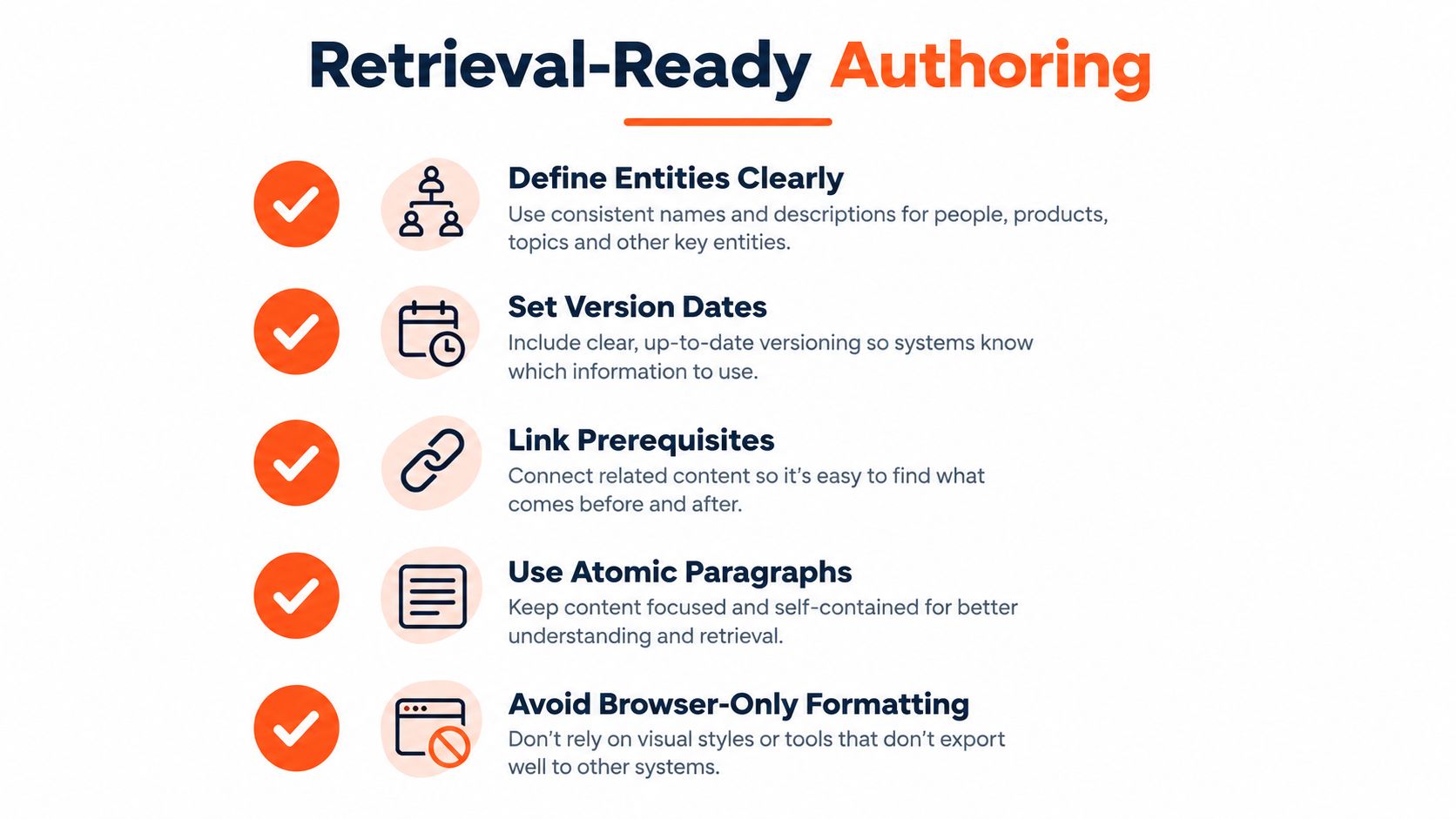
For a useful template, see this FAQ document template for consistent knowledge capture. The broader objective is to make each page eligible for becoming the definitive AI answer, which requires clear entities, direct answers, and evidence that remains current.
Before publishing, ask three questions:
- Can retrieval find the document from the customer's words, including synonyms and error terms?
- Can it parse the prerequisites, version, exception, and escalation boundary?
- Can an authorized workflow act on the answer without forcing someone to open the UI and interpret a screenshot?
If the answer to any question is no, the article isn't finished.
Unifying Website, Documents, and Notion Into One Source
A customer support knowledge base fails when its sources answer the same question differently. The hard work is not publishing the first article. It is aligning the marketing site, help center, PDF policies, product documentation, and Notion workspace so retrieval can identify the right entity, relationship, and current rule.
Treat ingestion as a controlled pipeline:
- Connectors authenticate with each system and record access rules.
- Normalization converts HTML, PDFs, and Notion blocks into a shared document model.
- Parsing preserves headings, tables, lists, links, clauses, ownership, and source location.
- Chunking creates meaningful units without separating a procedure from its conditions.
- Embedding and indexing make those units available to semantic and lexical retrieval.
| Source | Auth and crawl | Parsing notes | Chunk boundary | Refresh strategy |
|---|---|---|---|---|
| Help center HTML | Public or session-aware access | Preserve headings, links, code, and structured lists | One task or troubleshooting path | Incremental sync after edits |
| Marketing website | Public crawl with page filtering | Separate product claims from navigation and promotional copy | Semantic section or feature explanation | Re-crawl changed pages |
| PDF policy document | File access and version tracking | Preserve page context, tables, clauses, and headings | Policy rule with conditions and exceptions | Replace or version the source |
| Notion workspace | Workspace authorization and block handling | Keep nested blocks, databases, and page relationships | Complete procedure or decision unit | Sync edited pages |
| Q&A pairs | Controlled editorial input | Store question, answer, owner, and source context | One validated answer | Review when the underlying policy changes |
A SaaS support corpus described in the multi-document retrieval benchmark contains 698 documents across 21 product categories and approximately 195,000 tokens. Its sources might include a help center, pricing page, SOC 2 PDF, and several Notion spaces. An audit question should favor the relevant SOC 2 passage. A question about a product control should favor the help center procedure or product documentation.
Source-specific structure determines whether that routing works. HTML, PDF text, and Notion blocks carry different signals. Converting them into identical character streams can remove headings, page context, ownership, and the link between a policy exception and its parent rule. The document ingestion pipeline guide provides a useful framework for defining these stages before implementation.
Store metadata with every chunk: source system, document owner, version, location, product area, entity names, related pages, and last review state. Those fields let retrieval rank an active pricing rule above an obsolete PDF and give an answer traceable evidence. Article count cannot compensate for missing relationships or stale metadata.
Operational failures usually appear during ingestion. Teams crawl authenticated pages without session handling, split content at arbitrary character limits, or rebuild the whole index after a minor edit. Use incremental updates, retain the original location, and test whether a changed source replaces its previous version rather than creating competing answers.
Freshness requires an operating trigger. Product releases, policy revisions, pricing changes, and Notion edits should start synchronization and review. A source that was accurate at ingestion can become the least reliable answer unless freshness affects retrieval.
Designing Retrieval for Complex, Multi-Document Answers
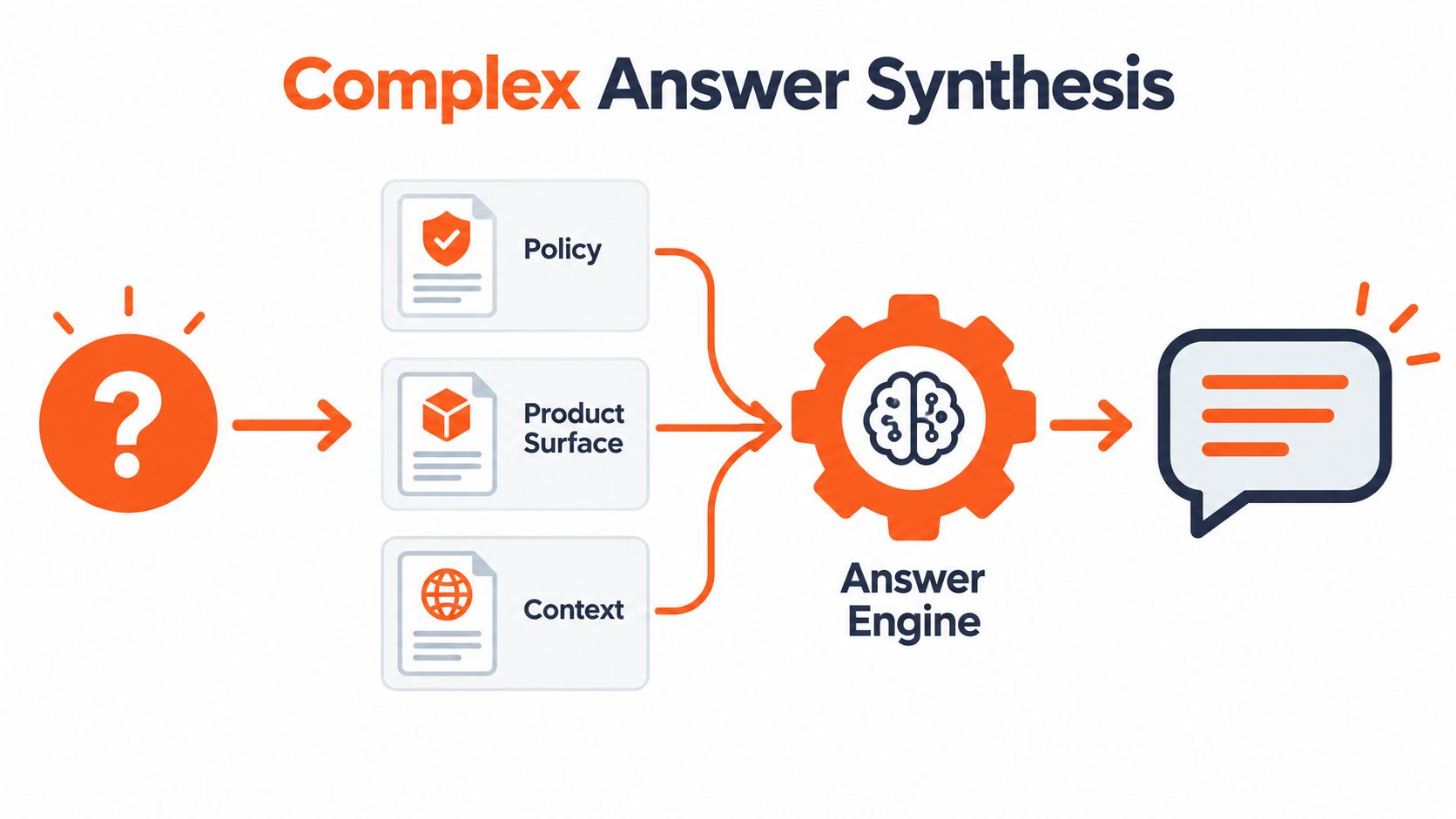
A customer may ask one question that combines a policy, a product surface, and account-specific state. Password reset content can often come from one document. A billing dispute usually cannot. Treating both requests as top-five document searches produces incomplete answers, even when the individual articles are accurate.
A retrieval system for complex cases should combine several modes:
- Keyword retrieval: Match exact terms, error codes, invoice identifiers, and feature names that semantic search may blur.
- Semantic retrieval: Match intent when the customer's wording differs from the documentation.
- Graph expansion: Follow links between a symptom, product version, policy condition, account plan, and approved resolution.
- Tool calls: Fetch live account, invoice, entitlement, and incident data instead of treating static text as current state.
The system also needs a stopping rule. A result is not ready because one relevant article ranked first. It is ready when retrieval has found every policy clause, product condition, and account fact required for the proposed answer. Complex support tasks can require many documents and tool calls, as described in the earlier benchmark. A fixed retrieval limit therefore creates a structural failure, not merely a ranking problem.
A billing dispute example
A customer asks why a cancellation did not produce a refund. Semantic retrieval finds material about cancellations, refunds, and dunning. Keyword retrieval identifies the exact invoice state and payment terms. Graph expansion connects the customer's plan to the applicable eligibility rule. A tool call retrieves the current invoice and cancellation status.
The answer should separate evidence from action. It can explain the governing policy, report what the account currently shows, determine whether the customer qualifies, and either execute an approved action or escalate with the required context. That separation helps prevent a plausible policy explanation from being presented as proof of account eligibility.
Teams evaluating RAG chunking strategies for support retrieval should test the complete answer path, not isolated chunk relevance. Check whether the system retrieves every clause needed for the final decision, preserves citations, and refuses to answer when a required condition is missing.
A knowledge graph can preserve relationships that ordinary chunking loses. In a customer-service question-answering study, graph-based retrieval increased mean reciprocal rank from 0.522 to 0.927 and Recall@3 from 0.640 to 1.000, while generation quality improved by 0.32 BLEU on that benchmark graph-based support retrieval study. These results are benchmark-specific. Production evaluation should measure grounded-answer rate, escalation accuracy, recall, and resolution time separately.
Guardrails should route cases to a human when evidence is missing, policies conflict, confidence is low, an action is unauthorized, or an account change is sensitive. Log the query, retrieved documents, expanded entities, tool calls, policy clauses, final answer, and outcome. Use a fixed evaluation set to approve retrieval changes, rather than relying on a few persuasive demonstrations.
Metrics That Actually Predict Support Quality
Pageviews and article counts describe activity, not support quality. A customer can open several pages, fail to find the answer, and contact support anyway. The useful metrics follow the customer from question to outcome.
Review these measures together:
- Deflection rate: Cases resolved without an agent touch. A low result points to missing content, weak retrieval, or workflows that stop before completion.
- First-contact resolution: Whether the first support interaction produces a complete answer. Falling performance often indicates inconsistent internal guidance.
- Repeat-contact rate: Whether customers return about the same issue. Rising repeat contact usually exposes incomplete instructions or an unresolved product condition.
- Self-service time to resolution: How long customers need to complete a self-service flow. Long journeys may signal excessive branching, unclear prerequisites, or a missing action.
- AI answer confidence: Whether the system has enough grounded evidence to answer. Low confidence should route the case or trigger content review, not encourage more assertive wording.
- Freshness coverage: Whether the active corpus has current verification records. Stale content should be removed, rewritten, or marked with a clear applicability boundary.
| Metric | What it measures | Healthy range | Review threshold |
|---|---|---|---|
| Deflection rate | Resolutions without agent involvement | Establish a stable baseline by issue type | Review when deflection falls while related contact volume rises |
| First-contact resolution | Complete resolution in the first interaction | Stable or improving for priority intents | Review after recurring handoffs or partial answers |
| Repeat-contact rate | Return contact about the same problem | Low and declining for documented issues | Review when the same intent reappears after self-service |
| Self-service time to resolution | Customer effort from question to outcome | Short, predictable journeys | Review when customers abandon or take unusually long |
| AI answer confidence | Strength of grounded evidence | High confidence on known intents | Review when low-confidence answers cluster around one topic |
| Freshness coverage | Share of active content recently verified | Broad coverage across critical content | Review when product or policy changes outpace verification |
The data pipeline matters. Deflection and repeat contact need a join key between conversations and tickets. Confidence requires logged model output and retrieved evidence. Freshness requires an inventory with owners, source versions, and last-verified timestamps.
Review these metrics monthly alongside representative conversations. Industry benchmarks can provide context when internal history is thin, but trend interpretation still requires issue-level segmentation. A single blended score can hide the fact that password help works while billing disputes fail.
Putting It All Together With an Operating Loop
A knowledge base becomes useful when someone owns the loop between support signals and source changes. The workflow should be routine enough that content maintenance doesn't depend on a quarterly documentation project.
Start with failure signals
At the start of each week, review failed deflections, escalations, repeat contacts, low-confidence answers, and searches with no useful result. Group them by intent rather than by article title. Several apparently different tickets may reveal one missing entity or policy relationship.
Assign each gap to a content owner. The owner should know whether the fix belongs in a customer article, internal runbook, policy source, product workflow, or retrieval configuration. Set a publish target and identify the subject matter expert who can verify the answer.
Publish against the retrieval contract
The owner updates or creates the source using stable IDs, explicit metadata, prerequisites, version dates, related entities, and escalation rules. If the answer includes an action, the required parameters and permitted values should be defined before automation is considered.
After review, re-ingest the changed source and verify the retrieval trace. Check that the updated passage is returned for realistic customer wording, that older content no longer wins, and that the response cites the right evidence. Then compare the next set of outcomes with the original failure pattern.
This loop prevents two common mistakes. First, teams don't mistake publishing for completion. Second, they don't tune retrieval around stale or ambiguous content. Content quality and system behavior improve together.
The next useful change is usually visible in your escalations. Start there instead of brainstorming article ideas.
For next week, select your top three escalation tags. Find the article or source that should have resolved each one, run it through the retrieval-ready authoring checklist, and re-ingest the corrected content. That small exercise will show whether your current knowledge base is a searchable library or a resolution system.
AgentStack ingests websites, documents, Notion content, and Q&A pairs into a shared retrieval workflow, then supports grounded responses, tool actions, analytics, and human escalation across support channels. Visit AgentStack to evaluate whether its ingestion and agent workflow fit your customer support knowledge base.