A customer types, “Why isn't my order working?” That sentence looks simple, but the correct response depends on what sits behind it. They may need a quick instruction, a diagnostic sequence, a secure account action, or a human specialist who can investigate an exception. A fast answer that misses the core issue can create another contact instead of resolving the first one.
Customer service questions work best when teams treat them as operational patterns, not as isolated FAQ entries. The pattern determines which questions an agent should ask, what an AI system can safely do, when it should verify information, and when it must hand the conversation to a person. It also determines which resolution can become a reusable knowledge-base article, decision tree, automation, or training example.
Speed still matters. Recent customer service research found that 90% of customers consider a quick response critical, while 60% define “immediate” as within 10 minutes. Yet speed alone won't fix an answer that lacks context or leads the customer down the wrong path.
The ten templates below connect sample wording to agent strategy, AI training prompts, escalation rules, and knowledge workflows. They also show where a platform such as AgentStack can support document retrieval, model routing, analytics, omnichannel delivery, actions, and human handoff. For broader implementation guidance, see this self-service and AI support guide.
Table of Contents
- 1. Problem-Resolution Question Template
- 2. FAQ Anticipation Question Template
- 3. Needs Assessment Question Template
- 4. Technical Troubleshooting Question Template
- 5. Complaint and Sentiment Management Question Template
- 6. Onboarding and Getting Started Question Template
- 7. Feature Request and Feedback Collection Question Template
- 8. Account and Billing Management Question Template
- 9. Product Comparison and Recommendation Question Template
- 10. Escalation and Human Handoff Question Template
- Customer Service Question Templates, 10-Point Comparison
- Build a Living System From Customer Questions
1. Problem-Resolution Question Template
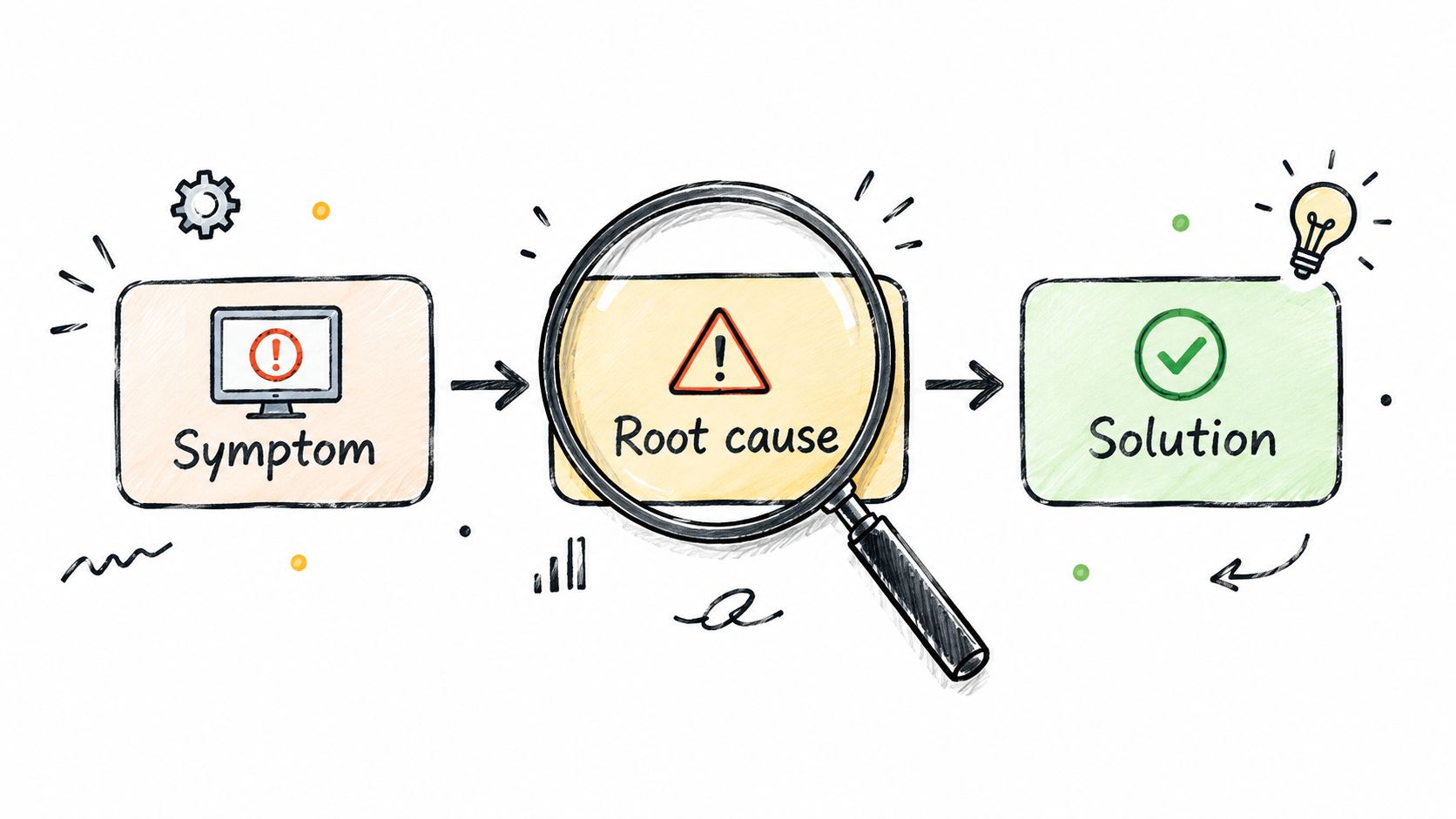
A problem-resolution conversation should move from symptom to context, then from context to a verified solution. The agent shouldn't jump straight to a generic instruction because the same symptom can have several causes. “My checkout won't load” could involve a browser issue, an account state, a payment method, or a wider service incident.
Start with a short diagnostic sequence. An e-commerce agent might ask, “What device are you using?”, “What error message appears?”, and “When did this start?” A SaaS agent could ask, “Which feature are you trying to use?”, “What did you expect to happen?”, and “What happened?” Each answer should narrow the next question rather than restart the conversation.
Turn the exchange into a decision path
The AI training prompt should require the agent to identify the requested outcome, collect only the context needed for the next decision, and avoid proposing irreversible actions before verification. A useful instruction is: “Classify the issue, ask the highest-value diagnostic question, retrieve the relevant product guidance, and state what result would confirm or reject the proposed fix.”
AgentStack can ground responses in ingested product documentation instead of relying on unsupported general knowledge. Its analytics dashboard can also expose questions that frequently receive weak or incomplete answers, helping documentation managers refine the prompt and add missing examples.
Use model routing deliberately. A fast model can handle a known password or settings path, while a more capable model can reason through conflicting symptoms or unusual configurations. Add severity tags for security, data loss, service outage, or business-critical failure, then route those tags to a human queue.
2. FAQ Anticipation Question Template
The best FAQ response often arrives before the customer submits a ticket. A visitor reading a shipping page may still wonder, “How long does delivery take?” Someone opening a login widget may immediately need the password reset path or the two-factor authentication guide. Context gives the support system a chance to answer the next question without forcing the customer to formulate it perfectly.
Build anticipation around page intent and conversation intent. If a customer asks about login, the agent can answer the immediate question and offer the closely related security or recovery article. If a shopper views delivery information, the widget can surface tracking, delivery windows, and address-change guidance without presenting an unrelated wall of links.
Keep suggested answers relevant
AgentStack's Q&A pair ingestion can turn approved answers into a structured FAQ repository. The training instruction should tell the agent to suggest only closely related content, explain why each item may help, and stop suggesting articles once the customer confirms resolution. More links aren't automatically better. An irrelevant recommendation makes the customer search again.
The FAQ document template can help documentation teams structure source material for retrieval and maintenance. Keep each entry focused on one intent, include alternate wording customers use, and record any conditions that change the answer.
Review the analytics dashboard for zero-result searches, repeated follow-up questions, and conversations where customers click an article but continue asking for help. Those signals reveal content that exists but doesn't resolve intent. An embeddable widget can deliver the improved answer directly on the relevant page, so customers don't have to leave the product experience.
A useful prompt is: “Answer the current question first. Then offer one relevant next step only if it addresses a likely follow-up need.” This preserves speed without turning proactive support into interruption.
3. Needs Assessment Question Template
A customer may ask for a feature when they need an outcome. “Can your platform connect to our CRM?” might mean the buyer wants to reduce manual data entry, synchronize records, or give a sales team better visibility. Answering only the literal question can produce a technically correct response that doesn't help the customer choose a workable path.
Needs assessment starts with the desired result. During SaaS onboarding, ask, “What outcome are you trying to achieve?”, “How many team members need access?”, and “Which integrations matter most?” For an e-commerce recommendation, ask what problem the purchase should solve, how many people will use it, and which constraints matter most.
Separate discovery from recommendation
The agent should not recommend a plan or workflow until it has collected the minimum decision context. Its prompt might say: “Identify the customer's intended outcome, ask one clarifying question at a time, summarize the stated constraints, and explain trade-offs before recommending an option.” That sequence keeps the conversation consultative rather than promotional.
Complex needs assessments often require reasoning across several product capabilities. AgentStack can route these conversations to a frontier model, while simpler questions can remain with a faster model. The distinction matters because a fast answer is useful for a known fact, but a shallow answer can misrepresent a solution when several requirements interact.
Store the result in a structured record rather than leaving it buried in free text. Custom data structures can capture use case, team size, integrations, urgency, and unresolved constraints for CRM or sales workflows. Decision trees can then route the conversation to a specialist agent or human advisor.
Sentiment analysis adds another useful signal. If customers sound uncertain, rushed, or frustrated during discovery, review the wording of the questions. Shorter prompts, clearer examples, and a visible explanation of why the information is needed can improve cooperation without making the interaction feel like an interrogation.
4. Technical Troubleshooting Question Template
Technical troubleshooting fails when an agent lists every possible fix at once. Customers need a sequence that isolates the problem, tests one change, and explains what to do if the test fails. The conversation should feel like a controlled investigation, not a random collection of support articles.
For a software issue, the sequence might begin with the operating system and version, followed by the application version. The agent can then ask for the exact error, suggest clearing the cache, and recommend reinstalling only if the earlier test doesn't work. For a platform issue, browser type, start time, reproduction steps, incognito testing, and browser console logs may provide the necessary evidence.
Make every step observable
Write troubleshooting instructions as decision trees. Each branch should state the action, the expected result, and the next branch if the result doesn't occur. An AI training prompt can require the agent to ask the customer to confirm each test before advancing, avoid repeating completed steps, and preserve technical evidence for escalation.
AgentStack's knowledge base can hold these branching guides, while multi-model orchestration can send common fixes to a fast model and unusual combinations to a more capable one. Omnichannel delivery matters here because some customers may begin in web chat, continue by email, or need a phone agent when the issue affects a live operation.
Practical rule: Never describe a troubleshooting step without defining what the customer should observe afterward.
Set escalation triggers for failed initial diagnostics, repeated errors, suspected data corruption, security indicators, and service-wide symptoms. When escalation occurs, the shared inbox should include the customer's environment, exact error, completed tests, timestamps, and relevant retrieved articles. That context prevents the human agent from asking the customer to repeat the entire investigation.
5. Complaint and Sentiment Management Question Template
A complaint isn't just a request for a transaction. It contains an emotional signal, a service failure, and often a clue about a broken process. If a customer reports a damaged product, the agent needs to acknowledge the frustration, establish the available replacement or refund path, and capture what failed in packaging or delivery.
A service outage follows a different flow. The response should recognize the impact, state what is known without speculation, explain the next update point, and apply any approved remedy. The agent shouldn't promise compensation outside its authority or use a cheerful script that conflicts with the customer's experience.
Combine empathy with controlled action
Train the agent to separate acknowledgment from resolution. A suitable prompt might say: “Name the customer's reported impact, acknowledge the inconvenience without exaggerating, confirm the remedy options, and ask only for information required to act.” This keeps empathy specific. “I understand this delayed your launch” is more useful than a generic apology when the customer has already explained the consequence.
AgentStack's sentiment analysis can flag negative conversations for priority review, while the shared inbox can route severe complaints to experienced human agents. Define authority levels before deployment. An agent may replace a standard shipment, but a refund exception, service credit, or legal complaint may require approval.
The customer sentiment analysis guide provides relevant context for using sentiment signals in support workflows. Treat sentiment as a routing input, not as a final judgment. A calm customer can still have a serious account issue, and an angry customer may need a straightforward fix that automation can safely complete.
Use analytics to group complaints by product area, channel, policy, and remedy. Product teams can then receive structured feedback through custom actions instead of vague summaries. The aim isn't to suppress complaints. It's to resolve the immediate issue and make the next occurrence less likely.
6. Onboarding and Getting Started Question Template
New users don't need a library of instructions. They need the next action that moves them toward a useful first outcome. A conversational onboarding flow might ask the user to choose a role, connect a data source, create a first workflow, and invite colleagues. An e-commerce tool could ask which platform the customer uses, connect the store, configure product sync, and start a campaign.
Break the journey into phases with a clear completion condition for each one. The agent should know whether the customer has finished setup, encountered an error, skipped a step, or needs an integration specialist. Without those states, onboarding assistants repeat introductory guidance long after the user has moved on.
Guide without taking control away
A strong onboarding prompt says: “Ask one setup question, explain why the step matters, verify completion, and offer recovery guidance if the customer can't proceed.” This approach balances momentum with autonomy. A fully automated flow may be faster, but it can frustrate users when an unfamiliar integration requires judgment.
AgentStack can place an embeddable widget inside onboarding pages, so help appears beside the setting or workflow being configured. Fast models can handle direct setup questions, while frontier models can reason through complex integrations. Custom actions can create user accounts, enable features, or notify an administrator when the customer grants the necessary permission.
Track where users stop progressing in the analytics dashboard. A drop-off may indicate unclear terminology, missing permissions, weak documentation, or an action that shouldn't be automated. Turn successful resolutions into contextual knowledge entries, not just a general “Getting started” article.
This short product walkthrough can also support teams designing an onboarding conversation:
7. Feature Request and Feedback Collection Question Template
Support conversations often contain product research, but only if agents ask questions that distinguish a preference from a meaningful need. A customer requesting automation may be describing a repetitive task that affects a whole team. Another customer may want a convenience feature that doesn't belong in the current product direction.
Start with the underlying workflow. Ask, “What manual process could we automate?”, “How often do you do this?”, and “How many team members need it?” For checkout feedback, ask which feature would help, whether the limitation blocks a sale, and how broadly the need applies. The answers should produce a usable product signal, not just a feature title.
Capture evidence, not votes
Use a structured feedback form inside the conversation. Store the requested capability, current workaround, frequency, affected users, business impact, and customer context. AgentStack custom API actions can send that record to Jira, Aha, or another product management system, reducing copy-and-paste work for support staff.
The AI prompt should prohibit the agent from promising delivery dates or implying that a request has been accepted. It can summarize the request, explain that feedback will be reviewed, and provide an existing workaround when one is documented. High-impact or strategic requests should move to a human product manager for deeper discovery.
Analytics can reveal recurring language and emerging request clusters. Product leadership needs to see the pattern together with the customer problem, not a pile of duplicate labels. A feature status tracker also helps support agents answer later questions consistently, whether the request is under review, planned, available through a workaround, or not aligned with the product.
The main trade-off is volume versus depth. A short form collects more feedback but less context. A longer interview produces better evidence but requires human time. Use the lightweight flow by default and escalate requests with clear operational or commercial impact.
8. Account and Billing Management Question Template
Account and billing questions require convenience, but convenience can't override identity and authorization controls. “Can you change the billing email?” may be a routine request from an authorized administrator, or it may be an attempt to redirect account access. “Can I get a refund?” also requires policy, transaction, and approval context.
A secure flow starts by identifying the account, verifying the requester, and checking the role permitted to make the change. For a SaaS customer, the sequence may include the registered email, identity confirmation, usage and billing details, and the requested plan change. For an e-commerce customer, the agent may locate the account, review recent orders, confirm the refund conditions, and update the payment method through an approved system.
Keep sensitive actions behind controls
Don't put payment data, authentication secrets, or unrestricted account actions into a general conversational prompt. Use role-based access controls to limit which agents can view or change billing information. Audit logs should record the request, verification result, action, actor, and outcome.
AgentStack custom actions can connect a support flow to billing or payment systems, but the integration should expose only the operations the workflow needs. Refunds, account closure, ownership changes, and suspicious access requests should route to a human for final approval unless your governance team has explicitly authorized a narrower automated path.
Clear security communication matters. Tell the customer what verification is required and why. Guidance on email security tools can help teams review the wider controls around account communication, but support agents should still follow the company's own identity and billing policies.
Write separate knowledge entries for billing explanations and billing actions. A customer can safely read how proration works without being allowed to trigger a credit. That separation makes self-service easier to expand without giving the AI unnecessary authority.
9. Product Comparison and Recommendation Question Template
A recommendation should explain fit and trade-offs, not name the most expensive plan or the most popular product. A SaaS buyer may need to compare team size, required features, integrations, and budget. An e-commerce shopper may care about a particular use case, a performance constraint, or compatibility with equipment they already own.
Ask the questions that change the recommendation. “How many team members need access?”, “Which features are essential?”, and “What budget range are you working within?” can distinguish a Starter, Pro, or Enterprise path. For a product catalog, ask what the customer is trying to accomplish and which feature matters most before presenting a comparison.
Keep recommendations current
Store product comparison matrices in the knowledge base with current features, eligibility rules, limitations, and pricing information. The agent should cite the relevant differences in plain language and disclose when a recommendation depends on an assumption. If the information is outdated, a confident recommendation becomes a sales and support liability.
AgentStack can route complex combinations to a frontier model and use custom actions to schedule a product demo or trial. The model should retrieve approved product data before reasoning about the choice. It shouldn't infer a missing feature or invent a discount.
A useful training prompt is: “Ask for the customer's use case and constraints. Recommend the smallest suitable option, explain what it includes and excludes, and offer a human consultation when requirements conflict.” That protects trust while still supporting conversion.
Review which recommendations lead to follow-up questions, cancellations, or requests for clarification. Analytics can show where the comparison content fails to explain a meaningful difference. Update the matrix whenever product packaging, eligibility, or feature availability changes, and give the agent a clear fallback when no option fully matches the requirement.
10. Escalation and Human Handoff Question Template
A capable AI agent needs a defined stopping point. The customer shouldn't have to repeat the story after an automated flow fails, and a human agent shouldn't receive an empty ticket that says only “please help.” Escalation is a designed conversation state, not a failure message.
Use explicit triggers. A request for custom development may need an engineer. Strong negative sentiment may justify a senior support specialist. An urgent deadline may require a priority queue. Repeated failed diagnostics, a direct request for a person, suspected security issues, and policy exceptions are also clear reasons to stop automation.
Pass the context forward
The handoff prompt should create a concise case summary containing the customer's goal, relevant account details, questions asked, answers provided, actions attempted, retrieved sources, unresolved uncertainty, sentiment signal, and requested urgency. It should tell the customer what happens next without promising a response time the team can't meet.
AgentStack's shared inbox can give human agents the full conversation context, while custom actions can create a ticket in the help desk with the escalation reason and summary. The guide to escalating an issue is relevant when teams are defining these workflows.
Set escalation service levels according to actual staffing and operating hours. A vague “someone will get back to you” creates more uncertainty. A specific next step, such as confirmation that the case entered a specialist queue, gives the customer a usable expectation.
Gartner's survey of 5,801 customers found that 60% of customer service agents fail to promote self-service, and the research reported that agent promotion is associated with roughly doubling the share of customers likely to use self-service on their next issue. Gartner's findings support a practical handoff rule: when the human agent resolves the case, they should point the customer to a relevant self-service path where appropriate, rather than treating escalation as the end of the learning loop.
Customer Service Question Templates, 10-Point Comparison
| Template | 🔄 Implementation Complexity | ⚡ Resource Requirements | 📊 Expected Outcomes | 💡 Ideal Use Cases | ⭐ Key Advantages |
|---|---|---|---|---|---|
| Problem-Resolution Question Template | Moderate, multi-step conditional logic and escalation triggers | Comprehensive KB, analytics, multi-model routing | Higher first-contact resolution; less back‑and‑forth | Reactive support for unclear customer issues (e‑commerce, SaaS) | Improves FCR; captures root‑cause data for KB improvement |
| FAQ Anticipation Question Template | Low, intent mapping and FAQ retrieval | Fresh FAQ content, document ingestion, embeddable widget | Dramatic ticket volume reduction; instant answers | High‑volume common questions; website/widget self‑service | Lowers tickets; provides consistent, immediate answers |
| Needs Assessment Question Template | High, open‑ended probing and progressive discovery | Frontier models or trained agents, CRM integration, decision trees | Deeper customer insights; better recommendations and upsells | Consultative SaaS sales, onboarding, complex purchases | Reveals unarticulated needs; increases satisfaction and conversion |
| Technical Troubleshooting Question Template | High, iterative diagnostics, log analysis, decision trees | Technical runbooks, document ingestion, omnichannel delivery | More self‑resolutions; fewer unnecessary escalations | Software/SaaS incidents, environment/configuration issues | Enables reproducible troubleshooting; reduces support costs |
| Complaint and Sentiment Management Template | Moderate, sentiment detection plus empathetic workflows | Sentiment models, escalation SLAs, authorized agents | Reduced churn; improved loyalty; actionable feedback | Handling complaints, outages, refund requests | Converts negative experiences into retention opportunities |
| Onboarding and Getting Started Template | Moderate, phased flows, role‑based guidance, milestones | Onboarding docs/videos, embeddable widgets, analytics, custom actions | Faster time‑to‑value; higher adoption and retention | New user setup, integrations, data migrations (SaaS) | Standardizes onboarding; reduces manual onboarding effort |
| Feature Request & Feedback Collection Template | Moderate, structured qualification, deduplication, routing | Integrations with product tools (Jira/Aha), analytics, custom actions | Systematic product insights; prioritized feature pipeline | Capturing and qualifying product requests from support | Turns support into validated product signals for roadmap |
| Account & Billing Management Template | High, strict security, identity verification, compliance | Secure payment APIs, role‑based access, audit logging, encryption | Fewer billing tickets; compliant self‑service; audit trails | Subscription changes, invoices, refunds, account access | Secure self‑service with compliance and dispute trails |
| Product Comparison & Recommendation Template | Moderate, product matrices and trade‑off reasoning | Up‑to‑date product/pricing data, multi‑model reasoning, custom actions | Better product matches; higher conversions; fewer returns | Buyers choosing plans/products; sales qualification | Increases conversion by recommending the right fit |
| Escalation & Human Handoff Template | Moderate, trigger detection, context summary, SLAs | Shared inbox, ticketing integration, trained specialists | Faster resolution for complex/emotional cases; fewer repeats | Complex issues, high‑emotion or urgent timelines | Seamless warm handoff with preserved context and SLAs |
Build a Living System From Customer Questions
A list of customer service questions becomes valuable when each question changes how the team operates. Store the original wording, classify the intent, record the successful resolution, and identify the conditions that made the answer safe. That evidence can become a knowledge-base article, a prompt example, a decision tree, an API action, or an escalation rule.
Begin with questions that are frequent, low-risk, and easy to verify. Login guidance, delivery information, documented setup steps, and basic product explanations are useful starting points because the team can review the source material and define a clear success condition. The 2025 Heretto support research report found that 58% of surveyed organizations had implemented self-service, with another 22% planning implementation soon. It also found that knowledge bases and FAQs were the first-choice support channel for 35% of respondents, ahead of email at 31% and phone at 18%.
Don't assume that publishing content solves the problem. Self-service search can fail when the relevant answer is missing, poorly indexed, or written for a different intent. Coverage linked to Gartner research reports that 43% of self-service failures occur because customers can't find relevant content, while 45% occur because systems misunderstand what the customer is trying to do. The 2026 self-service analysis makes unanswered intent a more useful optimization target than article count.
Create a review cycle that connects conversations to owners:
- Collect real wording: Save customer phrases from chat, email, Slack, phone transcripts, search logs, and human tickets.
- Classify the intent: Distinguish problem resolution, discovery, billing, technical failure, complaint, feedback, recommendation, onboarding, and escalation.
- Ground the answer: Link every response to current product documentation, approved policies, or verified system data.
- Define verification: Specify what the agent must confirm before changing an account, issuing a refund, or triggering an external action.
- Test prompt variants: Compare instructions for direct answers, clarifying questions, proactive suggestions, and uncertainty handling.
- Publish successful resolutions: Convert stable answers into focused articles, Q&A pairs, decision trees, or contextual widget content.
- Review failure signals: Inspect zero-result searches, repeat contacts, low-confidence responses, escalations, unresolved outcomes, and customer sentiment.
Resolution quality deserves the same attention as response speed. A 2025 survey summary reported that only 11% of consumers said all their inquiries were resolved, while 13% said problems were rarely or never addressed effectively. Another 2025 trend summary reported that 58% received no response after contacting support. These figures are cited in reporting on customer service wait times and poor resolutions, and they reinforce the operational lesson: measure whether the customer reached a useful outcome, not merely whether the system sent a reply.
Expand carefully. Technical troubleshooting, account changes, complaints, and human handoffs need stronger governance than basic FAQs. Give each flow an owner, approved source set, escalation path, test cases, and review date. If the product changes, the team should know which prompts, articles, integrations, and actions require revalidation.
AgentStack can support this operating cycle by ingesting websites and documents, storing Q&A pairs, routing work across models, delivering responses through web, email, Slack, and voice, and exposing analytics for unanswered questions and resolution outcomes. Its shared inbox and custom actions can connect automated answers to human review and external systems. The platform is useful when those capabilities are configured around clear support policies rather than deployed as an ungoverned answer generator.
Start this week by exporting a representative set of recent conversations. Select one low-risk intent, write the desired conversation path, add the verification and escalation rules, and test it against real customer wording. Then publish the strongest resolution, monitor where the flow fails, and use those failures to improve the next version.
AgentStack helps teams ingest support content, train and route AI agents, deliver answers across web, email, Slack, and voice, and connect difficult cases to a shared human inbox. Visit AgentStack to build customer service question flows that combine grounded answers, automation, analytics, and controlled escalation.