You can usually tell when a support team has focused on the model and skipped the flow. The bot sounds fluent, but the experience falls apart in ordinary moments. A customer asks for a refund, then adds a billing question, then comes back later from email. The agent answers the first part, loses the second, and hands off too late with no context for the human.
That failure rarely comes from wording alone. It comes from conversation flow design. Not the polished demo path where everything goes right, but the practical work of deciding who owns the next step, what state the conversation is in, and how the system should recover when the customer interrupts, changes channels, or asks the agent to take action.
Support leaders run into this every day. One team is trying to reduce repetitive tickets. Another is trying to keep handoffs clean. Another is trying to stop the AI from sounding confident when it should pause, verify, or escalate. If that's your situation, it helps to think less about “chatbot scripting” and more about service orchestration. The language model matters, but the flow decides whether the interaction feels coherent.
If you want a broader lens on how teams turn raw conversations into operational insight, conversational intelligence in support systems is useful context. It connects the transcript level view with the workflow level view, which is where many AI deployments succeed or fail.
Table of Contents
- Introduction Why Conversation Flows Make or Break AI Support
- Understanding the Core Concepts Behind Conversation Flows
- Designing Branching Logic That Guides Without Trapping Users
- Managing Context and Memory Without Slowing the Conversation
- Aligning Persona and Tone While Planning Smart Escalation Points
- Real World Examples of Conversation Flows That Handle Interruptions and Channel Switches
- Conclusion Your Next Steps to Designing Better Conversation Flows
Introduction Why Conversation Flows Make or Break AI Support
A customer opens chat to ask for a refund. Halfway through, they add, "Also, why was I charged twice?" The bot answers the refund question, misses the billing one, asks for the order number again after a channel switch to email, and sends the case to a human only after the customer is already irritated.
Nothing in that failure sounds dramatic. That is why it is expensive.
What broke was not only the wording. The flow broke. More specifically, the system lost track of state, failed to assign the next step to the right owner, and spent too long deciding what to do. In AI support, that is what conversation flow design controls.
A well-built flow works like an airport control tower, not a script page. It tracks where the customer is, who is responsible for the next action, and what should happen if the route changes. The route will change. Customers interrupt themselves, switch topics, leave and return, move from chat to email, and ask the system to act on their behalf.
Where support flows typically break
The weak points are usually easy to spot once you know what to look for:
- Looping replies: the AI keeps asking the same clarifying question because no fallback route was defined.
- Context loss: a new detail changes the case, but the system treats it as unrelated instead of updating the active state.
- Late escalation: the bot still owns the conversation after trust has dropped or a policy check is needed.
- Broken re-entry: the customer returns later, often in another channel, and the case restarts with no usable memory.
- Slow action-taking: a tool call, lookup, or approval step takes too long, so the conversation feels stalled even if the answer is technically correct.
These are flow failures. They affect containment, handle time, escalations, repeat contacts, and customer effort.
Good AI support feels reliable when each transition is deliberate, the right actor owns the next step, and the customer does not have to reconstruct the case.
This is also why support leaders need a broader lens than prompt quality alone. Teams that study conversational intelligence in support systems can connect transcript-level behavior to workflow performance, which makes it easier to see where a conversation stalls, resets, or hands off badly.
A clearer frame
A useful way to frame flow design is simple: it is state management plus ownership management, under time constraints.
State answers three practical questions. What has already happened. What matters now. What must carry forward if the customer interrupts, switches channels, or returns tomorrow.
Ownership answers another set. Should the AI continue. Should a system action happen first. Should a human step in now because judgment, approval, or repair is needed.
Time matters too. Every flow has an implied latency budget. Customers will wait a moment for identity verification or an order lookup. They will not tolerate long silent gaps, repeated checks, or handoffs that arrive without context. That is why strong flow design is measured, not guessed. Teams inspect where users exit, where the AI loops, where tool calls slow the exchange, and where ownership changes too late.
Once you see conversation flow this way, support design becomes much more practical. You are not only writing happy-path dialogue. You are designing a controlled transfer of context, responsibility, and action across a conversation that will almost never stay tidy.
Understanding the Core Concepts Behind Conversation Flows
Think of a conversation flow like airport wayfinding. The traveler has one goal, but the route changes based on where they are, what they need, and what went wrong a few minutes earlier. Signs matter. Checkpoints matter. So does recovery when someone ends up in the wrong line.
In support, the customer is that traveler. Your job is to make sure the next step is obvious without making the experience rigid.
The basic building blocks
A few terms help, but they only make sense when tied to actual support work.
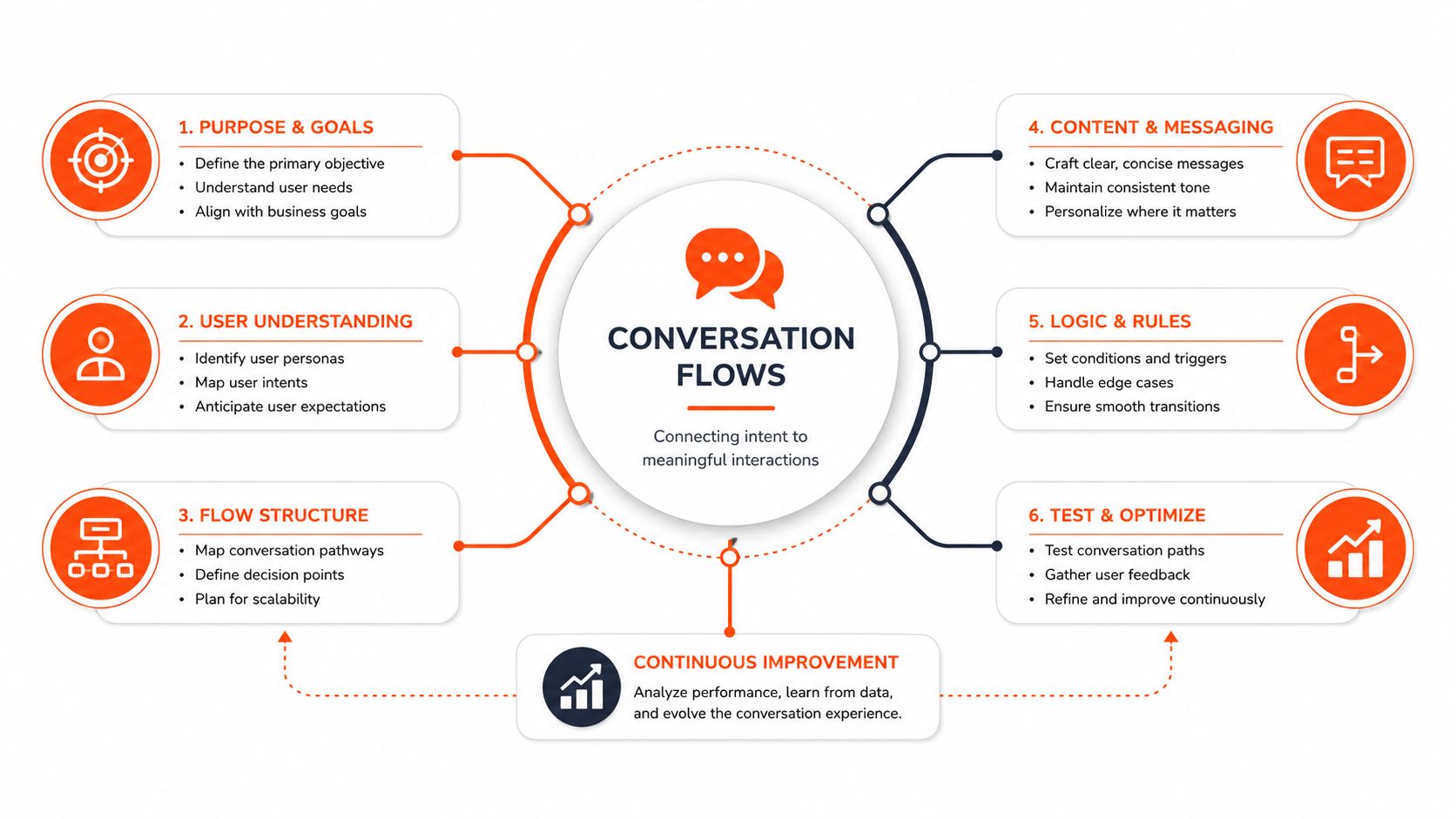
- Flow: A larger job, like order tracking, account recovery, or subscription cancellation.
- Page or step: A moment inside that job, such as collecting an order number or confirming identity.
- Turn: One back and forth between the customer and the system.
- Intent: What the customer is trying to do.
- State: What the system currently knows and what stage the conversation is in.
A single support interaction can cross several flows. A customer might begin in “billing question,” switch into “invoice retrieval,” then detour into “human escalation” because the document is missing. If your team treats those as isolated replies, the experience gets brittle fast.
Why modern flow design changed
Older bots were often built like static dialogue trees. They worked if users followed the script. They broke when users blended requests, interrupted themselves, or answered out of order.
A more useful model is flow based orchestration. Google Cloud's Dialogflow CX documentation formalized “flow” and “page” as first class analytic units, with relative traffic counted as the number of conversations that went through a flow, escalation rate measured as the percentage that requested human escalation, and exit rate measured as the percentage that ended after that flow. That framing turns design into an optimization problem rather than a writing exercise, as described in this discussion of Dialogflow CX flow analytics.
Practical rule: Design flows around customer goals and system state, not around isolated bot messages.
That's the big shift. You're no longer asking, “What should the bot say next?” You're asking, “What state is the customer in, what options should be available, and what evidence will tell us whether this branch works?”
A simple mental model for support leaders
If you're reviewing a support flow with your team, use three questions:
- What job is the customer trying to complete?
- What must be true before the system can move forward?
- Who should own the next step?
That last question is where many teams get stuck. Some over-script and make everything feel like a form. Others leave too much to the model and lose control of critical moments. For practical language-level guidance, Overvue conversation techniques are a good companion resource because they show how small phrasing choices help the flow feel natural without replacing the underlying structure.
Designing Branching Logic That Guides Without Trapping Users
Branching logic is where a support experience becomes either helpful or claustrophobic. Too little structure, and the AI wanders. Too much structure, and customers feel like they're trapped in a phone tree with better grammar.
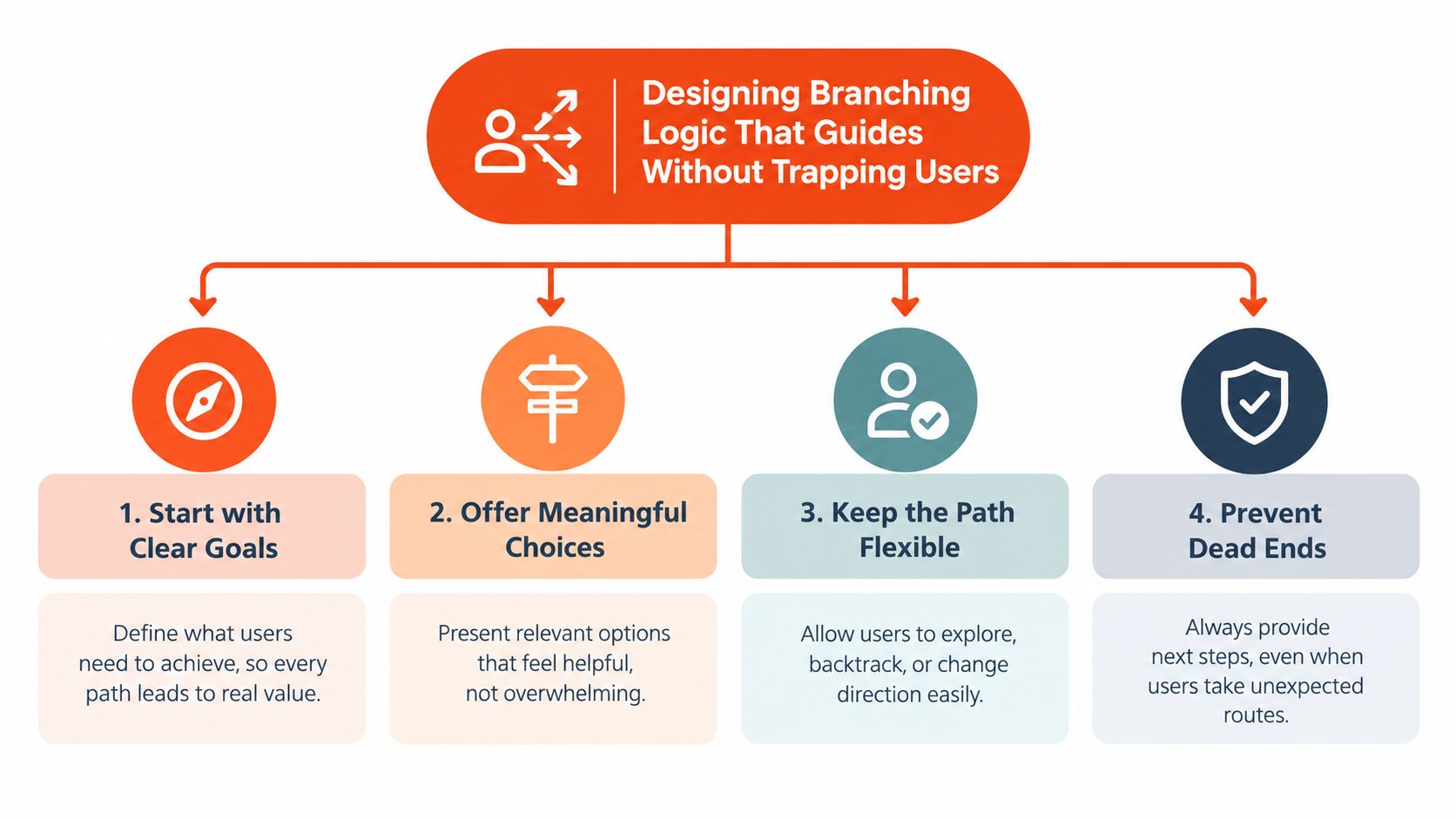
The goal isn't to eliminate branches. It's to make branching feel like guidance instead of resistance.
Hardcode the risky parts
Some branches should never be loose.
If the agent is changing an address, issuing a refund, exposing account data, or triggering an external action, the path should be explicit. The system should confirm key details, verify prerequisites, and fail safely when something is missing.
Other moments can stay flexible. Product education, policy explanation, and exploratory troubleshooting benefit from a more open response style, as long as the flow still has guardrails.
A practical split looks like this:
- Deterministic branch: “I can help cancel your subscription. First, I need to confirm the account email.”
- Reasoned branch: “You mentioned your integration stopped syncing after a settings change. Let's narrow down whether the issue is permissions, timing, or mapping.”
Branches should rejoin whenever possible
One common mistake is letting every variation create a whole new path. That bloats maintenance and creates inconsistent handling.
A cleaner design uses short detours that merge back into a shared route. For example:
- User asks for order status.
- System asks for order number.
- If missing, route to lookup by email.
- Once identified, return to the same “order found” state.
That way, multiple entry points lead to one resolution path.
Here's a useful demo of branching and flow thinking in practice:
What to measure in each branch
A branch isn't “good” because it makes sense on a whiteboard. It's good when customers move through it without confusion, looping, or unnecessary handoff.
When your platform exposes flow analytics, pay attention to signals like:
- Traffic concentration: Which branches attract the most conversations.
- Escalation patterns: Where users ask for a human.
- Exit behavior: Where conversations stop unexpectedly.
- No match moments: Where the system fails to map customer language to a workable next step.
Those metrics matter because they let teams identify the exact decision points that need redesign instead of guessing.
If a branch gets heavy traffic but repeatedly ends in fallback, the issue usually isn't the copy. It's the decision architecture.
Design cues that reduce dead ends
Support teams usually improve branching when they tighten a few habits:
- Name flows by user job: “Reset password” is clearer than “authentication flow B.”
- Limit depth: Long chains of clarifying questions create fatigue.
- Offer exits early: Let customers ask for a person, restart, or switch goals without fighting the system.
- Handle no match deliberately: A fallback should narrow the problem, not just apologize.
- Test messy inputs: Real customers answer sideways, combine issues, and contradict earlier details.
A SaaS support flow, for example, might start with “integration issue” but quickly split into setup, sync failure, permissions, or outage status. An ecommerce flow might begin with “return request” but branch on item condition, shipping status, and timing. In both cases, the best flows guide the customer toward resolution while preserving a clean escape hatch.
Managing Context and Memory Without Slowing the Conversation
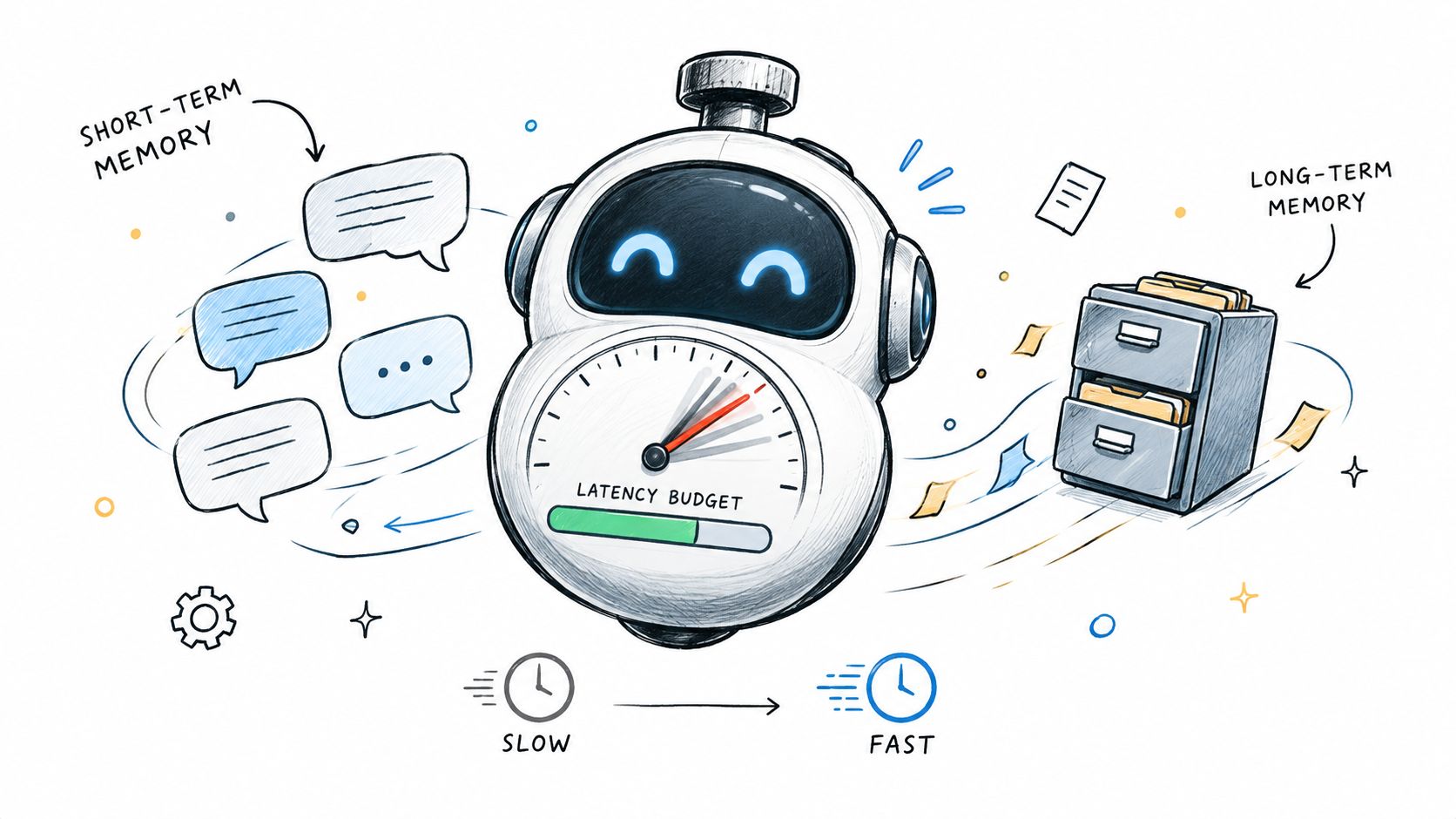
Teams often talk about context as if more is always better. In practice, too much memory can make a conversation feel heavy, delayed, and strangely unfocused. The system remembers everything, but the customer experiences that as hesitation.
That's why context management is not just a prompt problem. It's a latency budget problem.
What should stay in working memory
Not every detail deserves to travel with the conversation.
The agent usually needs to keep four kinds of context available:
- Current task state: What the user is trying to finish right now.
- Critical entities: Order number, account identifier, product name, or selected plan.
- Recent commitments: What the system already promised to do or verify.
- Open threads: Questions the customer raised that haven't been resolved yet.
Everything else should earn its place.
A strong knowledge system helps. Instead of stuffing every prior detail into the prompt, teams can store stable information separately and retrieve only what the current turn needs. If you're building that foundation, a practical guide to building a support knowledge base gives a useful operational starting point.
Responsiveness is part of the UX
Recent dialogue research makes this tradeoff more concrete. DyCP evaluates dialogue methods with answer quality, retrieval accuracy, and online first token latency, defined as the time from the current user utterance to the first generated token. The design implication is straightforward: when extra memory increases first token latency without improving the answer enough, teams should prune or summarize context, according to the DyCP discussion of latency and memory management.
That principle matters because people don't judge a support agent only by correctness. They judge it by rhythm.
Turn taking research points to the same issue from another angle. TurnBench uses a 30 hour hand labeled dyadic corpus and scores end of turn and interruption detection using recall, false positive rate, and signed latency. In the reported benchmark, the strongest system, VAP, reached 0.845 end of turn recall and 0.945 interruption recall at median latencies of 368 ms and 994 ms, showing that a flow can be accurate and still feel sluggish if the system waits too long to decide when the user has finished speaking, as reported in the TurnBench benchmark summary.
A better pattern for topic switches
Customers rarely stay on one rail. They interrupt themselves constantly.
Bad handling sounds like this:
Customer: “Where's my order? Also I changed my address yesterday.”
AI: “Please provide your order number.”
Customer: “It's 4128. Did the address change affect it?”
AI: “Please provide your order number.”
Good handling sounds like this:
Customer: “Where's my order? Also I changed my address yesterday.”
AI: “I can help with both. First I'll check the order status, then I'll confirm whether the address update affects delivery. What's your order number?”
The second version does three things well:
- It acknowledges both threads.
- It sets an order of operations.
- It preserves momentum by asking for one concrete input.
Re-entry needs re-anchoring
When a customer returns later, the flow shouldn't pretend nothing happened. It also shouldn't dump a transcript summary on them.
Use a short re-anchoring move instead:
- “Last time we were checking your invoice delivery issue.”
- “You were troubleshooting sync errors in Slack.”
- “You asked for a return label and then paused before confirming the address.”
That gives continuity without overload. Good memory feels selective, not exhaustive.
Aligning Persona and Tone While Planning Smart Escalation Points
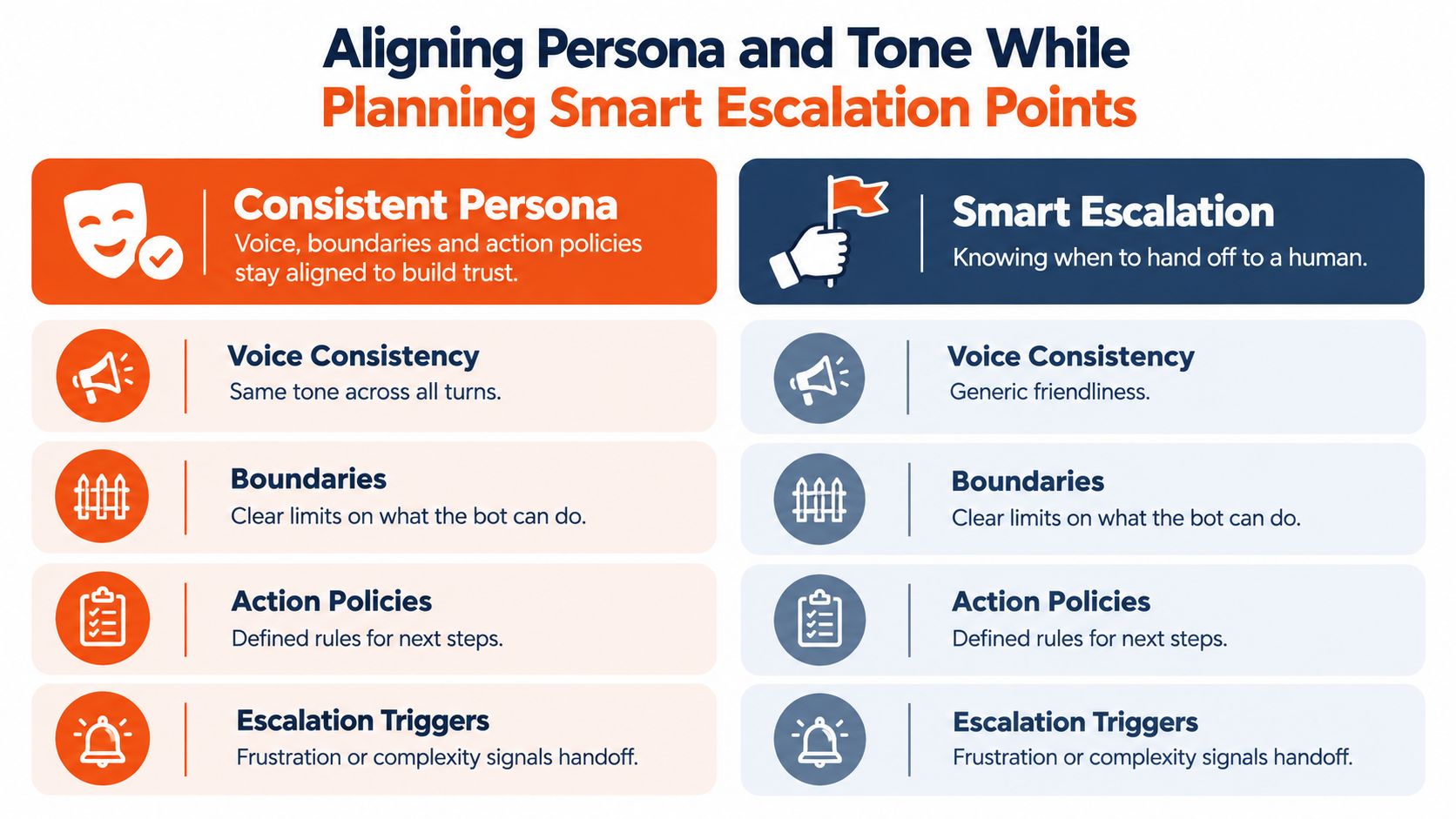
A support agent's persona isn't just style. It's a promise about how the system behaves under stress. A calm, clear voice with weak escalation logic still breaks trust. A strict escalation policy with inconsistent tone feels robotic and brittle.
The two have to work together.
Persona means boundaries, not just friendliness
Many teams define persona with adjectives. Helpful. Warm. Professional.
That's a start, but support flows need deeper rules:
- Voice consistency: The agent should sound like the same service across greeting, troubleshooting, apology, and handoff.
- Boundary clarity: It should state what it can and can't do without sounding evasive.
- Action policy: It should distinguish between explaining, suggesting, and taking action.
A bot that says “I've fixed that for you” before a verified system action is more dangerous than one that sounds slightly plain.
Escalation is a design choice, not a failure
Escalation should happen neither too early nor too late.
Too early, and customers feel brushed off. Too late, and they lose confidence because the AI kept talking after it was out of its depth. The strongest support experiences treat escalation like a planned lane change with context transfer, not a crash.
Recent enterprise chatbot guidance highlights why this matters. Effective enterprise systems need explicit flow management because language models don't understand sequence, and failure modes in multi turn support can include context loss, hallucinated action confirmations, unscoped PII exposure, missing audit trails, and weak fallback behavior. That makes verified API execution, compliance grade logging, and hard fallback design central to flow design for action taking systems, as outlined in this enterprise chatbot case study on policy and auditability.
The hardest flow problem in support often isn't wording. It's deciding the exact boundary where the AI should stop acting alone.
Escalation Decision Matrix for AI Support Flows
| Situation | Best Handling | Flow Design Cue |
|---|---|---|
| Simple policy question | Automate with grounded answer | Stable knowledge, low risk, no account change |
| Multi-step troubleshooting | AI assists, then checks for confidence and progress | Watch for repeated clarifications or unresolved loops |
| Account specific change request | Controlled workflow with verification | Explicit confirmation before any system action |
| User expresses frustration | Offer handoff with summary of current context | Preserve transcript state and open issues |
| Sensitive data or compliance concern | Immediate bounded response or human review | Restrict free form actions and log decisions |
| Tool call fails or returns ambiguity | Stop, explain limits, escalate if needed | Never imply completion without verification |
Good and bad handoff sound different
A weak handoff says, “I'll connect you to support.”
A strong handoff says, “I'm handing this to a human teammate because your billing issue needs account level review. I'll pass along the invoice ID, the failed retry detail, and the steps we already tried.”
That difference is ownership. The customer shouldn't become the courier.
For teams operating across web chat, email, Slack, or voice, shared inbox workflows matter here because the handoff has to preserve state, not just route a message. This is one place where product capability matters more than tone.
Real World Examples of Conversation Flows That Handle Interruptions and Channel Switches
The easiest way to judge a flow is to watch what happens when the customer stops cooperating with the diagram.
Three patterns show where strong design stands out.
Order lookup with interruption handling
A customer opens chat and asks, “Where's my package?” The flow begins with order identification. Midway through, they add, “I may need to change the delivery address too.”
A weak system treats that second request as noise. A stronger flow parks it as an open thread, finishes the status lookup, then returns to the address question with a short re-anchor. The customer feels heard because the system didn't force a restart.
What should the team audit in this flow?
- Stall points: Where users stop responding after being asked for an order number.
- Loop points: Where the same clarifying prompt appears repeatedly.
- Ownership changes: Where the flow should switch from information retrieval to controlled account action.
Troubleshooting flow with tool calls
A software customer reports that their integration stopped syncing. The AI asks a few diagnostic questions, checks documentation, then triggers a backend status check.
Design has to separate explanation from execution. The AI can reason flexibly about symptoms, but once it moves into action, the branch should become tighter. If the tool returns an unclear result, the system should not bluff. It should summarize what it knows, say what remains uncertain, and route appropriately.
That becomes even more useful when a platform supports ingestion grounded answers, channel delivery, and model routing in one system. For example, AgentStack provides website and document ingestion, multi model orchestration, omnichannel delivery across web, email, Slack, and voice, plus analytics and human handoff workflows. Those capabilities fit naturally with support flows that continue across channels instead of ending in a single chat session.
Omnichannel return after an async pause
A customer starts on web chat, leaves before confirming a return, then replies later by email. Many teams break the experience here. The new channel starts a new conversation, and the customer has to retell everything.
A better flow re-enters with context ownership already resolved: “You were requesting a return for the blue jacket and had paused before confirming the pickup address. Would you like to continue that return?”
That kind of continuity matters more as support becomes more asynchronous and omnichannel. Recent industry guidance notes that teams should explicitly audit where conversations stall or loop in environments that behave more like WhatsApp or email timelines, and it reports that 40% of teams are spending more time training and optimizing AI systems, according to this discussion of omnichannel support experience design.
If you're evaluating interface patterns for these cases, examples of AI chat interfaces across support channels can help you think through how re-entry, handoff, and state visibility should differ between synchronous and asynchronous environments.
Conclusion Your Next Steps to Designing Better Conversation Flows
Most support teams don't need more bot personality. They need cleaner ownership, better state handling, and clearer decision boundaries.
That's the heart of conversation flow design. A strong flow doesn't just answer the next question. It keeps track of what the customer is trying to finish, what context still matters, when to summarize instead of remember everything, and when the AI should step aside.
A practical starting checklist looks like this:
- Map one high value journey: Pick a common support job such as order status, cancellation, or integration troubleshooting.
- Mark the state changes: Note what the system must know before moving forward.
- Separate flexible from controlled steps: Let the model explain and clarify, but constrain risky actions.
- Design interruptions on purpose: Include topic switches, pauses, and returns from another channel.
- Instrument the flow: Review traffic, exits, no match moments, and escalation patterns where your tooling allows it.
- Write handoffs as continuity moves: Humans should receive context, not just a new ticket.
- Trim memory aggressively: Preserve what helps the next turn. Summarize the rest.
The teams that get this right usually stop thinking in scripts. They start thinking in service journeys with measurable transitions. That shift turns AI support from a fluent demo into an operating system for real customer work.
A good flow doesn't need to impress the customer. It needs to keep the conversation moving, safely and coherently, even when the customer interrupts, returns tomorrow, or asks the system to do something consequential.
If you're building support agents that need grounded answers, cross channel continuity, action workflows, and human handoff, AgentStack offers those pieces in one platform for web, email, Slack, and voice. It's a practical option for teams that want to turn conversation flow design into an operational system rather than a collection of prompts. Visit AgentStack to see how it fits into a modern AI support stack.