A chat bubble appears in the bottom corner of your website. It looks polished, matches the brand, and promises instant help. A visitor asks about a refund, the widget returns a vague answer, then sends the person to a contact form that asks them to repeat everything. Your team sees a chat count in the dashboard, but customers still wait and support agents still handle the same questions.
That failure usually has little to do with the color or placement of the bubble. An AI chat widget for a website is a workflow layer. It retrieves knowledge, interprets intent, performs actions, measures outcomes, and decides when a human must take over. The teams that get value from it treat deployment as an operational system, not as a JavaScript installation task.
Table of Contents
- Why Most Website Chat Widgets Fail Before They Start
- Deploying Your AI Chat Widget in One Tag
- Ingesting and Grounding Your Knowledge Base
- Routing Strategies for Model Performance and Cost
- Securing Your Widget and Protecting Customer Data
- Measuring Success Beyond Simple Chat Volume
- Launch Checklist and Continuous Optimization Habits
Why Most Website Chat Widgets Fail Before They Start
The most common failure is easy to recognize. A visitor opens chat, types a specific question, and receives either a generic FAQ answer or a form asking for an email address. The interface looks conversational, but the underlying workflow isn't. Recent coverage of website chat adoption found that only 5.9% of more than 3,000 websites had any chat widget, and 78.5% of those widgets were contact forms presented as chat experiences in the study's website chat analysis.

A contact form isn't automatically bad. It becomes a problem when the site implies that a customer will receive an immediate, intelligent response but only collects a message for later processing. That mismatch damages trust and creates extra work for the support team. A real AI widget should either resolve a request, complete a useful action, or explain the next step while preserving the context for handoff.
The knowledge problem
Most businesses have support information spread across product pages, help-center articles, PDFs, internal documents, Notion pages, and policy files. A bot connected to only the marketing site may know the product description but not the refund rule. A bot trained on a static FAQ may give an answer that was accurate before the latest pricing or security update.
The second problem is grounding. If the system can't show which source supports an answer, support leaders can't easily distinguish a reliable response from a plausible guess. That matters most for pricing, account access, refunds, security, and contractual terms.
The routing problem
A widget also needs explicit escalation logic. It should recognize uncertainty, sensitive subjects, frustrated users, requests involving private account data, and actions it isn't authorized to perform. A useful handoff includes the conversation history, detected intent, relevant customer details, and the reason for escalation. Sending a customer to a blank inbox is not a handoff. It's abandonment with another label.
Before selecting a vendor, inspect the workflow behind the interface. The practical questions are more important than whether the bubble has an avatar:
- Source coverage: Can the system ingest the documents your team uses?
- Answer control: Can it cite or expose the source behind a response?
- Action support: Can it book, create, update, or capture information safely?
- Escalation: Does a human receive the full context?
- Measurement: Can you separate successful resolutions from abandoned or failed chats?
For a broader look at interface patterns and implementation choices, review this guide to AI chat interfaces. The interface matters, but only after the underlying retrieval and routing workflow can support it.
Deploying Your AI Chat Widget in One Tag
The fastest way to validate the front end is a single script deployment. It lets your team inspect the widget on real pages before investing time in complex integrations. That early visual check catches problems such as a button covering a mobile checkout control, a welcome message that doesn't fit the page context, or a color combination that fails accessibility expectations.
A practical installation sequence
-
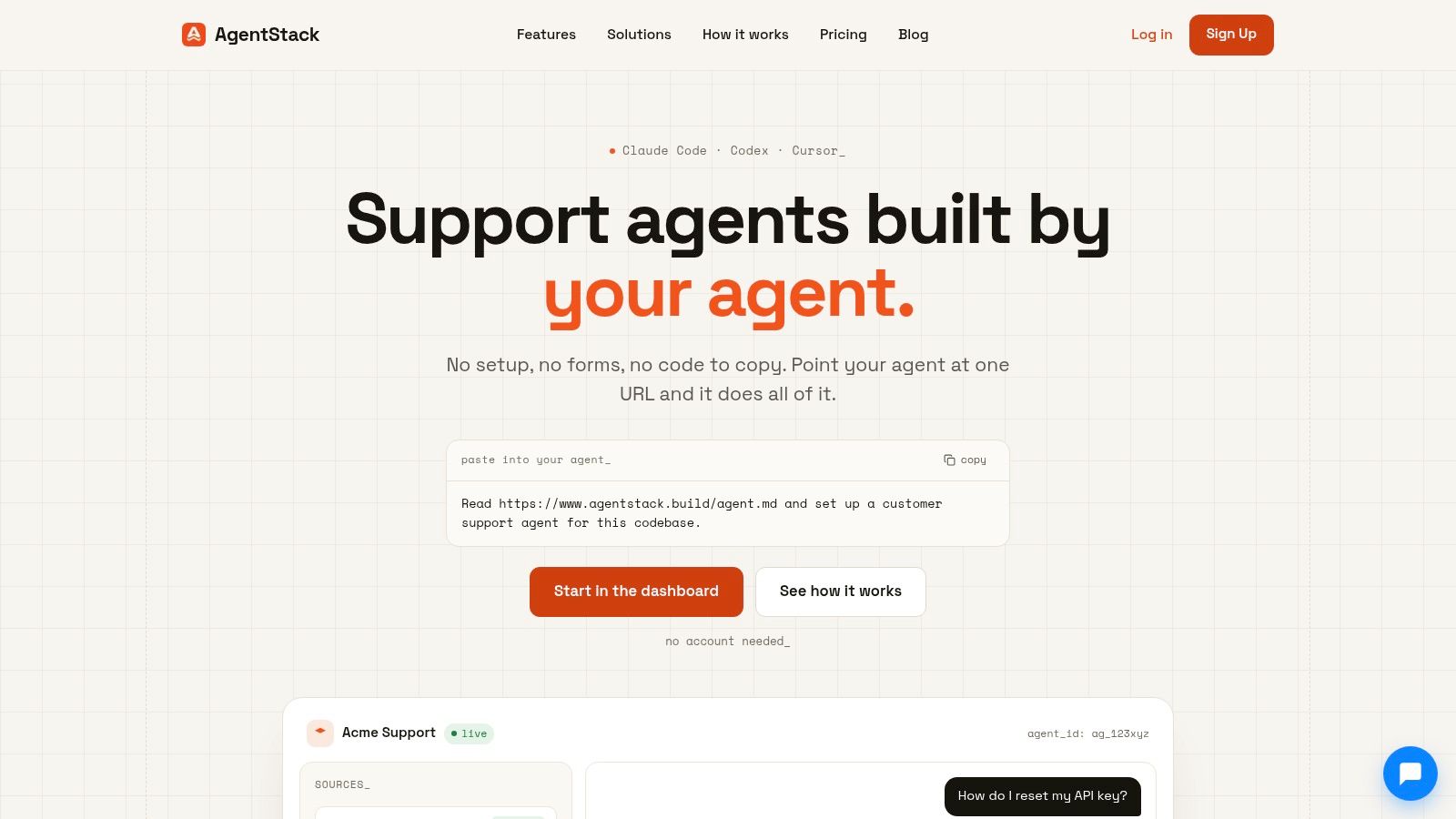
Create the widget configuration. Choose the agent or support workflow that should answer website visitors. Keep this separate from internal testing configurations so you don't expose unfinished prompts or private documents.
-
Copy the unique script identifier. The deployment screen should provide a site-specific snippet or public identifier. Restrict its allowed domains where the platform supports that control, and avoid placing private credentials in browser code.
-
Add the script globally. Place the tag in the site's header or through the content management system's approved header injection mechanism. A tag manager can work, but direct placement is often easier to audit during the first rollout.
-
Publish to a controlled audience. Start on a staging site or a limited set of pages. Test the widget while logged out, logged in, on mobile, and with browser privacy controls enabled.
-
Verify the visual layer. Check the launcher position, contrast, keyboard navigation, focus behavior, close controls, and welcome prompt. A support widget shouldn't block consent controls, checkout buttons, or important page content.
The guide to adding a widget to a website covers the deployment mechanics, but the operational discipline matters more than the copy-and-paste step. Don't announce the assistant until it has a defined knowledge scope and a human fallback.
A short screen recording can help your team verify the intended flow before launch:
Keep the first welcome message narrow. “How can we help?” is safe but uninformative. A product-specific prompt such as “Ask about setup, billing, or integrations” gives visitors useful direction and produces cleaner intent data.
Ingesting and Grounding Your Knowledge Base
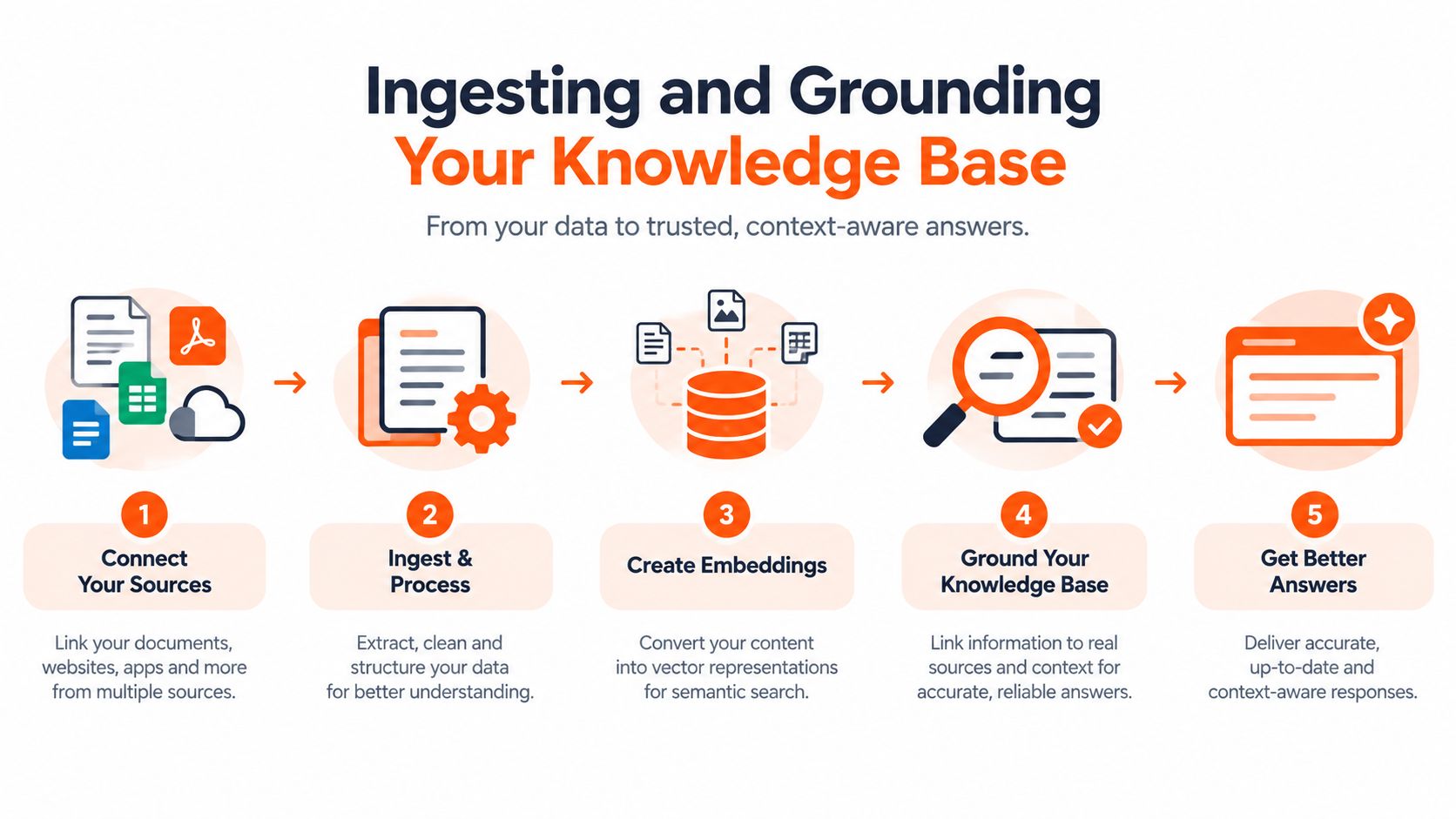
A widget cannot answer from knowledge it can't retrieve. The reliable implementation pattern has three stages: ingest, orchestrate, and verify. Skipping verification is how teams end up with a chatbot that sounds confident while relying on stale or conflicting material.
Ingest the sources that govern the answer
Start with the materials agents use today, not just the pages that are easiest to crawl. Include the public website, help-center content, product manuals, policy documents, release notes, and approved internal references. If your support team depends on Notion pages or spreadsheets, those sources belong in the evaluation as well.
A usable ingestion pipeline should extract text, preserve document titles and URLs, split content into retrievable sections, and index those sections for search. Automatic chunking reduces manual FAQ writing, but it doesn't solve conflicting documents. Mark authoritative sources clearly and archive obsolete versions instead of allowing both to remain equally available.
Orchestrate retrieval with clear boundaries
Retrieval should be tied to intent. A billing question may need current policy content, while a technical troubleshooting question may need a product guide and a version-specific article. Configure the assistant to answer only when the retrieved material meets the required confidence or relevance threshold. Otherwise, it should ask a clarifying question or route the conversation.
Teams working with mixed document types may benefit from understanding hybrid retrieval for AI systems, particularly when exact terms, semantic meaning, and structured fields all affect the right result.
Verify provenance instead of trusting fluent text
Create test questions from real tickets. For each answer, record the expected source, whether the response matches the current policy, whether the assistant invented a detail, and whether the customer would know what to do next. Include deliberately ambiguous questions, contradictory documents, and requests for information that doesn't exist.
A document ingestion pipeline should also support ongoing source synchronization. Updating the index is only half the job. Your team needs alerts or review queues for failed imports, stale pages, broken links, and unanswered questions. The operational standard is simple: every important answer should be traceable to approved material, and every uncertain answer should have a safe fallback.
Routing Strategies for Model Performance and Cost
One model for every conversation is easy to configure and difficult to optimize. Routine questions don't need the same reasoning depth as a security explanation, a multi-step troubleshooting request, or a conversation where the customer is angry and the policy has exceptions.
A practical routing design begins with intent detection. Send low-risk, well-defined requests to a fast model such as Haiku. Route nuanced or high-impact requests to a frontier model such as GPT-5.2, Claude, or Gemini. The model names are less important than the rule that chooses between them.
| Request type | Preferred route | Required safeguard |
|---|---|---|
| Product terminology or basic navigation | Fast model with retrieval | Answer only from approved sources |
| Setup troubleshooting | Fast model first, stronger model on uncertainty | Ask for version and environment details |
| Pricing, refunds, or cancellations | Stronger model or human review | Use current policy content |
| Security, privacy, or account access | Human-led workflow or tightly constrained model | Never expose restricted data |
| Lead capture or booking | Model plus approved action tool | Confirm the captured details before submission |
Latency is part of the user experience, but speed without accuracy creates repeat contacts. A fast first response can acknowledge the request, gather the missing context, and then invoke a deeper route when necessary. That pattern often works better than making every visitor wait for the most capable model.
Routing rule: Let the model choose the answer style, not the business policy. Policies, permissions, and escalation thresholds should remain explicit in the workflow.
Human handoff needs the same care. Trigger it when retrieval is weak, the user repeats a question, the request involves a sensitive account action, or the assistant detects frustration. Pass the transcript, sources consulted, collected fields, and recommended next step into a shared inbox. The agent should not ask the customer to start again.
Test routing with real conversations rather than abstract prompts. Compare answer quality, time to first useful response, unnecessary escalations, and failed actions by intent category. A cheaper route is only cheaper if it doesn't create more downstream work.
Securing Your Widget and Protecting Customer Data
Security controls belong in the design review before the widget reaches production. Customer conversations can contain names, email addresses, order information, account details, and confidential business context. A support assistant that retrieves the wrong document or exposes a transcript to the wrong employee creates a risk that a polished interface can't repair.
Use encryption for data in transit and at rest, with a documented cryptographic approach such as AES-256-GCM where supported by the platform. Encryption protects stored and transmitted data, but it doesn't decide who should be allowed to retrieve a conversation or invoke an action. Access policy still matters.
Define access by responsibility
Role-based access control should separate the people who configure an agent, review conversations, manage documents, and export data. A documentation manager may need to update source material without viewing sensitive account conversations. A support lead may need transcript access without permission to change retrieval rules.
Audit logs should record meaningful administrative events, including configuration changes, document updates, permission changes, exports, and handoffs. Make those logs available for investigation rather than treating them as a compliance checkbox.
Treat privacy requests as workflows
For GDPR-sensitive deployments, confirm how the system handles data residency, deletion requests, and user data exports. Document who receives a request, how the relevant conversation is located, what downstream systems are affected, and how completion is verified. If a widget sends information to an external action or CRM, include that destination in the data map.
Keep the browser-facing deployment key separate from privileged server credentials. The public widget should identify the approved deployment, while server-side actions should validate authorization before reading or changing customer data. Never allow a conversational prompt to override permissions.
Finally, minimize collection. Don't ask for an account number, address, or payment detail unless the workflow requires it. Mask sensitive fields in transcripts where possible, set retention rules that match the business need, and make the human escalation path clear. A secure widget is not merely encrypted. It limits data access, records decisions, and fails safely.
Measuring Success Beyond Simple Chat Volume
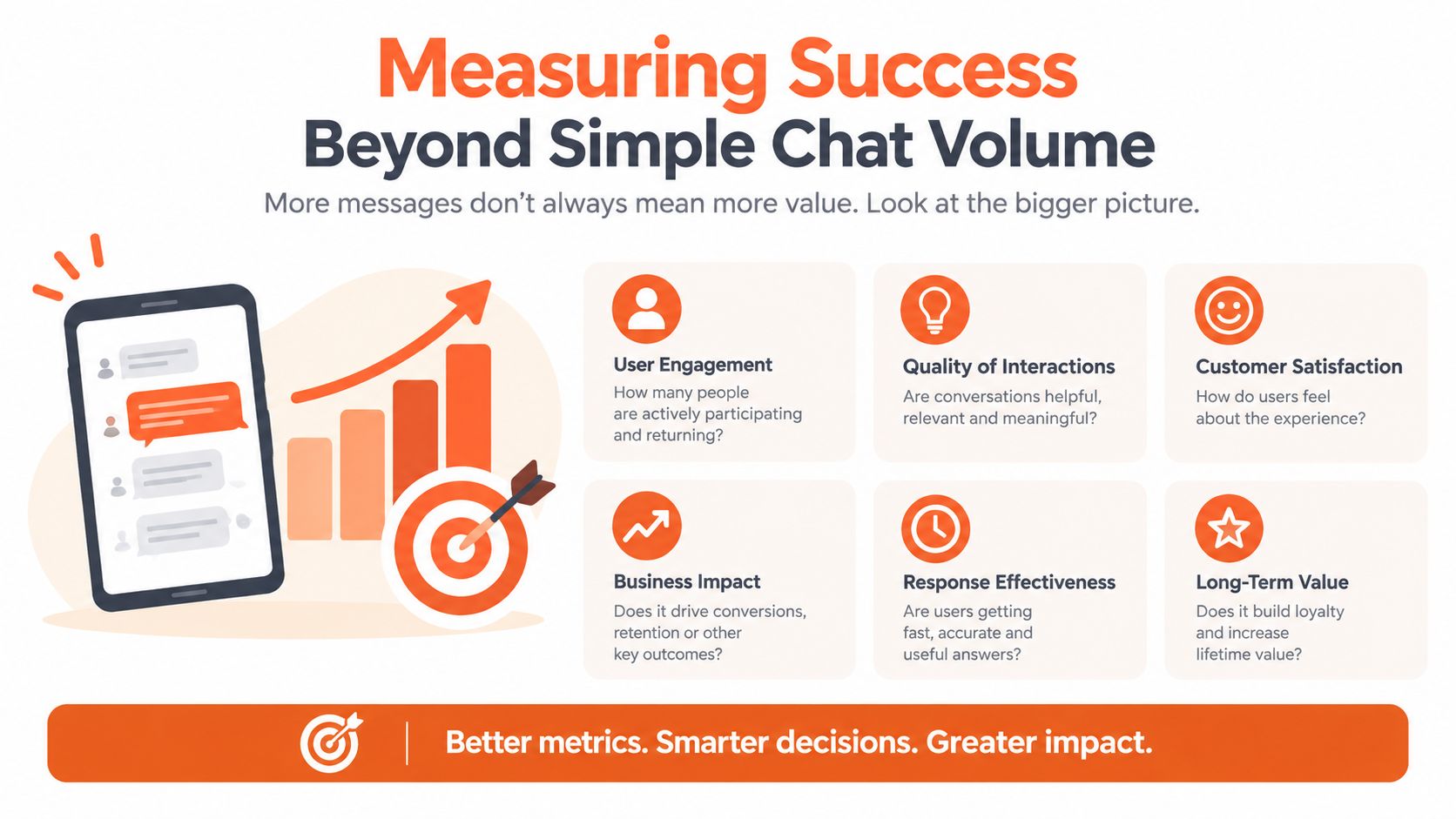
Chat volume tells you that people clicked. It doesn't tell you whether they received a correct answer, completed an action, or left frustrated. A support leader should treat volume as context and resolution quality as the outcome.
Start with a controlled evaluation set before launch. Test 100 recent tickets, and classify each result as a completed request, an error, or a handoff. The Comm100 chatbot resolution benchmark recommends this kind of evaluation and identifies first-response time, resolution rate, containment, and CSAT as core measures.
Separate containment from resolution
Containment means the customer didn't reach a human. Resolution means the underlying need was addressed. Those aren't interchangeable. A bot can end a conversation by giving up, linking to a generic page, or failing to recognize that the customer still needs help.
Across the benchmark data cited by Comm100, AI chatbots fully resolved 44.8% of customer service conversations without human involvement, while AI agents handled 75.3% of chats they took on. The same source reports 92.6% handoff CSAT, which shows why a well-designed escalation can preserve the experience even when automation stops.
Track the full funnel:
- First-response time: How quickly does the visitor receive a useful reply?
- Resolution rate: Did the request reach a verified outcome?
- Containment: Did the assistant resolve the issue without an agent?
- Handoff quality: Did the human receive enough context to continue?
- Average handling time: Did automation reduce agent effort or add review work?
- Abandonment: Did the visitor leave before receiving help?
Industry guidance summarized in Richpanel's AI customer support benchmark places first-response time under about 30 seconds and average handling time under roughly 12 minutes as practical live-chat reference points. The same report describes a 95% AI chatbot resolution rate for top-performing setups versus 35% average performance, with missed chats averaging 4.6%. Use those figures as benchmarks, not promises, and inspect how each provider defines resolution.
Live chat can produce 87% positive CSAT, yet 38% of customers still report frustration with slow replies, clumsy design, or scripted responses, according to LiveChat's customer experience statistics. Your dashboard should therefore surface failed queries, repeated questions, sentiment changes, and post-handoff outcomes. Those signals tell the documentation and product teams what to fix next.
Launch Checklist and Continuous Optimization Habits
A launch checklist should test the system's limits, not just its happy path. Before enabling the widget for everyone, ask questions with missing context, conflicting assumptions, unsupported requests, and intentionally misleading wording. The assistant should know when to ask, when to refuse, and when to escalate.
Validate the customer path
Check these flows from a real browser:
- Known answer: The widget retrieves the right current source and gives a usable response.
- Unknown answer: It says it can't verify the information instead of improvising.
- Sensitive request: It protects private data and routes the issue appropriately.
- Action request: It confirms details before booking, creating a ticket, or capturing a lead.
- Human handoff: The agent receives the transcript, intent, collected fields, and escalation reason.
- Failure recovery: A timeout or tool error produces a clear next step rather than a dead end.
Test the widget alongside email, Slack, ticketing, CRM, and voice workflows if those channels share the same support operation. A customer shouldn't receive contradictory answers because each channel uses a different document version. Keep ownership clear for each escalation queue and define who reviews unresolved conversations.
Establish a review cadence
Review failed queries and unanswered intents on a recurring schedule. Group them into missing content, retrieval errors, policy conflicts, model mistakes, and unsupported actions. Then fix the source or workflow, not just the wording of the prompt.
Monitor sentiment trends, handoff reasons, action failures, and resolution quality. When a product release changes terminology or behavior, add representative questions to the evaluation set before updating the live source. When a policy changes, retire the old content and verify that the assistant no longer retrieves it.
The right operating model is continuous governance. Assign an owner for knowledge freshness, an owner for security and permissions, and an owner for performance reporting. A widget earns trust when your team can explain what it knows, why it answered, what it did, and why it handed the conversation to a person.
AgentStack provides website and document ingestion, multi-model orchestration, an embeddable chat widget, omnichannel delivery, analytics, shared-inbox handoff, and security controls for customer support workflows. Visit AgentStack to evaluate whether its governed knowledge and measurement tools fit your website deployment.