Ecommerce customer experience is the sum of every interaction a shopper has with an online store, from the first search through delivery, returns, and support. It includes the moments that help someone decide what to buy, complete an order, and get help afterward. In 2024, the global cart abandonment rate was approximately 70.19%, meaning more than two-thirds of carts didn't become orders.
That figure makes customer experience a revenue concern, not just a support-team responsibility. A shopper can arrive ready to buy and still leave because a product is hard to find, a fee appears late, or checkout asks for too much effort. More advertising, a lower price, or a stronger product won't necessarily fix those gaps.
Why Shoppers Abandon Carts Before They Buy
Cart abandonment is a useful measure because it captures the distance between shopping intent and completed purchase. Baymard Institute's aggregation of 49 studies put the global average at approximately 70.19% in 2024, a benchmark built from 14 years of continuous tracking. The finding points to a persistent experience challenge, not a temporary blip. Baymard's checkout optimization benchmark
It's tempting to treat an abandoned cart as a pricing or traffic problem. But shoppers can want the item, accept the price, and still get stuck before placing the order. Unexpected costs, required account creation, slow delivery, complicated forms, or worries about payment security can each interrupt the journey.
That matters because the remedy depends on where a shopper gets stuck. Sending more visitors to the same confusing checkout may bring more people to the point of friction without addressing it. And a discount can reduce hesitation about price while leaving unclear delivery information or an awkward payment flow untouched.
A practical ecommerce customer experience plan looks across the full path, measures where customers struggle, and fixes the obstacle rather than guessing. It connects product discovery and checkout with delivery and support, including the answers customers need while deciding whether to buy. That's the lens for evaluating the journey, choosing metrics, and deciding where automation can help without making service harder to access.
Table of Contents
- Why Shoppers Abandon Carts Before They Buy
- What Ecommerce Customer Experience Really Covers
- Key Metrics for Tracking Ecommerce Customer Experience
- How Shipping Costs and Delivery Promises Shape Trust
- Speed and Personalization Strategies That Lift Conversions
- When AI Support Should Hand Off to Humans
- Choosing Tools to Support Your Customer Experience Stack
- Putting Your Ecommerce Customer Experience Plan Into Action
What Ecommerce Customer Experience Really Covers
In a physical shop, the experience isn't just the clerk at the register. The greeting, how easy it is to find a product, the queue, and the way staff handle a return all affect how a customer feels about shopping there. An online store works similarly. Every page is an aisle, and each handoff is part of the visit.
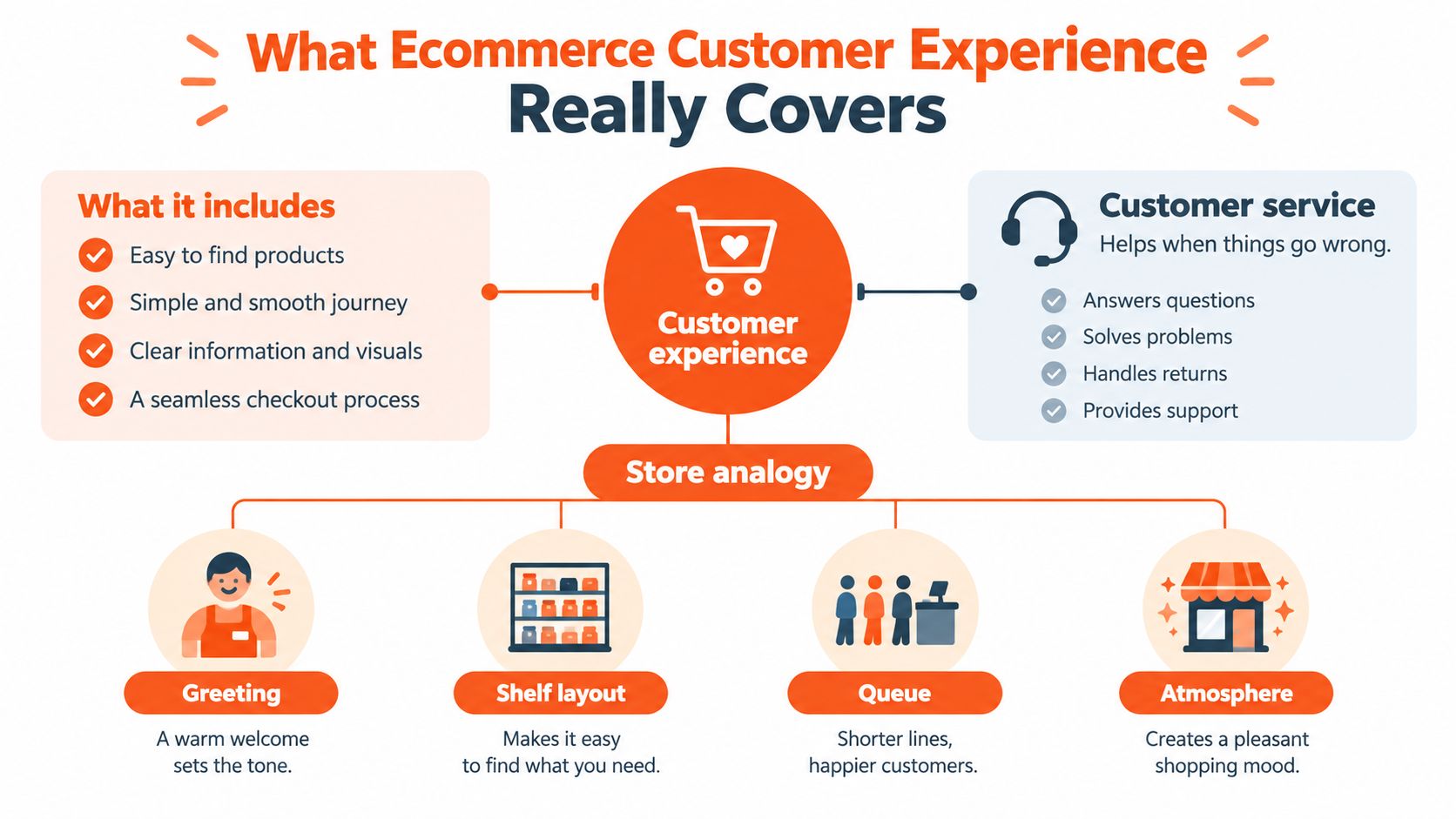
A useful way to map the journey is to follow four stages:
- Discovery: Search, category pages, and navigation help shoppers find what they came for. If the search results miss their intent, they may never reach the product.
- Evaluation: Product details, reviews, availability, and pricing help customers decide. Missing information creates doubt, even when the product is a good fit.
- Purchase: Cart, checkout, payment, and account setup turn intent into an order. Each added step is another chance for a customer to pause or leave.
- Post-purchase: Shipping updates, returns, and support determine whether the store follows through on its promise.
Customer service is one part of this experience, not a synonym for the whole thing. A helpful agent can answer a question about a confusing product page, but the page itself may still need improvement. Likewise, an easy checkout can't make up for a poorly communicated delivery delay.
Use the four stages as a store-floor walkthrough. Start with the first thing a visitor sees, then follow the steps they take to buy and get help. At each point, ask what a customer needs to know, what could create uncertainty, and how they can move forward.
Key Metrics for Tracking Ecommerce Customer Experience
Metrics help identify where the journey needs attention, but no single number explains the whole experience. A low ticket count might mean customers found answers on their own. It might also mean they gave up before contacting support. Read measures together, and pair behavior data with what shoppers say.
| Metric | What It Reveals | Typical Use |
|---|---|---|
| CSAT | How satisfied a customer was with a specific interaction. It can miss problems customers didn't report. | Post-chat or post-purchase survey |
| Customer effort score (CES) | How easy or difficult it felt to complete a task. It may not show whether the customer liked the outcome. | Checkout, returns, or support survey |
| Net promoter score (NPS) | How willing a customer is to recommend the store. It doesn't pinpoint a specific friction point. | Relationship survey |
| First response time | How long customers wait for a first reply. A fast response doesn't guarantee a useful answer. | Helpdesk or shared inbox |
| Resolution rate | Whether questions are resolved, rather than merely answered. It needs a clear definition of “resolved.” | Helpdesk and support analytics |
| Cart abandonment | Where purchase intent fails to become an order. It doesn't explain why a shopper left on its own. | Ecommerce analytics |
| Conversion rate | How often visits lead to purchases. It can hide differences by device, channel, or journey stage. | Ecommerce analytics |
| Repeat purchase rate | Whether customers return to buy again. It's a lagging measure and won't isolate the cause. | Commerce and customer data |
Start with a baseline you can trust. Check that analytics events capture the steps from product view to completed checkout, and agree on how your team defines a resolved support conversation. Then select a leading indicator, such as checkout completion, alongside a lagging indicator, such as repeat purchase rate. Together, they can show whether a change affected immediate behavior and the customer relationship over time.
For a closer look at connecting experience measures to customer behavior, see this guide to customer experience and analytics.
How Shipping Costs and Delivery Promises Shape Trust
A product price is only part of what a shopper is agreeing to pay. Customers also weigh the full landed cost and whether the delivery estimate gives them confidence that the order will arrive when they need it.
UPS's international shopper research found that 61% of respondents had abandoned a cart because shipping charges made the total higher than expected. In Mexico, 70% of online shoppers said they had abandoned because the estimated delivery time was unacceptable or unavailable. Shipping cost was the leading abandonment reason in most surveyed countries. UPS's international shopper research
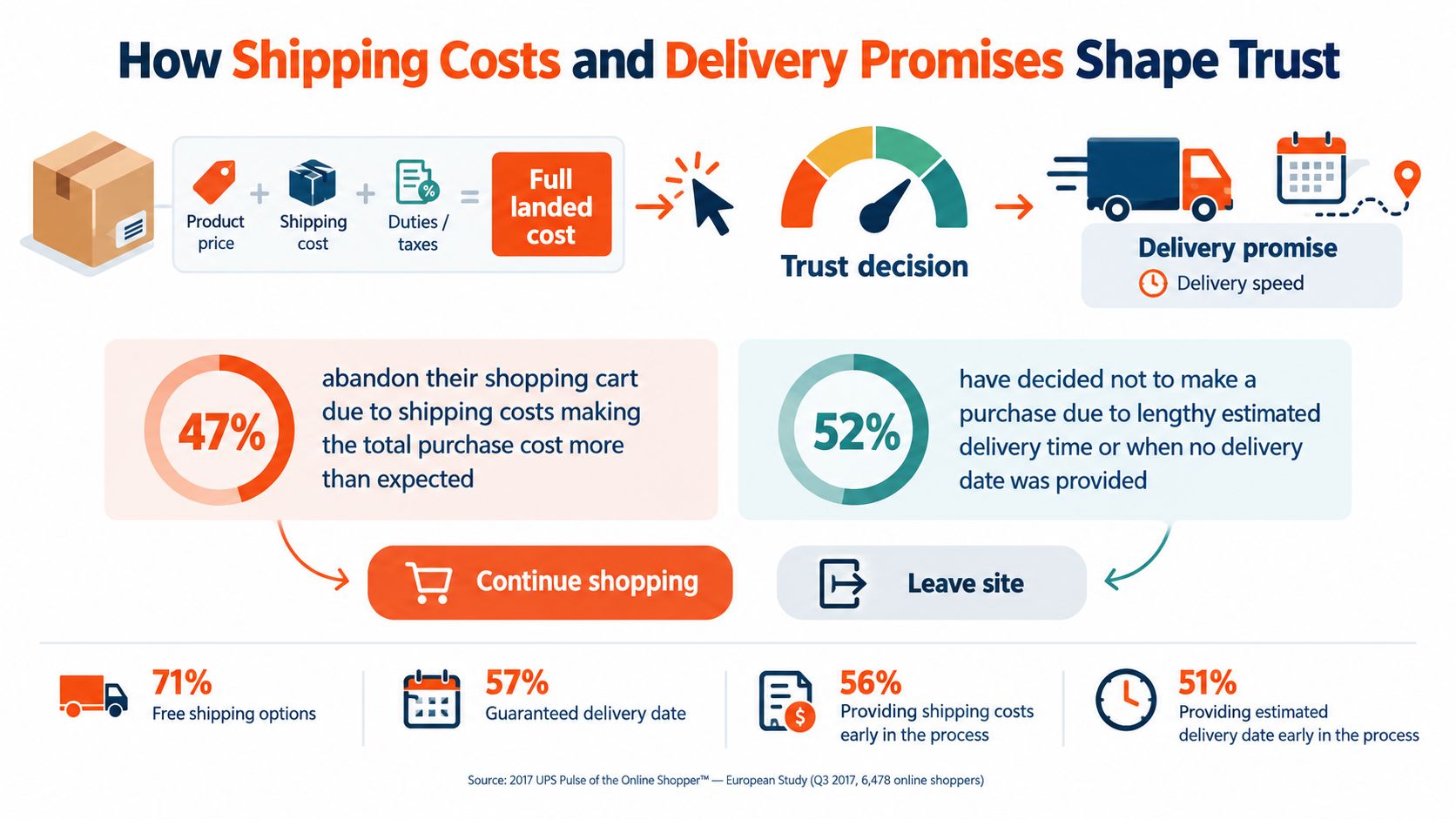
Treat costs and timing as product information, not last-minute checkout details. Show available shipping charges and relevant taxes early on product or cart pages, and give customers realistic delivery windows based on their location. Then check that the website, email updates, and chat answers describe order status consistently.
Suppose a store moves shipping-fee information from the final checkout step onto its product pages. Don't judge the change only by whether fewer shoppers abandon at checkout. Compare checkout completion and conversion before and after the change, and check whether customer questions about delivery costs shift too. A clearer promise should be easy to understand before someone has invested effort in completing a purchase.
For sellers reviewing both shipping costs and the materials used to fulfil orders, this practical packaging advice for Australian online sellers offers relevant operational context.
Speed and Personalization Strategies That Lift Conversions
A slow page works like a sticky shop door: the product may be excellent, but many shoppers never get far enough inside to see it. In Google's Milliseconds Make Millions report, a 0.1-second improvement in mobile site speed was associated with an 8.4% increase in retail conversions. Treat that as evidence that speed affects revenue. The right target for a given store comes from its own funnel data, because the payoff depends on where shoppers are dropping off.
Start the diagnosis where customers move, not at a site-wide average. An average can hide a product page that crawls on a phone connection or a cart that stalls when someone changes a quantity.
- Check discovery: Review Largest Contentful Paint and server response time on category and product pages.
- Inspect interactions: Look for heavy images and third-party scripts that delay filters, cart updates, or checkout.
- Test mobile conditions: Measure how pages behave on real mobile networks, since a fast office connection says little about a commuter on 4G.
- Measure the outcome: Compare conversion and checkout completion at each stage before and after a change.
Relevance is the other half of the experience. A good sales assistant notices what a shopper picked up and adjusts; a recommendation engine should do the same with signals such as search terms, category depth, cart contents, and repeat visits. Netcore's 2021 Ecommerce Personalization Benchmark Report describes retailers recording higher average conversion and lower cart abandonment after introducing personalization, though outcomes varied across stores. Read it as directional evidence rather than a promised lift.
Answers count as part of that relevance too. When a shopper asks about sizing or compatibility mid-session, a quick and accurate support reply keeps the journey moving, which makes support a conversion lever in its own right.
Test one personalized ranking or recovery flow against a randomized holdout group, then judge it on revenue per session, margin, repeat purchase, and unsubscribe rate rather than clicks alone. Keep consent, data minimization, and message frequency in view. A recommendation should make the next choice easier while leaving the shopper comfortable.
When AI Support Should Hand Off to Humans
Automated support works like a triage desk at a busy clinic. The desk resolves routine questions quickly, and anything unusual goes straight to a specialist. Shoppers are asking for exactly that split. In a US survey, analysts at eMarketer found that 48% of digital shoppers wanted ecommerce sites to improve or add AI-driven customer service, while 40% were frustrated by the lack of human support in AI-led experiences. The eMarketer report on shoppers and AI customer service
Read together, those two numbers describe the whole job: automate the routine, escalate the rest.
The practical answer is selective automation. Let a grounded system handle predictable questions such as order status and delivery estimates. Route ambiguous cases for careful review, and bring in a person promptly when a customer raises a complaint, asks for a refund, hits a policy exception, or appears vulnerable. A well-timed answer at this stage protects the sale as much as any product-page improvement, because support is still part of the same journey that began at the search bar.
Practical rule: If the system cannot answer confidently from an approved source, it should say so and make escalation easy.
A useful handoff passes the conversation and order context along, so the customer never has to repeat the story. Set confidence thresholds for when the system should stop, then review correct resolution, escalation quality, unsupported-claim rate, and customer effort. Containment alone can look strong on a dashboard while shoppers give up in frustration. For an operational model, see these AI and human handoff practices.
Treat accessibility as a revenue issue inside the same operating rules. Verify that chat and voice interfaces work with screen readers, that customers can reach a person without relying on visual cues, and that disabled customers reach the same resolutions as everyone else. When a payment dispute becomes the central issue, shoppers may also need guidance on next steps; a resource to find payment dispute assistance can help.
Choosing Tools to Support Your Customer Experience Stack
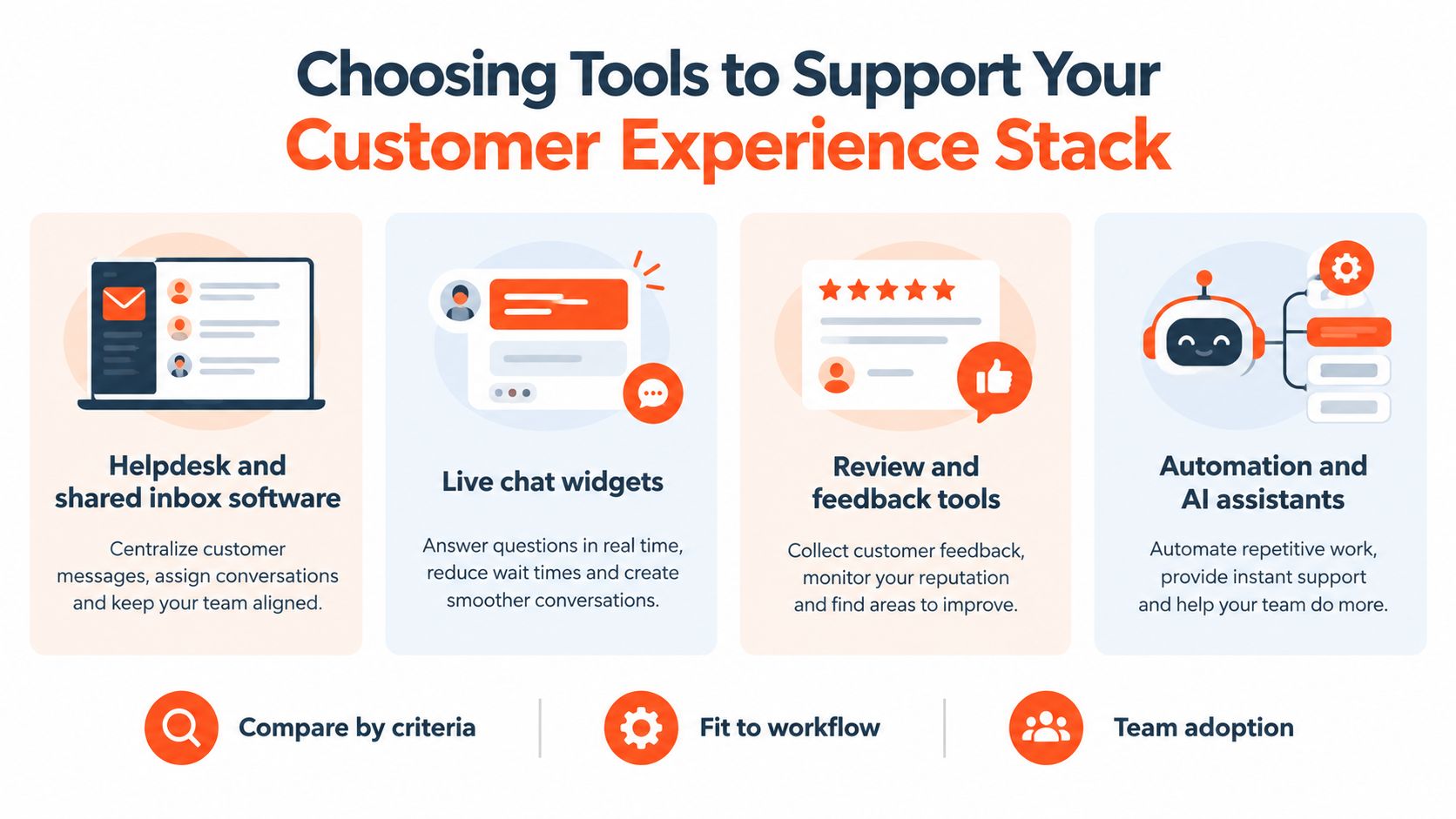
Choose tools by the job they need to do, not by how many features appear on a product page. A helpdesk organizes customer conversations and agent workflows. Live chat gives shoppers a direct way to ask questions while browsing. Rule-based chatbots follow defined paths for predictable tasks. AI support platforms can answer from a knowledge base and route complex conversations for human review.
Compare options against the same practical criteria:
| Tool category | Most useful for | Questions to ask |
|---|---|---|
| Helpdesk and shared inbox | Organizing work across agents and channels | Can the team see history, manage ownership, and report on resolution? |
| Live chat widget | Giving shoppers an on-site contact point | Does it fit the store and connect to the team's existing workflow? |
| Rule-based chatbot | Guiding customers through known, repeatable steps | Can the team maintain the flows when policies or products change? |
| AI support platform | Answering from business content and supporting escalation | Is knowledge grounded, and can agents review handoffs and unanswered questions? |
For every category, assess knowledge grounding, human handoff, channel coverage, analytics on unanswered questions, governance controls, and pricing model. The right fit depends on support volume, team size, the channels customers use, and how much reliable content already exists in help-center articles, documents, and Notion. A small team with straightforward questions may be well served by its existing helpdesk and a clear FAQ. A more complex setup may need support across multiple channels and better visibility into where answers fall short.
AgentStack is one option in the AI support category. It can ingest website content, PDFs, Office files, Notion pages, and Q&A pairs; route between frontier and faster models; and deploy a web chat widget through a script tag. It also supports email, Slack, and real-time phone conversations, with a shared inbox, escalation workflows, and analytics that surface unanswered questions. Its controls include an API, an MCP server, audit logs, role-based access, GDPR features, and AES-256-GCM encryption.
Before you choose, ask your team to test a real customer question, follow the answer through escalation, and confirm that the resulting analytics help them improve the experience. This ecommerce chatbot guide can help teams think through that evaluation.
Putting Your Ecommerce Customer Experience Plan Into Action
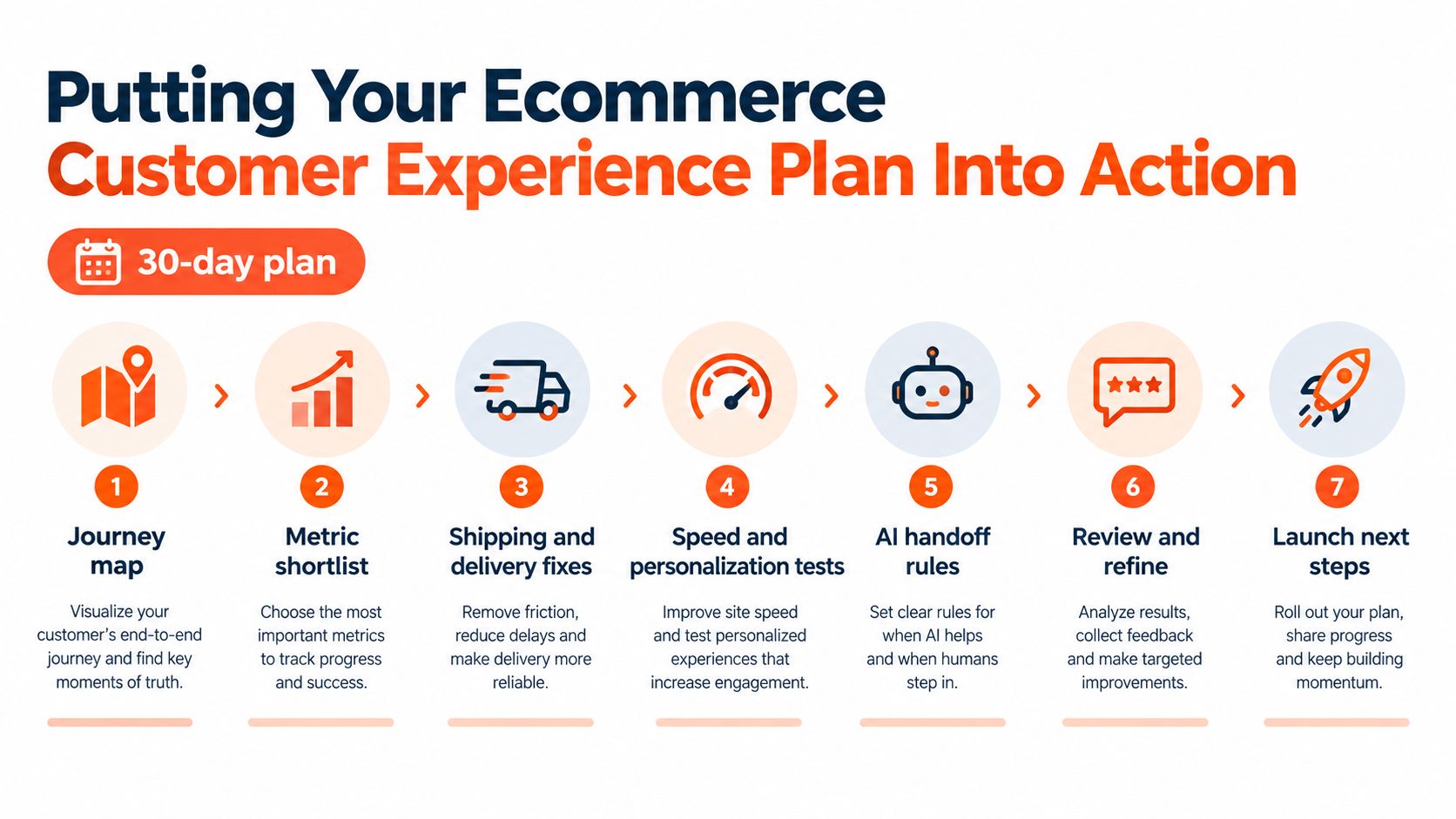
Turn the journey map into a focused month of work. The aim isn't to rebuild the store all at once. It's to spot a meaningful point of friction, make a practical change, and check whether the customer's experience improved.
- Week one: Map discovery, evaluation, purchase, and post-purchase. Establish baseline measures for checkout completion, conversion, support resolution, and repeat purchase.
- Week two: Make shipping costs and delivery estimates easier to find on product and cart pages. Review whether customers still ask the same questions.
- Week three: Diagnose page speed by funnel stage and run a focused improvement or personalization test against a holdout.
- Week four: Write AI handoff rules, check accessibility, and review unanswered questions with the support team.
Start with the customer journey audit and the questions shoppers already ask your team. If you want to put AI support into practice, create a free AgentStack account, add your shipping policy, returns page, and FAQ, then review the unanswered-questions report after a week. Use what it reveals to improve the content or the support route, and keep measuring the experience as one connected journey.
AgentStack helps ecommerce teams build AI support agents grounded in their own website and documents, with analytics and human handoff across support channels. Visit AgentStack to explore whether it fits your customer experience workflow.