79% of B2B and B2C customers expect consistent interactions across departments, yet 55% say companies generally feel like separate departments, according to a 2023 Salesforce study cited in Pylon's customer support statistics roundup. For a business customer, that disconnect means more than an awkward conversation. It can mean an implementation stalls while sales, billing, and support disagree about what the account was promised.
Table of Contents
- What B2B Customer Care Means and Why It Matters
- How B2B and B2C Customer Care Differ
- KPIs That Show Whether B2B Support Works
- Staffing and Tooling Models for B2B Support Teams
- How to Run Escalation From Frontline to Account Owner
- Where AI Agents Answer, Act and Hand Off
- Audit Your Support Model Before You Scale
What B2B Customer Care Means and Why It Matters
B2B customer care is the support work a software or services company does for business customers after the sale. It covers onboarding questions, technical incidents, billing, user permissions, and account changes. The work starts with an individual request, but the responsibility extends to the business relationship behind it.
A business customer is less like a shopper who needs an answer and more like a hotel guest whose assistant, finance manager, and IT lead all call about the same stay. Each person has a different concern, but they expect the hotel to recognize the reservation. They shouldn't have to reconstruct the arrangement every time someone new answers.
The same principle applies to a software account. An administrator asks why users can't sign in, finance queries the invoice, and procurement asks whether additional seats fall under the existing agreement. Treat those as unrelated tickets and your agents may give individually plausible answers that contradict one another.
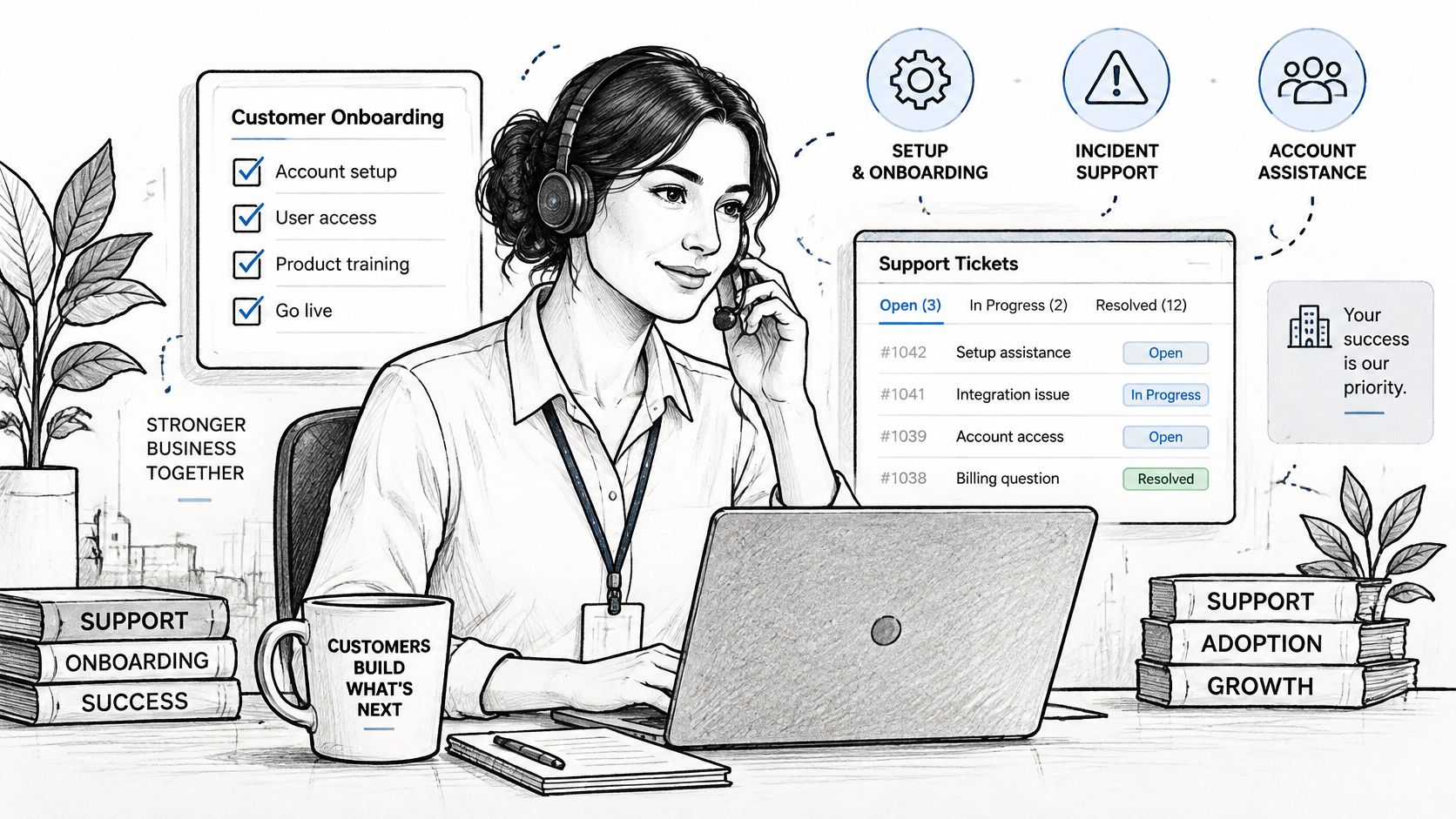
The work behind a complete answer
Effective care combines distinct responsibilities:
- Answering questions: Explain how the product works using approved, current information.
- Resolving issues: Diagnose the problem, take an authorized action, and verify that the customer can proceed.
- Coordinating teams: Bring sales, implementation, billing, or engineering into the case without making the customer manage the transfer.
These responsibilities aren't interchangeable. An agent can answer a configuration question correctly without resolving an implementation dependency. Equally, engineering can fix a defect while leaving the customer unsure whether they should retry a failed import.
For the account, completion means the relevant people know what happened, what changed, and what they need to do next. That requires shared history, explicit ownership, and a reliable record of commitments, not just a closed status in the help desk.
B2B customer care is account continuity work, not ticket handling.
Support leaders should therefore judge the operating model by whether customers can keep working through a change of channel, team, or contact person. KPIs, staffing decisions, and automation controls all need to protect that continuity.
How B2B and B2C Customer Care Differ
B2B vs B2C customer care at a glance
| Dimension | B2B customer care | B2C customer care | What it means for your team |
|---|---|---|---|
| Buyers | Procurement, admins, end users, and finance on an account | Often the consumer who uses the product | Map roles and permissions |
| Relationship length | Ongoing agreements with renewals | Often transaction-centered | Track account health alongside tickets |
| Issue complexity | Permissions, integrations, contract terms, and approvals | Common examples include defects, returns, and delivery | Give agents account context before they answer |
| Contract terms | Account-specific SLAs and commitments | Usually standard customer policies | Route against contracted obligations |
| Channel mix | Connected interactions throughout buying and service | Channels organized around the consumer's request | Preserve history across channels |
| Success measure | Retention, renewal, and appropriate expansion | Repeat purchases and customer feedback | Connect service outcomes to relationship outcomes |
These are operating patterns, not rigid categories. Consumer businesses can have complex, long-running relationships, and a business customer can ask a simple password question. The useful distinction is who has authority, what history matters, and what a successful outcome enables.
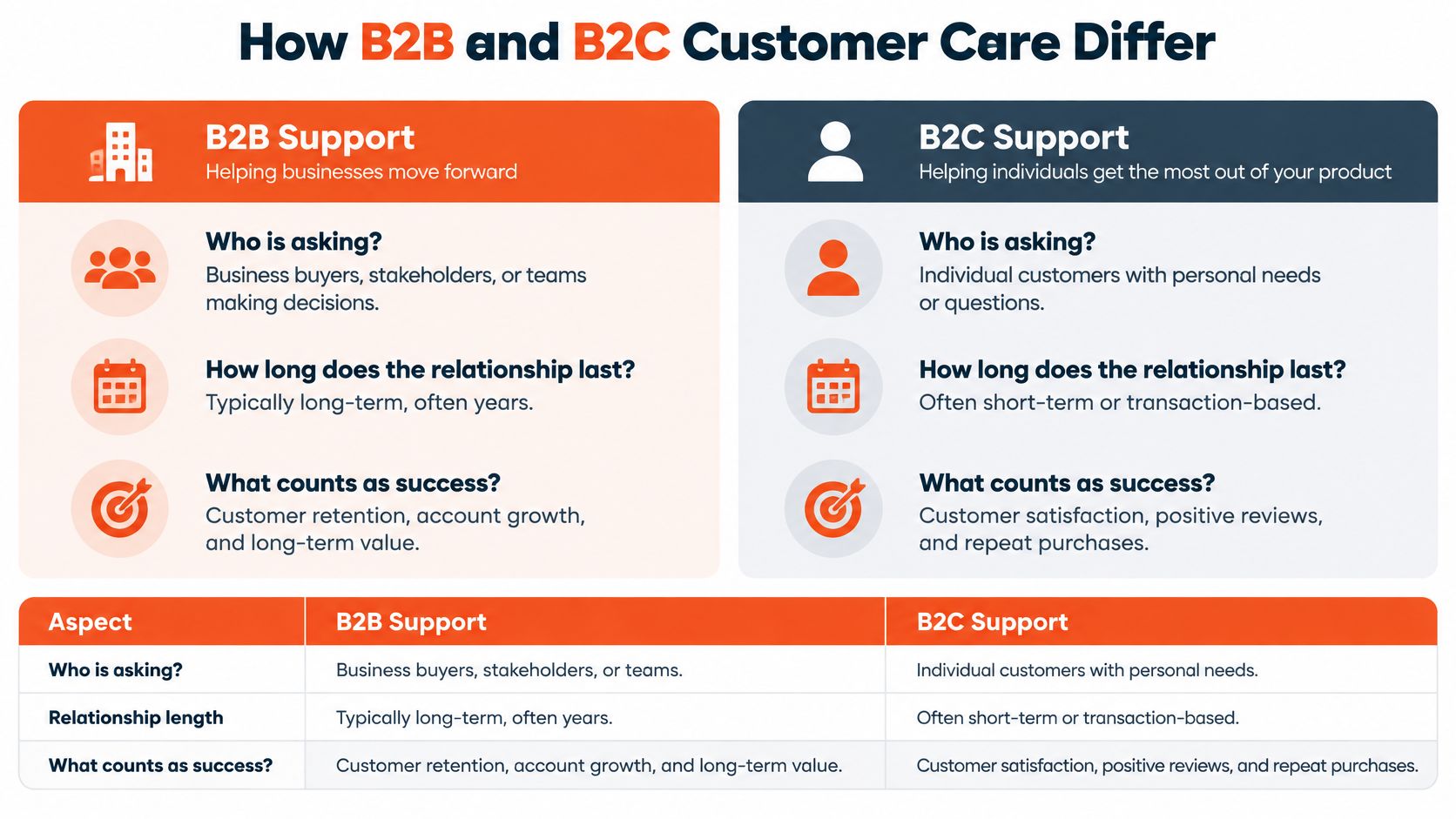
Different requesters, shared consequences
Say a finance administrator asks about an invoice while the IT lead asks about single sign-on. Both need the same underlying account record, but neither should automatically receive everything in it. Finance needs purchase and billing information; IT needs configuration details and the authority to administer access.
Agents must recognize both the shared relationship and the separation of permissions. Account context isn't permission to disclose account information.
The relationship also changes what counts as a good answer. Resolving an invoice discrepancy isn't enough if the correction leaves procurement unable to reconcile the purchase order. Support needs to understand the customer's workflow, not merely explain the supplier's system.
Channel convenience doesn't remove complexity
According to McKinsey's 2024 B2B Pulse Survey, summarized by Infobip, B2B buyers use an average of 10 interaction channels during a purchase journey, and 54% would switch suppliers if the connected experience weren't consistent. Those findings concern the buying journey, but they make an important service-design point: buyers don't organize their experience around a supplier's departmental boundaries.
A customer may start in documentation, speak to sales, and then email support. Requiring them to understand your internal routing adds work they didn't buy.
Fast replies still matter. But if your team measures only ticket speed, it's applying a transaction-centered playbook to an account relationship.
KPIs That Show Whether B2B Support Works
Core B2B support KPIs and indicative targets
| KPI | What it measures | Indicative target | Pair it with |
|---|---|---|---|
| First-contact resolution (FCR) | Resolution without follow-up contact | Improve against a validated baseline by issue type | Reopen rate |
| Mean time to resolution (MTTR) | Time from opening to confirmed resolution | Set by severity and operational impact | Backlog aging |
| First-response SLA | Share answered within the agreed response window | Meet the applicable account commitment | Average speed to answer |
| Reopen rate | Closed cases reopened for unresolved issues | Reduce avoidable reopens by issue type | FCR |
| Customer Effort Score (CES) | Reported ease of getting the issue resolved | Improve using a consistent survey scale | Failed self-service rate |
| Case rate per account | Cases generated within a defined reporting period | Interpret against account size and activity | Account health |
| Backlog aging | Elapsed time for unresolved cases | Investigate cases approaching or exceeding commitments | MTTR |
| Cross-team handoffs per case | Transfers before resolution | Remove unnecessary transfers, not necessary expertise | FCR |
Targets aren't universal benchmarks. Contractual response commitments, incident severity, operating hours, and implementation complexity should determine your thresholds. A routine guidance request and an outage blocking a customer's operations shouldn't share a resolution target.
Gartner's operations and digital efficiency benchmarking framework recommends tracking MTTR, first-response SLA, case rate, and backlog aging together; in a documented service transformation, FCR increased from 62% to 80% while same-day resolution rose from 76% to 90%. Those results are an example, not a target every B2B queue should inherit.
Define resolution before rewarding it
For FCR, use a strict definition: the customer's issue is resolved without a follow-up contact. Decide how you'll identify related contacts across channels and how long you'll observe a case before treating the outcome as final. Otherwise, an email follow-up can disappear from the metric because it arrived as a new ticket.
Pair FCR with reopen rate so agents don't benefit from premature closure. Review a sample of closed cases for evidence that the customer achieved the requested outcome, rather than accepting the closure label as proof.
Segment the results by issue type, account tier, channel, and escalation path. A change in your overall average may reflect a different mix of requests rather than better execution.
Practical rule: Reward confirmed outcomes, not statuses agents can change.
Read conflicting signals together
Rising FCR alongside rising reopens should trigger a quality review. Agents may be closing too early, or your matching logic may be failing to recognize repeat contacts.
Faster first responses with an older backlog indicate that acknowledgments aren't translating into completed work. Inspect where cases wait: missing customer information, engineering investigation, approval, or an unassigned queue.
Case rate needs similar care. A growing account may generate more tickets because more people are using the product, while a quiet account may have stopped engaging altogether. Interpret volume with adoption and relationship context.
Use a shared customer service KPI framework to document definitions, exclusions, reporting windows, and metric owners. Without those rules, teams can debate the dashboard indefinitely while customers continue waiting.
Staffing and Tooling Models for B2B Support Teams
Choose the staffing model that matches your account mix and technical demands, not the org chart you'd like to have.
Staffing models for B2B support
| Model | Best for | Main strength | Main risk |
|---|---|---|---|
| Pooled generalists | Early-stage teams with few accounts | Low cost and simple routing | Slow on complex integrations and permissions |
| Named account owners | High-value enterprise accounts | Deep account context | Single point of failure during absence |
| Tiered specialists (L1, L2, L3) | High volume with technical issues | Matches expertise to demand | Lost continuity between tiers |
| Hybrid pods with support, customer success, and a solutions engineer | Long implementations and integration-heavy accounts | Coordinated technical and relationship context | Higher cost per account |
Tools should support the model
- Role-based help center: Organize approved guidance around administrator, user, finance, and procurement tasks. Deloitte Digital's customer service excellence report provides useful context for evaluating self-service alongside assisted service.
- Shared inbox: Keep distinct cases linked to the same account history.
- CRM connection: Surface commitments and relevant relationship information.
- Analytics: Track resolution quality and queue health.
- Controlled automation: Our AgentStack agents answer from your business knowledge, take approved actions, and hand difficult conversations to the team.
For delegated inbox work, CS Outsource's resource on how teams manage guest messages with virtual assistants offers an adjacent operational example. In B2B, delegation still needs explicit authority boundaries.
Match staffing to account value and complexity, then add tools that protect continuity.
How to Run Escalation From Frontline to Account Owner
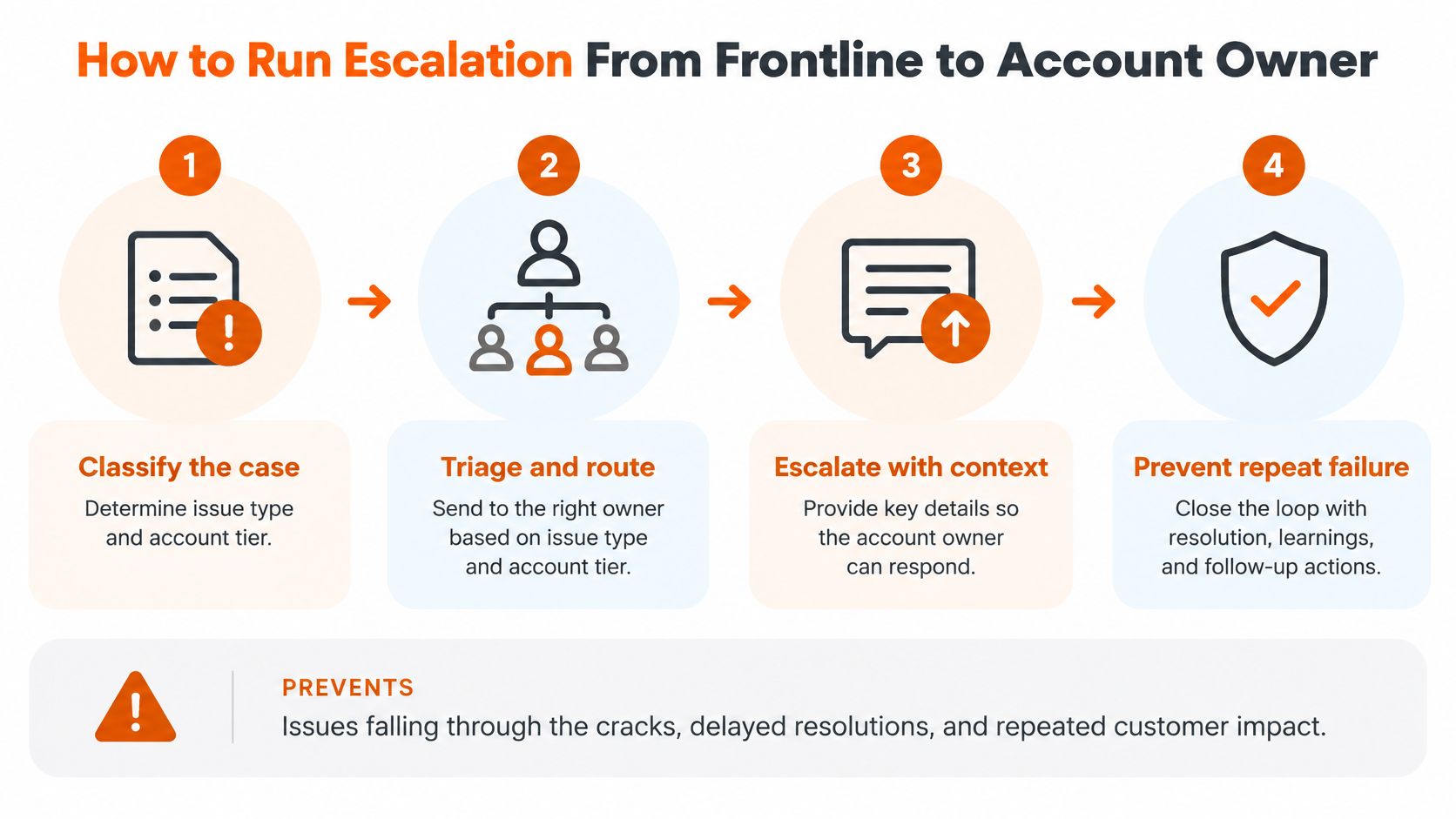
In B2B support, an escalation is a transfer of accountability inside an ongoing account relationship. The receiving owner needs enough context to act immediately, and the customer needs a named person plus a time for the next update. A queue reassignment alone leaves the case in limbo.
- Classify the case. Record issue type, account tier, severity, and business impact so routing reflects the actual risk.
- Attempt an approved resolution. Use current documentation within a defined triage window, but don't delay incident response while searching for an answer.
- Confirm authority. Before an account change, check whether the requester is authorized to approve it.
- Transfer a structured handoff. Include account identity, relevant messages, attempted steps, and the customer's intended outcome.
- Assign a named receiving owner. Set an acceptance deadline so the case doesn't sit between queues.
- Give the customer a next-update time. Maintain that commitment even when the investigation hasn't produced a fix.
- Verify and close. Seek customer confirmation, follow a documented closure policy if they don't respond, and record the root cause for knowledge maintenance.
This workflow prevents the common failure in which the frontline team considers a case transferred while the specialist team doesn't yet consider it accepted. Escalation is complete when someone accepts responsibility, when an agent changes the assignment field alone the case still has no accountable owner.
Failed self-service must not become a restart
Stealth Agents' Customer Effort Score benchmarks report scores of approximately 6.1–6.4 on a 7-point scale for successful self-service, compared with roughly 3.5–4.0 for failed attempts. The operational lesson is to measure whether customers resolved their issue, and to treat a bot session or article view as incomplete until resolution is confirmed.
Say a procurement lead has already supplied the account identity, invoice reference, and purchasing question to a bot. The receiving agent should see those details immediately. They may still need to verify identity through an approved process, but they shouldn't ask the customer to retype information because the systems weren't connected.
Store the initial intent, retrieved documents, attempted troubleshooting, and reason for escalation. Separate customer statements from system-verified facts so the specialist knows what still needs checking.
Give the owner usable context
CapyScout's example of account intelligence for urgent customer issues is a useful reference when deciding which relationship details an escalation needs. Relevant context might include an active implementation, an approaching renewal, or another unresolved incident, with access restricted to the receiving team's role. On a multi-stakeholder account, that context is what lets the specialist answer the person in front of them without losing sight of the administrators, finance contacts, and procurement leads affected by the same case.
A documented procedure for how to escalate an issue should also specify who owns customer updates while technical investigation continues. The account owner can coordinate communication without becoming the engineer responsible for the fix.
A customer shouldn't have to become the project manager for your escalation.
The handoff fields that matter most are the customer's goal, verified work already completed, and the next accountable owner with a deadline. A transcript supports those fields, but it doesn't replace a concise summary.
Where AI Agents Answer, Act and Hand Off
AI response rules by request type
| Request type | AI may do | Human required | Audit evidence to keep |
|---|---|---|---|
| Routine product question | Answer from approved sources | If unresolved or confidence is insufficient | Source and confidence score |
| Billing dispute | Explain the invoice and gather details | Before any credit or refund | Invoice reference and stated reason |
| Security or compliance question | Point to published policy only | Every time under this routing policy | Conversation record and policy version |
| Account change | Collect the request and check identity | To approve the change | Approval record and identity-check result |
| Meeting booking or lead capture | Complete an authorized action | Optional, subject to exceptions | Action log with timestamp |
Adoption isn't proof of control. A 2025 survey of 700 CX decision-makers, reported by CMSWire, found that 96% viewed AI as a key strategy, while 67% were implementing it without adequate governance structures.
Use explicit routing boundaries to distinguish an informative answer from an authorized action.
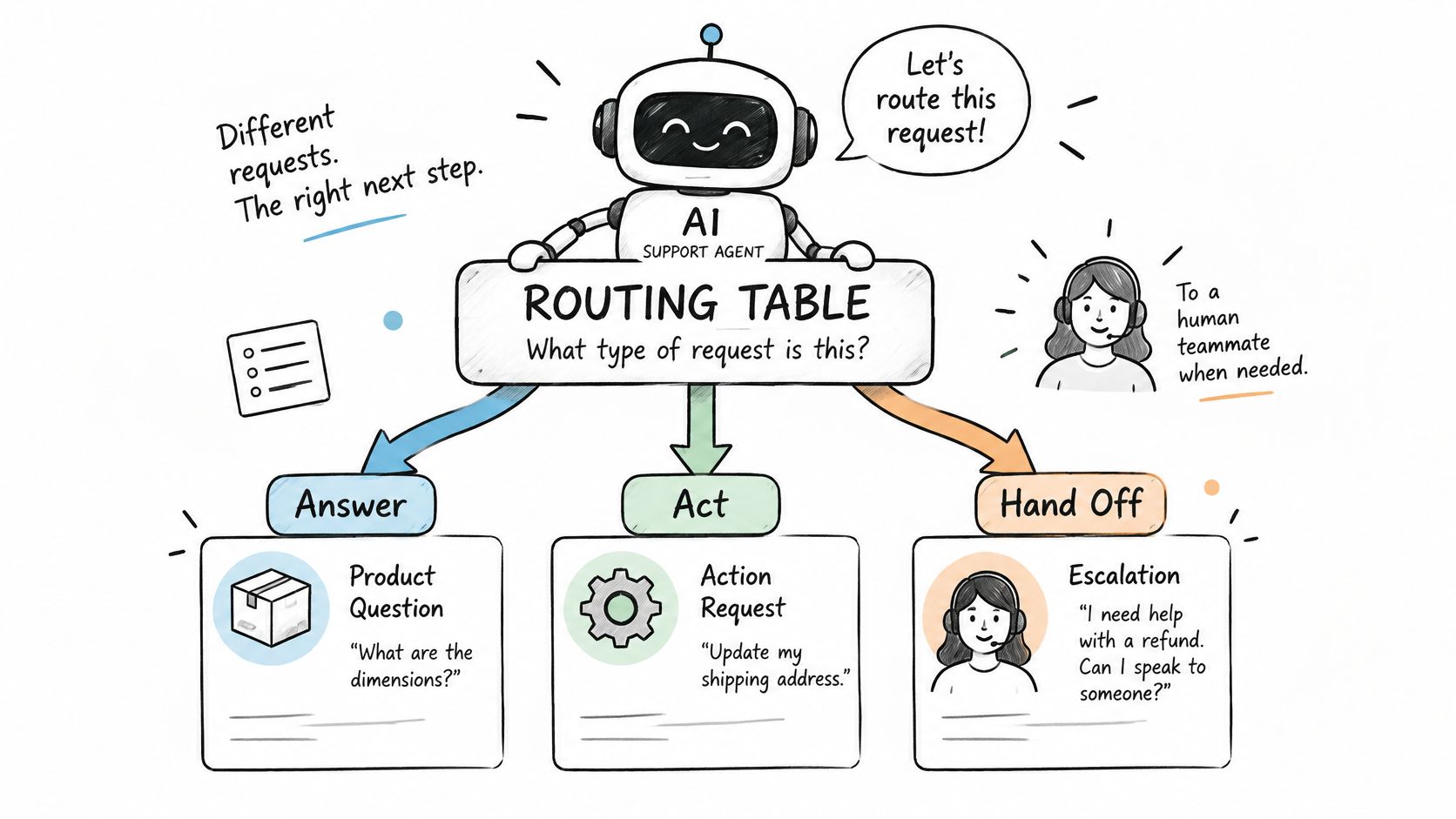
Confidence isn't authorization
An agent may be confident about how to change an account administrator without being authorized to make that change. Keep retrieval quality, requester authority, and action permissions as separate checks.
Require source traceability, versioned knowledge, role-based access, explicit refusal rules, and outcome audits. Treat confidence scores as signals to validate against reviewed outcomes, not guarantees that an answer is correct.
For example, an agent can explain a documented export procedure, then decline to interpret a customer-specific contract term. The correct handoff includes the question and relevant approved material without inventing a contractual conclusion.
AskYourQA's safety checks for autonomous AI agents can inform tests for ambiguous requests, unauthorized actions, and failed tool calls. Test the refusal path as carefully as the successful answer.
Use this video alongside a review of your own routing decisions.
Make decisions auditable
When evaluating AI customer support agents, track:
- Correct handoff rate: Escalations reviewers agree were necessary. Also inspect missed escalations.
- Refusal accuracy: Whether the agent correctly declines restricted security and contract requests without blocking permitted guidance.
- Audit coverage: The share of answers stored with their source and confidence score.
The decisive test is practical: can you reconstruct why the agent answered, acted, or handed off? If not, expand supervised assistance before expanding autonomy.
Audit Your Support Model Before You Scale
Run an operational audit before you add headcount or open another channel:
- Inspect recent cases: Tag a representative reporting period by issue type, account tier, severity, and receiving team.
- Validate the baseline: Calculate FCR, reopen rate, MTTR, and CES using consistent definitions. Check the underlying cases, not just the dashboard.
- Choose the highest-volume intents: Separate repetitive informational questions from requests requiring approval or investigation.
- Pilot narrowly: Use a limited channel and request scope so reviewers can examine both successful resolutions and exceptions.
- Review failures regularly: Assign an owner to repair source content, routing logic, or permissions whenever the pilot exposes a gap.
Make the expansion decision explicit
Don't approve expansion because the pilot handled a large volume of conversations. Require evidence that answers were correct, restricted requests reached the right person, and receiving agents could proceed without rebuilding the case.
If clean handoffs aren't working, fix routing before adding channels or staff. Otherwise, new hires inherit the same missing information, and automation distributes the same gaps more widely.
Bring recent customer questions, your escalation paths, and the current KPI baseline to a live walkthrough with our solutions engineer. Use your own documentation to test a routine answer, an ambiguous request, and a case that must reach a human. The walkthrough includes a live agent built on your documents, with no credit card or commitment.
The purpose isn't to demonstrate that every request can be automated. It's to establish which work can proceed safely and which work needs a person, with clear responsibility in either case. B2B customer care scales when context travels with the customer.
AgentStack offers a live walkthrough with a solutions engineer and a live agent built on your own documentation, with no credit card or commitment. Bring your customer questions and escalation rules to test whether answers and handoffs preserve the context your accounts need.