You've got a support widget live, a knowledge base half synced, and a product manager asking why the agent can't book a meeting or raise a ticket on its own yet. So you open the API docs, fire a request, get a 200, and call it done. That's where most tutorials stop, and it's exactly where real integrations start failing, in retries that book twice, webhooks that arrive twice, and keys that leak into front-end code.
This API integration example walks the other way. You'll build a small AgentStack flow that creates, uses, and reads back a record, then you'll harden the parts that break in production. Treat the successful response as proof of connectivity, nothing more.
Table of Contents
- Make Your First Authenticated Request
- Build a Minimal End-to-End Flow
- Handle Errors and Retry Safely
- Process Webhook Events Without Duplicates
- Lock Down Access and Verify Before Launch
Make Your First Authenticated Request
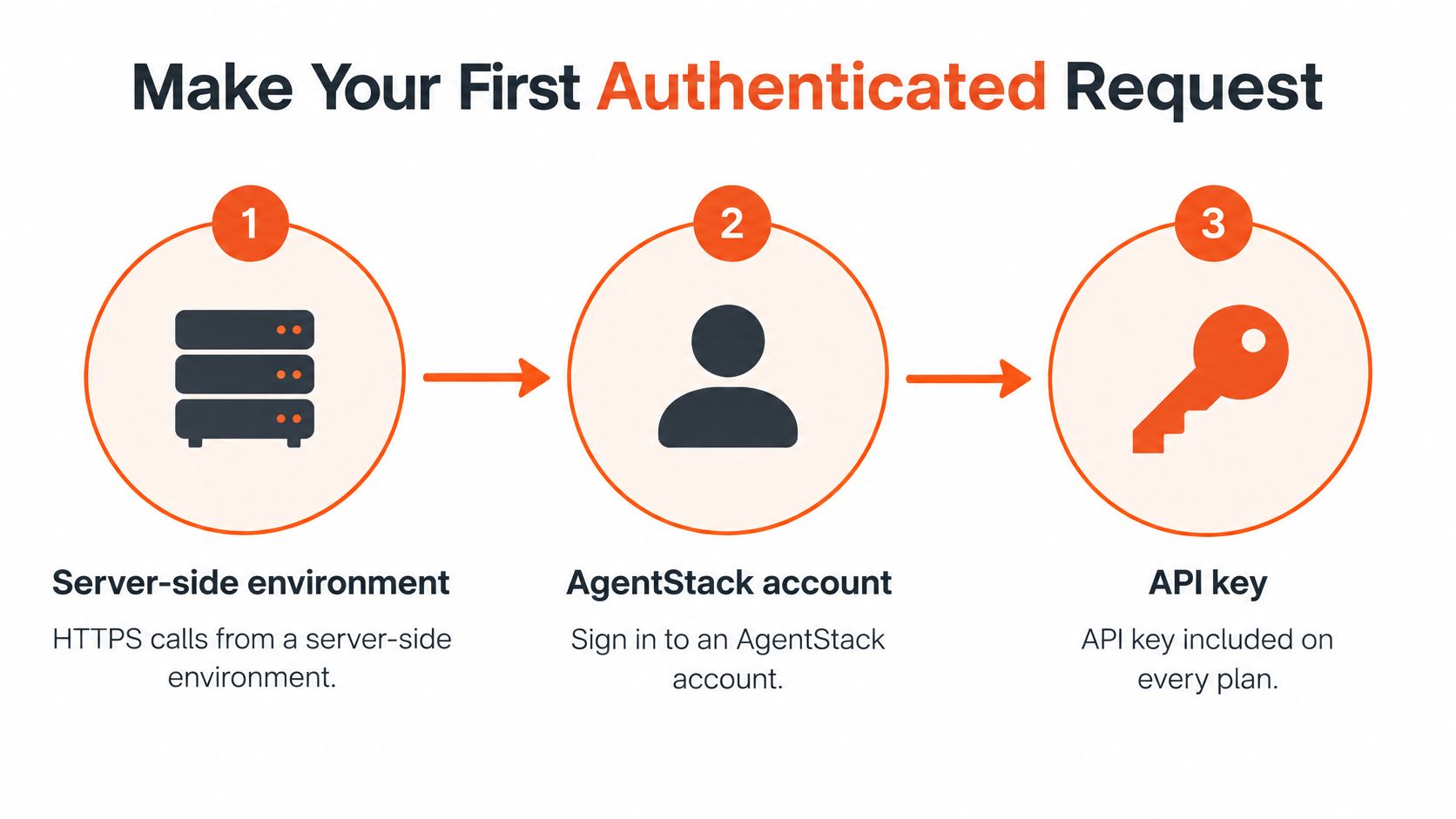
You need three things before any code, a server-side environment that can make HTTPS calls, an AgentStack account, and an API key. AgentStack provides a REST API, version 1, listed with its documentation under Resources on agentstack.build, and REST API access and API keys are included on every plan, with the plan setting your rate limit. Copy the base URL and endpoint paths from that reference rather than guessing them, because a wrong base URL is one of the most common first-call failures.
The Six-Step First Call
- Create the key: Generate it in the dashboard and label it by environment, for example staging-readonly.
- Store it server-side: Put it in an environment variable or secrets manager. Never ship it in browser code or commit it to a repository.
- Write one GET: Pick a read-only resource from the REST API authentication reference and send the key in the authorization header in the format the docs specify.
- Send it: Use curl for a quick check, then your language's HTTP client for the main client.
- Check the result: Confirm the status is 200 and the JSON body carries the fields you'd expect, such as an ID and a timestamp.
- Save the request ID: If the response headers return one, log it. Support teams can trace a request ID far faster than a screenshot.
Here's the same GET in curl, with the key masked so you can copy the shape safely.
curl -H "Authorization: Bearer $AGENTSTACK_API_KEY" "<base-url-from-docs>/v1/<resource>"
And here's the same call in Python with the requests library, reading the key from the environment so it never sits in source.
import os, requests; r = requests.get(os.environ["AGENTSTACK_BASE_URL"] + "/v1/<resource>", headers={"Authorization": f"Bearer {os.environ['AGENTSTACK_API_KEY']}"}); print(r.status_code, r.json())
A trimmed response body is enough to verify the call worked. Look for an id you can pass to later requests, a created_at or updated timestamp, a status field, and the name or title of the record you asked for. If those four line up with what the dashboard shows, connectivity and authentication are both proven.
If the call fails, check three things before you touch anything else. The base URL is the usual culprit, followed by sending the key under the wrong header name. Third is duller but just as common, a key pasted with trailing whitespace from a password manager or spreadsheet. If you want a visual parallel for this first-call pattern in another domain, RenderIO's video API quick start walkthrough shows the same authenticate, request, inspect rhythm applied to media endpoints.
The most common first-call failure is a wrong base URL or a key sent under the wrong header name, not a broken API.
Build a Minimal End-to-End Flow
A single GET proves you can read. It proves nothing about whether your agent can act. The useful test creates something, uses it, reads it back, and cleans up, matching every step by ID. Tag every test record with a clear prefix such as TEST_ so you can find and remove it later instead of polluting a live agent's knowledge.
Create Then Trigger
Step 1, add a Q&A pair. Send a POST to the knowledge endpoint from the reference with a question and answer pair your agent doesn't already have. Use a distinctive question, for example asking how a test customer resets a password, and a short answer. Save the returned record ID. If the response has no ID, stop and check the schema before going further, because every later step depends on it.
Step 2, trigger an action. The product lists these AI actions, book meetings, lead capture and escalate to human, plus custom API actions. Configure one, say a custom API action pointing at a test endpoint you control, then ask the agent a question that should invoke it. Your endpoint receives the call, returns a structured result, and the agent uses that result in its reply. This is the step most examples skip, and it's the one where malformed model-generated parameters show up first. Validate every field your endpoint receives and reject anything outside the expected types or ranges.
Reference documentation shapes how quickly you get this right. A well structured endpoint reference, like CertSeal's certificate issuance API reference, shows the pattern to check for anywhere, explicit request fields, response shapes, and error cases per endpoint rather than buried in prose. Hold your own integration notes to that same standard, one entry per endpoint with the fields you send and the ID you keep.
Read Back Then Clean Up
Step 3, read the record. GET the record using the ID from step 1. Confirm the question and answer text match what you sent, character for character on the ID at least. If step 2 created a booking or lead record in your own system, read that back too and confirm the agent passed the values the customer gave.
Step 4, delete the test data. Send DELETE for the Q&A pair, then GET it again and expect a not-found response. A flow you can't clean up after is a flow you'll be afraid to retest, and untested flows rot.
HTTP methods used in the end-to-end flow
| Method | Used for in the flow | Idempotent by definition | Safe to retry without a key? |
|---|---|---|---|
| GET | Read the agent, conversation or knowledge record | Yes | Yes |
| POST | Create a Q&A pair or trigger an action | No | No, add a unique key you control |
| PUT | Replace a record you already own | Yes | Yes |
| PATCH | Partially update a setting | Not guaranteed | Only if the change is absolute, otherwise add a key |
| DELETE | Remove a test Q&A pair | Yes | Yes |
The table carries one rule you'll lean on constantly. GET, PUT and DELETE can be repeated and leave the system in the same state, so a retry after a timeout is safe. POST creates something new each time it lands, so a blind retry creates duplicates. PATCH sits in between, it's only safe to retry when your change sets an absolute value rather than incrementing or appending. The flow counts as proven only when the record you created in step one is the same record you read in step three, matched by ID, and gone after step four.
Handle Errors and Retry Safely
Start with a decision rule that saves you most of the pain. A 4xx response means your request itself is wrong, so you fix it and don't retry. A 429 or a 5xx means the request may succeed later, so a capped, delayed retry is reasonable. Retrying a malformed payload five times doesn't make it valid, it makes five lines of noise in your logs.
Status codes, causes and client actions
| Status | Usual cause | Retry? | Client action |
|---|---|---|---|
| 400 | Malformed JSON or missing field | No | Fix the payload and log the field name |
| 401 | Missing, expired or revoked key | No | Check the header and replace the key |
| 403 | Key lacks permission for the resource | No | Narrow the request or adjust scopes |
| 404 | Record ID doesn't exist | No | Verify the ID and resource path |
| 409 | Conflicting state or duplicate | No | Read the current record, then decide |
| 429 | Rate limit reached | Yes, after a wait | Honor Retry-After when present, else back off |
| 500 | Server error | Yes, capped | Retry with exponential backoff and jitter |
| 502 / 503 | Gateway or unavailable service | Yes, capped | Retry with backoff, then queue the job |
| Timeout | No response received | Carefully | Retry reads freely, guard writes with a key |
The Retry Sequence That Holds Up
Classify the response first. Retry only transient failures such as timeouts and selected 5xx responses, cap attempts, apply exponential backoff with random jitter, and enforce a retry budget so one struggling dependency can't generate its own traffic storm. That's the approach in Microsoft's API implementation guidance, which recommends bounded retries with backoff and jitter, idempotency, payload and concurrency limits, and operation-level monitoring. When the budget is spent, push the job to a queue for later processing instead of failing the customer's conversation outright.
For POST requests, generate a UUID per logical action, not per attempt. Send it as your idempotency key, store it alongside the response for a defined retention window, and reuse the exact same key on every replay of that action. Rate limits, pagination and error shapes for this API are covered in the pagination and errors reference, so shape your client around those contracts rather than inventing your own page handling.
Say a customer asks the agent to book a meeting. Your client sends the POST, the server commits the booking, and the response is lost to a timeout. Without a key, your retry books a second meeting and the customer gets two invites. With a stored key, the retry returns the first booking's result and nothing new is created. The difference between those two outcomes is one UUID and a lookup.
Log for diagnosis, not exposure: Record the method, path, status, attempt number, and key identifier for every failure, and never log the API secret itself.
Process Webhook Events Without Duplicates
The visual below maps where webhook delivery sits between AgentStack and your own endpoint.
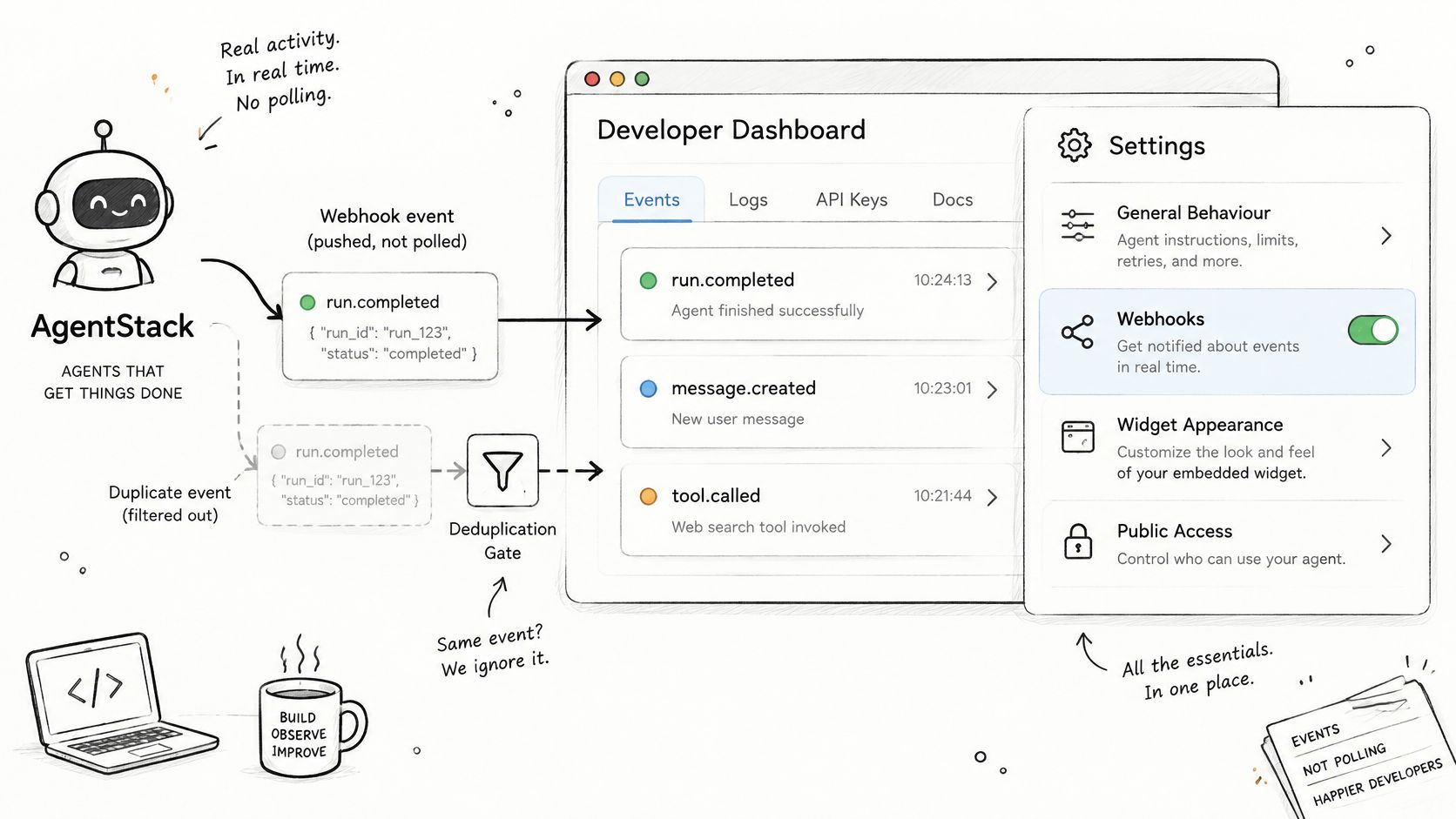
Polling for conversation updates wastes quota and still leaves you stale. Webhooks let AgentStack tell your system when something happens. In agent settings, webhooks sit alongside general behavior, conversation opening, widget appearance, public access controls and custom domains, so configure your endpoint URL there using the webhooks reference. Reliability at this layer matters beyond one integration, Postman's 2025 State of the API report surveyed more than 5,700 developers, architects, and executives globally and found 93% of API teams still face collaboration blockers, including duplicated work, delays, and degraded quality.
The Handler Sequence
- Expose an HTTPS endpoint that accepts POST requests and nothing else on that path.
- Verify authenticity first before you parse the body, if the docs describe a signature scheme, check it against the raw payload.
- Queue before you work. Write the raw event to a durable queue and return a 2xx quickly, so a slow downstream system doesn't make the delivery look failed.
- Deduplicate on event ID. Store each processed event ID and drop repeats before any side effect runs.
- Process asynchronously. Read the current record before acting, because events can arrive out of order and an older event shouldn't overwrite newer state.
- Fail on purpose. Return a non-2xx only when you want the event redelivered.
Delivery repeats are normal, not exceptional, so write every handler as if it'll run twice. The worked example below shows that duplicate delivery being absorbed rather than acted on twice.
Say an event with ID evt_8841 arrives and your handler creates a support ticket, records the event ID, and returns 200. The same event arrives again ninety seconds later. Your handler looks up evt_8841, finds it processed, and returns 200 without creating anything. One customer issue, one ticket.
Test this deliberately before launch. Replay the same event payload twice against staging and count the side effects. Exactly one ticket, booking or lead is a pass. Two means your deduplication sits after the side effect, which is the wrong side.
Lock Down Access and Verify Before Launch
A 200 response proves a request worked. It says nothing about who else could send that request, what data it can reach, or what an agent will do with it at 3 a.m. when a conversation goes sideways. I'd treat the first successful call as a warm-up: the actual launch work is deciding what happens on the calls that shouldn't succeed.
Access Controls Worth Enforcing
Keep keys server-side only, and issue one key per integration. When a key leaks or a vendor relationship ends, you revoke that one key and nothing else breaks. Rotate keys after staff changes and whenever someone with access leaves, without waiting for a scheduled review.
Give each key the least access that works, and rehearse the whole API integration example against a test agent before production. If a rehearsal can't book, refund or escalate against real records, you've proven your write paths are only the ones you open deliberately. Broad permissions handed out for convenience during development have a way of surviving into production.
Authorization has to be checked per record, not per login. Confirm each record belongs to the requesting customer before you return it, so a customer who swaps an ID in a request can't read another customer's conversation, booking or lead details. This object-level check is the one tutorials skip because their examples only ever hold one customer's data.
Send the agent only the fields a task needs. A booking action needs a name, a contact method and a time, not a full account history. AgentStack is GDPR compliant, so use its deletion and export features when a customer asks for their data to be removed or handed over, and make sure your own systems honor the same request end to end. Public access controls, custom domains and webhooks all live in the agent's settings, so review them together rather than treating the widget as your whole attack surface.
Contain Agent-Initiated Actions
An agent that can call your API can also call it repeatedly inside one confused conversation. Cap actions per conversation so the agent can't book five meetings, capture the same lead twice or escalate to a human three times while trying to be helpful. Require human approval for consequential actions such as refunds, and validate every parameter the model supplies against allowed values before your endpoint acts on it. The model proposes; your endpoint decides.
Watch consumption against the limits in place. AgentStack sets and enforces usage limits on its APIs, and your plan sets the API rate limit, so track usage and alert well before you hit a ceiling rather than discovering it during a traffic spike. A sudden burst from one source should trip your own rate limiting and an alert, not drain quota.
Rehearse the Failures
Run four failure cases in staging before any customer touches the integration.
- Expired key: Swap in a revoked key and confirm you get a clean authentication error, a useful log line, and no retry loop.
- Replayed write: Send the same write twice with the same key your client generates, and confirm your side records one result and issues no second request.
- Unauthorized record ID: Request a record belonging to a different test customer and confirm it's refused, not returned.
- Rapid burst: Fire a fast sequence of calls from one source and confirm throttling kicks in without corrupting state or spamming customers.
Each case should produce a boring outcome. A clear error, a logged request ID, and zero side effects to clean up by hand.
The Six-Check Launch Gate
Ship only when all six checks pass in staging with production-like configuration.
- Fresh key path: Run the first-call procedure with a newly created key and confirm a 200 with expected fields.
- End-to-end match: Run the create, use, read flow and confirm the record appears in the dashboard with the same ID.
- Retry without duplicate: Force a 429 or a timeout and confirm the retry succeeds without a second record appearing.
- Webhook replay: Deliver one event twice and confirm exactly one side effect.
- Clean logs: Confirm logs carry request IDs and attempt numbers, and contain no API keys anywhere.
- Clean shutdown: Revoke a test key and disable the webhook, then confirm the integration stops without errors piling up or jobs stuck mid-flight.
If a check fails, fix it in staging and rerun the full gate, not just the failed step, because fixes to retry logic routinely break deduplication and the other way around. For questions about the API while you work through the gate, contact support@agentstack.build.
Do not launch on a green 200. Launch when the failure cases are as predictable as the success case.
Put this API integration example to work by connecting your own systems to an AgentStack support agent through REST API v1, webhooks, and custom actions, with the retry and deduplication discipline above built in from the first request. A talk-to-us signup gets you a live walkthrough with a solutions engineer and a live agent built on your own docs, with no credit card or commitment. Start at AgentStack and make your first authenticated call today.